Kick off new customer onboarding the moment an account is created
When a new customer account is created in Wherefour, WebRun drafts a personalized welcome email with ordering instructions and your product catalog, schedules a follow-up task in Google Calendar, and pings the assigned sales rep in Slack so every new account gets a warm, consistent start.
- No credit card
- Under $0.01 per run
- Cancel anytime
What does WebRun do on every run?
The exact actions WebRun takes, in order - in plain language, so you can adjust anything.
-
WebRun signs in and gets to work
Opens
app.wherefour.comin a real browser with your saved login - no setup, no API keys. -
1
Wherefour - detect new customer account creation
wherefour.com How to Automate Wherefour

WebRun opens Wherefour to detect new customer account creation. - Detect when a new customer account is created in Wherefour
- Capture the customer name, contact email, assigned sales rep, and any segment or price list assigned
- Note the account creation timestamp
Done when New customer details including contact email and assigned rep are captured.
-
2
Gmail - draft personalized welcome email for review
gmail.com How to Automate Gmail
WebRun opens Gmail to draft personalized welcome email for review. - Draft a personalized welcome email addressed to the new customer contact
- Include your standard ordering instructions, minimum order quantities, and lead times
- Attach or link to your current product catalog
- Leave the email as a draft in Gmail for the sales rep to review and send. Do not send automatically.
Done when A ready-to-send draft welcome email is waiting in Gmail for the sales rep to review.
-
3
Google Calendar - add follow-up task for sales rep
calendar.google.com How to Automate Google Calendar
WebRun opens Google Calendar to add follow-up task for sales rep. - Create a follow-up task on the assigned rep's Google Calendar for three business days after account creation
- Title it with the customer name and note the account creation context
- Set a reminder 30 minutes before the task is due
Done when A follow-up reminder is scheduled on the rep's calendar three days out.
-
4
Slack - notify assigned sales rep
slack.com How to Automate Slack
WebRun opens Slack to notify assigned sales rep. - Post a new account notification to the sales Slack channel
- Tag the assigned rep with the customer name, contact email, and a link to the Wherefour account
- Mention that a draft welcome email and a calendar follow-up have been created
Done when The assigned sales rep is notified in Slack with all the context they need to complete onboarding.
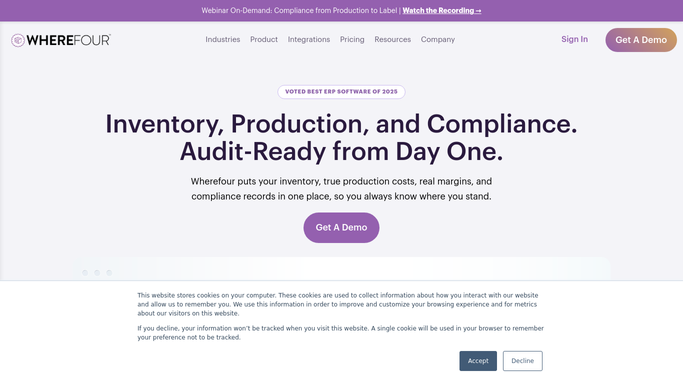



How can I automatically kick off new customer onboarding from my food manufacturing ERP?
When a new customer is created in Wherefour, WebRun immediately drafts a personalized welcome email in Gmail for the assigned rep to review, schedules a three-day follow-up task on Google Calendar, and pings the rep in Slack with the account details so every new account gets a consistent, timely onboarding kickoff.
- Every new customer gets a personalized welcome email drafted within minutes of account creation
- Sales rep receives a Slack alert plus a calendar follow-up so no new account is forgotten
- Onboarding is consistent across every rep and every new account
Built for food manufacturers · beverage producers · co-packers · sales teams · account managers
How is each run configured?
Secure by default
Connect once, stays signed in
WebRun signs in once and keeps each session in a persistent environment, so every run picks up right where it left off.
Every action is checked against this policy before it runs.
Questions, answered
Will it send the welcome email to the customer automatically?
No. WebRun drafts the welcome email and leaves it in Gmail for the assigned sales rep to review and send. Nothing goes to the customer without a human approving it first.
What if the new customer has no assigned sales rep in Wherefour?
If no rep is assigned, WebRun posts the Slack notification to the general sales channel so the team can assign ownership before onboarding proceeds.
Can it use our existing welcome email template?
Yes. Provide WebRun with your welcome email template and it will populate the customer-specific details, keeping your brand voice and formatting consistent on every send.
Related templates
Put this on autopilot.
Turn it on in minutes - or have our team set it up for you.