How to Automate Wafeq
Wafeq handles the compliance side itself: ZATCA e-invoicing with a QR code and Phase 2 integration, an automatically generated VAT Return, inventory that books cost of goods as stock moves, and reconciliation against an imported statement. Fetching that statement and reading customer portals is where an agent like WebRun fits.
 Written by
Nora Whitfield
Editorial lead
Written by
Nora Whitfield
Editorial lead
 Reviewed by
Grace Okafor
Healthcare operations
Reviewed by
Grace Okafor
Healthcare operations
Wafeq was built for the invoice rules of the Gulf
In Saudi Arabia and the United Arab Emirates the tax authority wants the invoice itself, not only the return at the end of the quarter. Wafeq is cloud accounting software built for that, so the ledger and the compliance live in the same product.
Invoicing covers invoices, quotes and purchase orders. Purchases and Claims holds bills and expenses. Payroll and Employees runs the salaries and the claims staff submit. Customers and Suppliers keeps receivables and payables on either side, and Reports and Insights builds the reporting over the top, for one entity or several consolidated.
The people in it are the owner of a trading company, the finance manager at a contractor, and the external accountant who arrives at month end wanting the numbers to already be right. In Arabic or in English, usually both in the same week.
For most companies on it, Wafeq holds the official version of the year.
The statement still gets downloaded by a person
The books are only as current as the last thing somebody went and fetched.
Reconciliation starts with a bank statement, and a bank statement starts with a person signing into the bank, choosing a date range, downloading a file and uploading it again. That happens when someone remembers, which is generally the week the numbers are needed rather than the day the transaction cleared.
Collections work the same way. A large customer here often will not pay against an emailed invoice at all: it has to be entered into their own supplier portal, and the only place the payment date exists is inside that portal, behind a login issued to your company.
Then the compliance calendar. Somebody checks that what went to the authority was accepted rather than rejected. Somebody sends each client a statement of account, one at a time, off a list.
Each of those is a login, a download and a comparison, and none of them is accounting.
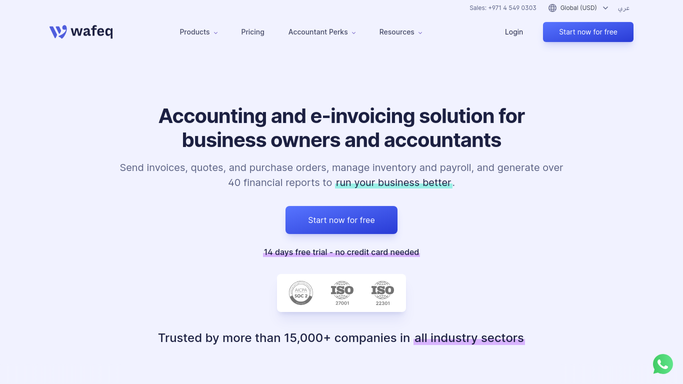
Wafeq files the invoice with ZATCA; the rest is fetched by hand
On the compliance side Wafeq does more than most accounting products, and that is worth setting out first.
E-invoicing is wired into ZATCA directly. Wafeq generates the compliant e-invoice with its QR code and integrates with the authority's API for Phase 2, so invoices clear without anybody creating files or uploading them one by one. The VAT Return is generated automatically in the format required for filing. Inventory tracking books cost of goods as stock moves rather than at quarter end, and Reports and Insights runs the financials across one entity or a consolidated group.
Reconciliation is built in as well. You import a statement into a bank account, classify each line, and match a bank line against a payment already recorded. The status turns to Reconciled, and where the two disagree you post an adjustment.
Read that again and the ceiling is visible inside it. Wafeq will match the statement. Wafeq will not go and get the statement. The bank portal, the customer's supplier portal, and the authority's own view of what it accepted sit behind logins, and every one needs a person to open it.
A large customer's portal holds the payment date nobody emails you
Overnight is a good time to read a portal, and nobody has to be awake for it.
The bank read every morning and set against the invoices Wafeq shows as open, so a payment that arrived without a reference is matched the day it lands and a client who has already paid never receives a reminder.
Invoice status read inside each large customer's supplier portal, the one place a payment date actually appears, so a question about timing is answered by a line in a list rather than an email chain.
What the authority accepted checked against what Wafeq submitted, so a rejected or flagged document is a correction this week instead of a problem at the deadline. Client statements of account assembled per customer, aged, oldest balance first, ready for a person to send.
And the quiet one that catches real money: supplier bills read against the purchase orders they claim to match, so a price that moved between the order and the invoice is a query while the delivery is still fresh.
Opening a portal is not what the qualification was for
Every one of those tasks has the same shape: open a portal, read a page, compare it with the books. None of it is the part that needed the training.
WebRun is an AI agent that drives a real Chrome browser, signed in the way your finance team signs in. It opens the bank, a customer's supplier portal, the authority's site or Wafeq itself, reads what each one shows, and returns a short list: what cleared, what is still open, what was rejected.
It runs on your schedule in your own private environment, and any run can be watched and stopped. Gathering and comparing run unattended, nightly if you like. Anything that changes a record, releases a payment, submits to the authority or reaches a client is drafted and waits for the person whose name is on the filing.
The workflows below are already built, and each one names what it opens.
Questions people ask
Can it clear an e-invoice with the tax authority for us?
No, and it does not need to, because Wafeq already integrates with ZATCA for that. What the agent adds is the check afterwards: it reads what the authority shows against what was submitted and reports anything rejected or flagged, so a person can correct it in time.
Does it upload the bank statement into Wafeq itself?
By default it fetches and compares rather than uploads. It opens the bank, reads the movements, and sets them against the invoices and bills Wafeq shows as open, so you get the exceptions. Importing the statement and posting adjustments stays a deliberate step you take.
Our auditors will ask who did what. Is there a record of each run?
Yes. Every run is watchable live and leaves a record of the sites it opened and what it read, and a workflow can be locked to a named list of domains. Nothing is posted to the ledger by the agent, so the audit trail inside Wafeq still shows a named person behind every entry.
12 ready-made Wafeq workflows
Each one names the apps it touches and the exact steps it takes. Open one to read what it will do, then turn it on.



Want one of these running on your own Wafeq?
Show WebRun the process once and it will run it on schedule, in your own private browser environment.