Get a clear payroll summary before every pay run
Two days before each pay run, WebRun opens Wafeq, pulls the payroll totals, headcount, gross pay, deductions, and net pay, logs them to a sheet alongside last period's figures, and messages your finance lead on WhatsApp with anything that moved enough to double check before payroll is finalized.
- No credit card
- Under $0.01 per run
- Cancel anytime
What does WebRun do on every run?
The exact actions WebRun takes, in order - in plain language, so you can adjust anything.
-
WebRun signs in and gets to work
Opens
app.wafeq.com/payrollin a real browser with your saved login - no setup, no API keys. -
1
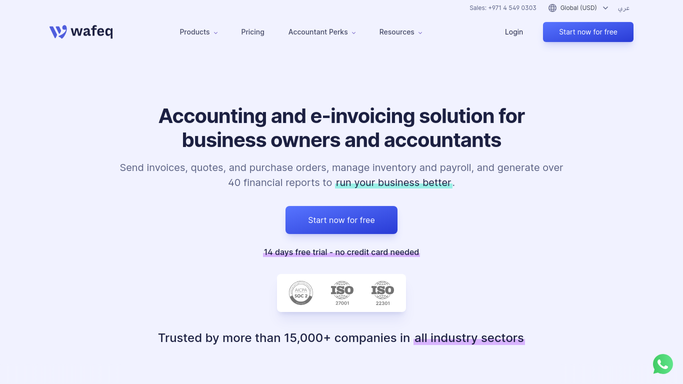
Wafeq - pull payroll totals
wafeq.com How to Automate Wafeq

WebRun opens Wafeq to pull payroll totals. - Open Wafeq and pull the draft payroll run for the period
- Capture headcount, gross pay, deductions, and net pay in total
- Flag any employee added, removed, or with a pay change since last period
Done when The draft payroll run totals and any changes are captured.
-
2
Google Sheets - log totals against last period
google.com How to Automate Google Sheets
WebRun opens Google Sheets to log totals against last period. - Log this period's totals in a new row next to last period's for comparison
- Calculate the change in total gross pay and headcount
- List flagged pay changes in their own column
Done when The payroll sheet shows this period against last period with changes flagged.
-
3
WhatsApp - alert finance to review before it's final
whatsapp.com How to Automate WhatsApp
WebRun opens WhatsApp to alert finance to review before it's final. - Message your finance lead with the total headcount, gross pay, and net pay for the run
- Call out any flagged pay changes so they can be checked before finalizing
- Never finalize or submit the payroll run. That stays a manual step in Wafeq
Done when Finance has the summary and any flags in WhatsApp before the run is finalized.


How do I review payroll totals before finalizing a pay run?
WebRun pulls the draft payroll run from Wafeq two days before each pay day, capturing headcount, gross pay, deductions, and net pay against last period's figures. It logs the comparison to a sheet, flags any employee added, removed, or with a pay change, and messages your finance lead a WhatsApp summary to review, never submitting payroll itself.
- Pay changes get a second look before the run is finalized, not after payday
- Finance sees headcount and gross pay against last period in one WhatsApp message
- Individual pay details never leave Wafeq. Only the aggregate summary goes out
Built for finance and HR leads · payroll administrators · SMEs running payroll in Wafeq · multi entity employers
How is each run configured?
Secure by default
Connect once, stays signed in
WebRun signs in once and keeps each session in a persistent environment, so every run picks up right where it left off.
Every action is checked against this policy before it runs.
Questions, answered
Will it finalize or submit the payroll run on its own?
No. It only summarizes the draft run and flags changes. Finalizing and submitting payroll always stays a manual step inside Wafeq.
Does it message individual employees about their pay?
No. It only sends an aggregate summary to your finance lead. WebRun never contacts employees directly about pay or deductions.
What counts as a change worth flagging?
Any employee added, removed, or with a pay change since the last run, so your finance lead can double check it before the run is finalized.
Related templates
Put this on autopilot.
Turn it on in minutes - or have our team set it up for you.