How to Automate TSTracker
TSTracker is a made-to-order tooling ERP for mold shops and die shops, built around job scheduling, task tracking by build stage, a shop floor map, workload analysis and reports for cost of work in progress and contributed margin. Customer engineering portals and component suppliers sit outside it, and an agent such as WebRun reads those.
 Written by
Samuel Adeyemi
Integrations writer
Written by
Samuel Adeyemi
Integrations writer
 Reviewed by
Hannah Vogel
Finance operations
Reviewed by
Hannah Vogel
Finance operations
A mold is quoted before it exists and built exactly once
A production machine shop runs a part number a thousand times and learns what it really costs on the second run. A mold shop prices something that has never existed, then spends four or five months building it once: design, steel ordered, roughing, heat treat, electrodes and sinking, hand fitting, assembly, tryout, samples, engineering changes, buyoff, and eventually a crate.
TSTracker is the system built for that, from TST Tooling Software Technology in Clarkston, Michigan, which calls it a made-to-order tooling ERP for mold shops and die shops. The full product name is TSTracker MPO, for Manufacturing Profit Optimization.
Through the whole build the tool is not sold and often not fully paid for. What the shop has instead is work in progress sitting on the floor in a few hundred hours of somebody's labour, and a delivery date a customer has already built a launch around.
Half the build waits on a decision somebody else makes
The stages that hold a tool up are rarely the machining ones.
A hot runner system carries a lead time quoted before the design was frozen. The mold base supplier acknowledged an order on a date that has since moved. A customer's engineer revises the part model and posts it to their supplier portal, which is where change notices live now, and the shop finds out when the core no longer matches the cavity. A tryout is booked at a press somewhere else, then rebooked. Samples go out for approval and sit. A buyoff is scheduled around the customer's calendar rather than yours.
Every one of those is a date on another company's website, and every one stands between the shop and a progress payment. So somebody senior spends the start of each day chasing them, and the day the chasing does not happen is the day a tool loses a week.
Task tracking carries whatever the last entry said
TSTracker is built around exactly this problem and covers the shop-facing half of it well.
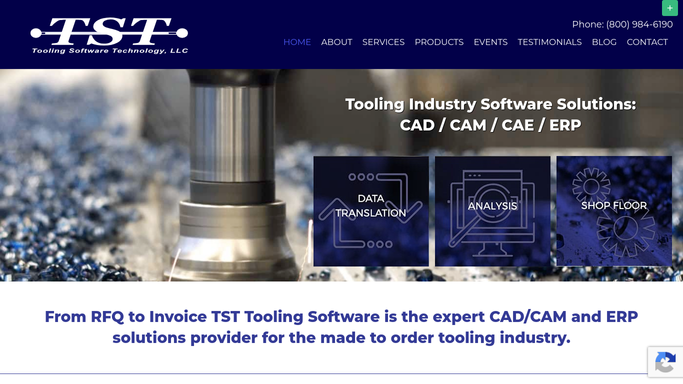
Job scheduling and task tracking follow a tool through its build tasks in real time, so the stage a job has reached is a fact rather than a conversation. A shop floor map and workload analysis show where work is sitting and which benches are loaded. Jobs in Trouble surfaces the ones that have slipped, and RFQs, quotes and active jobs sit in one pipeline so nothing quoted goes unfollowed. The money side is unusually well covered for a shop this size: a cost of work in progress report that values active jobs in real time, which matters for tax and for a banker, a contributed margin report showing what a customer or a product type actually earns, and a missing revenue report setting expected invoice value against what was billed. Estimating, bills of material, purchasing, workflows, to-do lists and a QuickBooks link sit around all of it.
The catch is the one every system of record has. A stage moves when somebody moves it, and a date holds until the outside world changes it.
A build stage can be told what the customer just changed
Picture the job list checking its own assumptions overnight.
Customer engineering portals read each morning for revised part data, change notices and drawing releases, matched to the tool and the stage they land on, so a change arriving during roughing is treated differently from one arriving after texture. Finding a revision late is the most expensive routine mistake in this trade.
Component and steel orders checked on each supplier's site for acknowledged and revised dates, mold bases, hot runners, standard components, so the stage that needs them is planned against the date they are actually coming rather than the one quoted in April.
Sample submissions, tryout bookings and buyoffs gathered into one list with how long each has waited, because a progress payment usually sits behind exactly one of them. Freight followed for a crated tool, which is not a thing anyone wants to guess about. Replacement components watched for stock, so a tool coming back for maintenance is not parked waiting on a part.
The build is in TSTracker. This is everything the build is waiting on.
A week lost on a tool never comes back
Each of those checks takes two minutes, and none of them get done in a bad week, which is precisely the week they matter.
WebRun is an AI agent that works a real Chrome browser, signed in as you. It opens the customer's engineering portal, the component supplier or the carrier, reads what is on the screen, and either writes it against the job in TSTracker or hands you a list before the shift meeting.
There is no integration to commission first, which is the point when the other end is a tier one portal you have no influence over. It runs on your schedule in your own private environment, you can watch a run and stop it, and anything going to a customer is drafted and waits.
The workflows below are already built, and each one names what it opens.
Questions people ask
Our customers post engineering changes on their own portals. Can it watch those?
Yes. It signs in with your account and reads each portal the way your project engineer does, then sets what it found against the job and the build stage it affects. A portal with no export or API works the same as one with both.
Will it accept a change or approve a sample on our behalf?
No. Accepting a change and signing off a sample are commercial decisions, so they stay with a person. It brings the notice, the revision and the date to you with the job attached, and drafts the reply for you to send.
We are a twelve person shop with no IT. Is this realistic?
Yes, because there is nothing to install on the tooling side. It drives a browser signed in with the logins your team already has, so the work is deciding what gets checked each morning rather than building anything.
12 ready-made TSTracker workflows
Each one names the apps it touches and the exact steps it takes. Open one to read what it will do, then turn it on.





Want one of these running on your own TSTracker?
Show WebRun the process once and it will run it on schedule, in your own private browser environment.