How to Automate RightEye
RightEye automates the vision test and the report that follows it. An assessment runs in minutes on the eye-tracking system, results come back as a graphical report, and Sports Vision Trainer turns them into assigned drills. Scheduling a squad, chasing retests and invoicing packages still happen in other systems by hand.
 Written by
Marta Ellison
Automation strategist
Written by
Marta Ellison
Automation strategist
 Reviewed by
Grace Okafor
Healthcare operations
Reviewed by
Grace Okafor
Healthcare operations
RightEye turns eye movement into a number a coach can use
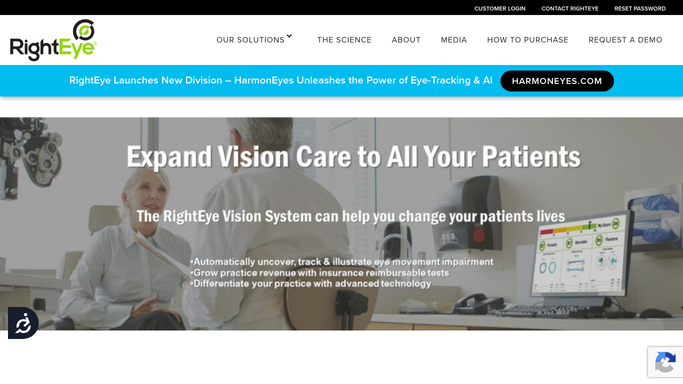
RightEye is an eye-tracking system that measures how a person's eyes actually move and turns that into a report. The hardware is not much bigger than a laptop, it sits on a desk in an ordinary office rather than in a lab, and staff who are not clinicians can run a test on it.
The tests have names. Sports Vision EyeQ compiles eye-tracking tests into a single assessment of eye movement, brain processing and reaction time. Functional Vision EyeQ covers eye alignment, eye teaming, depth perception and object tracking. Reading EyeQ follows a reader's eyes across a page in real time. The eye-tracking system itself carries FDA clearance, which matters once a result goes anywhere near an athlete's file.
Who uses it varies more than the technology does. Optometrists building a sports vision service. Professional and college teams. School programs and athletic departments. In all of them the same thing happens: an athlete sits down for a few minutes and stands up with numbers that used to be a coach's hunch.
Booking the squad takes longer than testing it
Testing one athlete takes minutes. Testing a squad, and then doing anything useful with the results, takes the rest of the month.
Pre-season screening means getting a whole roster through one chair in a fortnight, around practice, class and travel. Somebody builds that schedule by hand, rebuilds it every time a session is missed, and texts the athletes who did not show. Somebody sends each report to the athlete, to a parent if the athlete is a minor, and to the coach who asked for it. Somebody types the headline scores into a spreadsheet so this week's reaction times can sit beside last month's, because one report is a snapshot and the useful thing is the trend.
Then the training. Drills assigned, and nobody knows who did them. Reassessment windows that quietly pass. Packages sold in blocks of sessions, invoiced somewhere else entirely, and reconciled by hand against who actually turned up.
The report ends where the athlete's file begins
RightEye does the hard part very well, and it is worth being precise about which part that is.
The assessment runs on the device and produces a report in moments, with no clinician reading raw traces. Those reports are graphical and quantified, which is what makes them usable in a conversation with an athlete or a parent rather than only in a chart. Sports Vision Trainer turns a result into assigned exercises drawn from a video training library of instructional drills, and programs can be built by sport. Athletes retest with the same assessment, so progress is measured on the scale it was identified on.
Every one of those acts on the test, the report and the drill.
The squad list is somewhere else. It sits in an athletic department's system, a team's roster platform, or a spreadsheet a strength coach maintains from memory. The appointments are in the practice's scheduling system. The invoice is in the billing system. A parent's email address is in a school database. Those are the things a season runs on, and an assessment device has no reason to hold any of them.
A squad that is screened, retested and reported without a clipboard
Give something the ability to open the roster, the scheduler and the billing system, and the season stops being run off a clipboard.
A team list held against who has actually completed a pre-season screening, so the athletes still outstanding surface with weeks of the build-up left to fit them in. Missed sessions turned into a rebooking draft the same evening rather than a note somebody meant to action. Each athlete's results from this test and the previous one gathered into a progress note a coach can read in a minute, with the scores that moved the wrong way flagged.
A squad summary showing how the group benchmarks against itself, instead of a stack of individual reports nobody opens. Reassessment windows tracked so a retest happens at the point it will show something. Training packages invoiced against sessions actually attended, and follow-ups drafted for the athletes who have gone quiet on their drills.
Because this is health data about people who are often minors, the boundary is firm. Collecting, comparing and drafting can run unattended. Anything that reaches an athlete, a parent or a coach, and anything that goes into a clinical record, is prepared for a qualified person to review and send.
The clipboard work goes to an agent
None of the scheduling, chasing or transcribing calls for clinical judgement. It calls for somebody with the logins and a spare hour, which is the only reason it has stayed on a person.
WebRun is an AI agent that works a real Chrome browser, signed in the way your staff sign in. It opens the roster, the scheduler, the billing system or the practice inbox, reads what is on the screen, and brings the answer back with the athlete's name attached.
It runs on your schedule inside your own private environment, sessions are not shared between tools, and a workflow can be restricted to a named list of sites. You can watch a run and stop it mid-way.
Each workflow below names the systems it opens and the steps it takes.
Questions people ask
Will it interpret an athlete's test result?
No. It moves results between systems and shows what changed since the last assessment. Reading a result and deciding what it means stays with the qualified person whose name is on the report.
Is this safe to use with minors' health data?
It sees only what the staff member signing in can see. Sessions stay inside your own private environment and are not shared between tools, and a workflow can be locked to a named list of domains.
Can it message athletes and parents about missed sessions?
It drafts and waits. A rebooking text or a progress note to a parent is prepared for your staff to read and send, because a message about a minor's health is not something to leave to an unattended run.
11 ready-made RightEye workflows
Each one names the apps it touches and the exact steps it takes. Open one to read what it will do, then turn it on.






Want one of these running on your own RightEye?
Show WebRun the process once and it will run it on schedule, in your own private browser environment.