How to Automate MilkNotes
MilkNotes automates the lactation record itself. Charting remembers your terminology, care plans and superbills fill from what you charted, e-faxing sends them, and the parent portal collects intake. Chasing a claim on a payer portal, a referral at a pediatric office or your own recertification is still hand work for a consultant.
 Written by
Marta Ellison
Automation strategist
Written by
Marta Ellison
Automation strategist
 Reviewed by
Clara Bennett
Revenue operations
Reviewed by
Clara Bennett
Revenue operations
A lactation consult happens wherever the baby is
MilkNotes is an electronic health record built for lactation consultants rather than adapted for them, and the people who use it are rarely sitting at a desk. IBCLCs, doulas, childbirth educators and craniosacral therapists all work in it, and a visit is as likely to happen on a family's sofa at seven in the morning as in a clinic room.
What lives in it is one feeding relationship at a time. A latch that hurts. A weighted feed and what the scale said before and after. A care plan a parent will read at two in the morning with one hand free. The pump a family borrowed and has not returned. Notes taken with a baby in the room, which is why the charting has to work on a phone and save itself as you type.
The consultant is usually the whole practice. She takes the booking, runs the visit, writes the plan, sends it to the pediatrician and bills for it, often between two other visits.
The billing outlives the visit by a month
The consult finishes in an hour. The administration attached to it runs for weeks, and almost none of that happens inside the practice.
Lactation care is a covered benefit on most United States health plans, and coverage is honoured unevenly, so somebody has to find out. Before a visit that is a benefits check on the payer's portal. Afterwards a superbill goes to the family or a claim goes to the plan, and whether either was accepted shows up on a portal weeks later, not in an inbox.
Then there is everything else a small clinical practice owes. A referral to the pediatrician who wanted the weight trend, with no way to know whether the note landed. A rental pump a family has kept for nine weeks. A parent who booked a latch recheck, missed it and never rebooked, at exactly the point where a feeding problem either settles or ends the breastfeeding relationship. The consultant's own recertification, counted in credits on a certifying body's site that emails nobody.
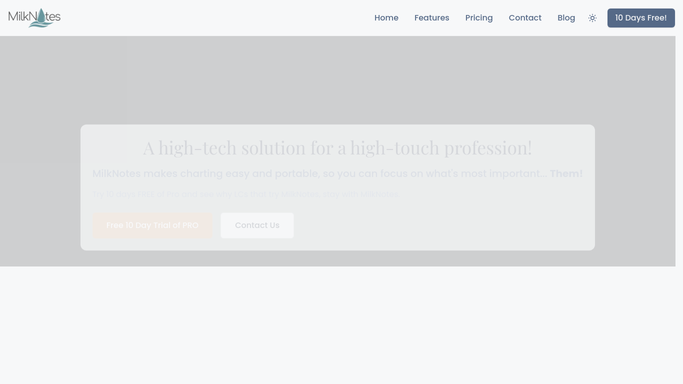
The chart reaches the parent, not the payer
MilkNotes does more inside the practice than a new user tends to switch on, and the built-ins are worth exhausting first.
Charting is the centrepiece, with a Dynamic Dictionary that remembers the terms you used last time and auto-save so a note survives a baby who needs both hands. The Parent Portal lets a family complete intake before the visit and read their care plan afterwards. e-Faxing sends a care plan or a medical report straight out of the record, which is still how most pediatric offices want to receive one. Superbill generation fills the form from what is already charted. VideoCare runs telehealth inside the web app, and there is even a pump rental tracker, because somebody had noticed.
All of that acts on the practice's own record, or on a parent the consultant can already message.
The payer is not on that list. Neither is the pediatric practice's portal, the equipment supplier who ships the rental pumps, or the certifying body holding the recertification clock. Each one holds something the practice depends on and offers a single route in: a login, and twenty minutes of a clinician's evening.
Superbills, referrals and recertification that keep their own diary
The work outside the chart happens on four websites, and all four can be read while the practice is shut.
Tomorrow's bookings checked against the payer's portal the night before, so the consultant knows which families have lactation benefits before she is standing in their kitchen. Claims followed on the payer's own site until they are paid or denied, with the denials named rather than discovered in a quarterly reconciliation.
Referrals to a pediatrician tracked out and back, so a weight trend that never reached the office is visible in days. Rental pumps held against who still has one. Every family who missed a latch recheck and did not rebook, gathered into a short list for a Monday morning with the newest babies at the top. Recertification credits and renewal windows read off the certifying body's site while there is still a year to fix a shortfall.
The line in a clinical practice does not move. Gathering and comparing can run unattended overnight. Anything that changes a chart, or that reaches a parent, is prepared and left for the consultant to send, because a message about a baby's feeding should not go out without a clinician.
The consultant's hands belong on the feed
A one-clinician practice cannot spare an evening on a payer portal, and the family waiting on a rebooking gains nothing from the wait.
WebRun is an AI agent that works a real Chrome browser, signed in the way your practice signs in. It opens the payer's site, the pediatric office's portal, the supplier or the certifying body, reads what is there, and brings the answer back attached to the right family or the right claim.
It runs on your schedule inside your own private environment, sessions are not shared between tools, and a workflow can be locked to a named list of sites. You can watch a run and stop it.
The workflows below are already built, and each one names what it opens.
Questions people ask
Will it put anything into a client's chart by itself?
No. It gathers and presents, and the consultant acts. Anything that changes a clinical record is set up to prepare the change and hold it for a qualified person to review first.
How is a family's health information kept private?
It sees only what the person signing in can see. Sessions stay inside your own private environment and are not shared with other tools in a workflow, and a workflow can be locked to a named list of domains.
Can it check insurance benefits on a payer site with no integration?
Yes, and that is usually the reason to use it. It reads the payer's portal the way you would, which for a solo practice is the only route those systems offer at all.
11 ready-made MilkNotes workflows
Each one names the apps it touches and the exact steps it takes. Open one to read what it will do, then turn it on.





Want one of these running on your own MilkNotes?
Show WebRun the process once and it will run it on schedule, in your own private browser environment.