How to Automate Google Sheets

You automate Google Sheets in three layers. Formulas and functions handle anything that stays inside the sheet. Apps Script and scheduled triggers handle repeatable jobs on a timer. Getting the numbers in from tools that have no export is the layer most people still do by hand, and the one worth handing to an agent like WebRun.

Google Sheets quietly became the company database

Google Sheets, which plenty of people still call a Google Spreadsheet, is the free spreadsheet in Google Workspace. In most small companies it quietly became the place where the business is actually run. It holds the customer list, the job schedule, the stock count, the commission working and the numbers someone reads out on Monday morning.

It earned that job by being easy to get into. It opens in a browser, several people can type in it at once, and nobody has to ask an administrator for a licence. The bookkeeper, the office manager and the owner can all be in the same tab at the same time, which is more than can be said for most of the software those three were given.

So the spreadsheet sits downstream of every other tool you own. The booking system, the card terminal, the accounting package and the inbox all feed one sheet, because it is the only place all of it can sit side by side.

Every number in it arrives by hand

Almost none of the time spent on a spreadsheet is spent thinking. It goes on moving numbers into it.

Someone opens the booking system every morning, reads yesterday's total off a dashboard, and types it into a cell. Someone exports a report from the CRM, opens the CSV, deletes three columns and pastes the rest into a tab. Someone checks four supplier portals for prices that changed and updates a column by hand. Someone copies the same figures into a second, tidier sheet for a manager who will never open the first one.

Each takes a few minutes, which is exactly why nobody ever fixes them. They become visible only when the person who does them is on holiday and the sheet goes stale for a fortnight, or when a number gets typed wrong and a decision gets made on it.

The google.com homepage, the app these three jobs run in. Google Sheets
Filling the sheet Yesterday's orders, bookings, balances and ad spend, collected from wherever they live and written into the right row before you open the tab.
Working through the sheet Taking each row and doing something with it somewhere else: a reminder sent, a price checked, a status looked up and written back.
Getting the sheet read Turning the tab nobody opens into a short summary that lands in the place your team already looks every morning.

Formulas only reach what is already open to them

The sheet does more on its own than most people use, and it is worth knowing how far that reaches before paying for anything. One sheet can read a range out of another and stay in step with it. A long tab can be filtered down to a short one that updates itself. A table on a public web page can be pulled in and refreshed. Apps Script will run a job on a timer, so a nightly tidy-up or an emailed snapshot really can be set and forgotten.

Every one of those has the same ceiling. They can only reach what is already open to them: another spreadsheet, a public page, a tool with an API and someone on hand to write against it.

The numbers you actually want are almost never in those places. They are behind a login, on a screen, in a supplier portal or a bank or a booking system or a twenty-year-old piece of trade software, sitting there in plain sight with no export button anywhere near it. That is the wall, and it is the reason someone in your office is still retyping figures at nine in the morning.

A spreadsheet that goes and fetches for itself

Change that, and the question stops being what can I import and becomes what do I want to know.

You buy from six suppliers, and every one shows live prices and stock behind its own login. That can be a column instead: this morning's price against what you paid last time, so the line that moved is obvious before you order.

You ship. Tracking numbers go out and somebody spends an afternoon pasting them into courier sites one at a time. Those statuses can be sitting in the sheet by the time you open it, with anything that stopped moving pushed to the top.

The same trick works on anything you can see in a browser. What your competitors are charging today. Which of your listings slipped off the first page. The takings from a system that only ever shows them on a dashboard. Whether the permit you are waiting on has changed status yet. None of it needs an API, a developer, or an integration somebody else has to build first.

One rule holds across all of it: automate the collecting, keep the deciding. A sheet that fills itself overnight is a gift. A sheet that emails your customers on its own is a risk, and should never send without a person saying yes.

An agent does the retyping

Between the portal where the number lives and the cell it belongs in sits a person. Only the deciding needs one.

WebRun is an AI agent that works a real Chrome browser, signed in as you. It opens the supplier portal, reads the price off the screen, and writes it into the right row of your spreadsheet. Because it uses the browser rather than an API, it reaches anything you can reach: no key to generate, no add-on, no integration that has to exist first.

It runs on your schedule in your own private environment. You can watch a run and stop it mid-way, and anything irreversible drafts and waits for you.

The workflows below are already built. Each one names the apps it touches and the steps it takes, so you can read what it does before you switch it on.

Questions people ask

Do I need to turn on the Google Sheets API or share my spreadsheet?

No. WebRun opens Google Sheets in a real browser signed in as you, so it works with the access you already have. There is no API key, no add-on and no change to the sharing settings on the file.

Will it overwrite the data already in my sheet?

Only where you point it. Most workflows append a new row or write into one named column, and each template spells out which cells it touches before you turn it on. Writing to a raw tab that your working tabs read from keeps typed work safe either way.

Can it pull numbers out of a tool that has no export button?

Yes, and that is usually the reason to use it. WebRun reads the figure off the screen the way a person would, then writes it into your spreadsheet, so a dashboard with no export is no longer a dead end.

4,178 ready-made Google Sheets workflows

Each one names the apps it touches and the exact steps it takes. Open one to read what it will do, then turn it on.
Auditdata Automated Hearing Recheck Recalls
Every morning, WebRun finds patients overdue for their yearly hearing recheck in Auditdata Manage, drafts a personal recall text for each, and logs the recall list so staff approve every message before it sends.
Auditdata Manage›Twilio›Google Sheets
Automated Provider Credential Expiry Tracking
Each week, WebRun reads provider credentials and license dates across every office in Denticon, logs what is expiring to a Google Sheet, and drafts a reminder to your credentialing coordinator for approval.
Denticon›Google Sheets›Gmail
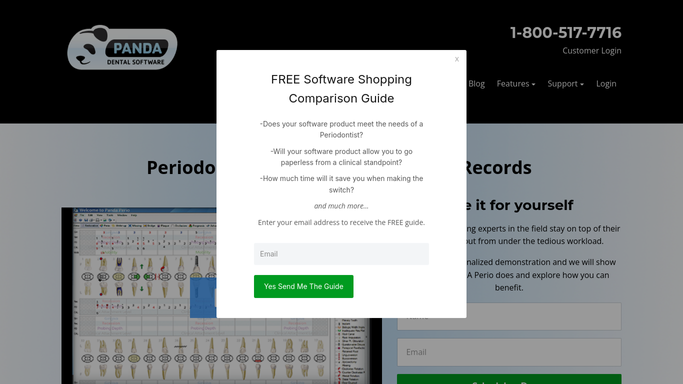
Panda Perio Automated Maintenance Reactivation
WebRun finds periodontal maintenance patients overdue for their 90 day recare in Panda Perio, logs the lapsed list to Google Sheets, and drafts a warm reactivation text for staff to approve so gum health does not backslide.
Panda Perio›Twilio›Google Sheets
nAbleIVF Automated Consent Expiry Monitor
Every week, WebRun opens nAbleIVF, finds stored embryos whose disposition consent is expiring or already lapsed, builds a review worklist in Google Sheets, and posts a prioritized summary to Slack so your lab never holds a specimen on an out-of-date consent.
nAbleIVF›Google Sheets›Slack
Verify MC Automated Card Issuance Logging
WebRun records each medical cannabis recommendation and patient ID card issued in Verify MC into a running Google Sheet register, then sends you a Telegram summary of the day's issuance so you always have an audit-ready trail of who was certified and when.
Verify MC›Google Sheets›Telegram
Automated CIED Billing Interval Check
Every morning, WebRun checks each patient's remote-monitoring interval in Octagos, flags the 90-day windows that are now eligible to bill, logs them to Google Sheets, and posts your billing team a Slack worklist so no reimbursable interval slips by.
Octagos›Google Sheets›Slack
Automated Adenoma Detection Rate Scorecard
WebRun reads completed colonoscopies and their pathology outcomes from EndoManager, calculates each endoscopist's adenoma detection rate and withdrawal time, builds a scorecard in Google Sheets, and posts a Microsoft Teams summary for the quality committee.
EndoManager›Google Sheets›Microsoft Teams
Automated Donor Density Change Tracking
WebRun compares each patient's latest donor-zone density scan in TrichoSuite against their earlier scans, logs the change to a Google Sheet, and flags any meaningful drop to your clinicians in Slack.
TrichoSuite›Google Sheets›Slack
Automated Coil Usage Reconciliation
Every evening, WebRun compares embolization coils scanned as used in HI-IQ against what was captured for billing, logs any mismatch to Google Sheets, and posts a reconciliation summary to Microsoft Teams.
HI-IQ›Google Sheets›Microsoft Teams
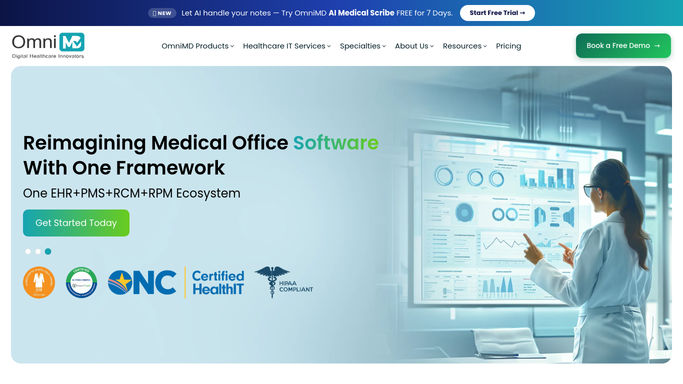
OmniMD Automated Compression Trial Log
Every week, WebRun reviews vein patients prescribed compression stockings in OmniMD, checks that wear and tolerance are documented, and posts your team a Slack list of trials with gaps or missing follow-up.
OmniMD›Google Sheets›Slack
Angelpaw Automatic Vet Order Intake Log
Each hour, WebRun reads new cremation orders that vet clinics submitted through Angelpaw's PIMS integration, logs each to a Sheet, and posts your intake team a Slack summary of what to collect.
Angelpaw›Google Sheets›Slack
OnRamp Automated Line Utilization Report
Each day, WebRun reads the camera-based hook density readings in OnRamp, works out how full the line ran against your target, records the trend in a Google Sheet, and posts a Slack report highlighting shifts that ran light so you can tighten racking.
OnRamp›Google Sheets›Slack
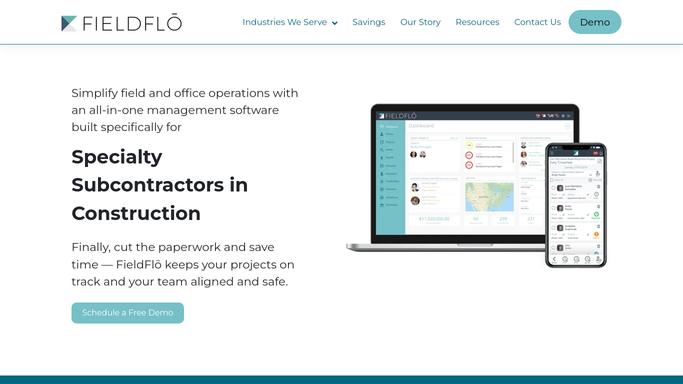
FieldFlo Automated Crew Certification Matrix
Every week, WebRun reads your crew training and certificate records in FieldFlo, builds a certification matrix in a Google Sheet, and sends you a Telegram digest of which workers have certifications expiring soon.
FieldFlo›Google Sheets›Telegram
Automated Operator10 Monthly DMR Drafting
At month end, WebRun pulls your monthly summaries from Operator10, drafts the Discharge Monitoring Report, and posts a review checklist to Microsoft Teams before anyone files it.
AllMax Operator10›Google Sheets›Microsoft Teams
Steelhead Automatic Bath Titration Logs
Every morning, WebRun reads the latest titration and bath readings logged in Steelhead, checks each tank against its control limits, and posts an in-spec or out-of-spec digest to Slack.
Steelhead Technologies›Google Sheets›Slack
Automated Grain Bin Inventory Report
Every morning, WebRun reads live bin inventory in Ceres, builds a Google Sheets position report by bin, grade, and moisture, and sends you a Telegram summary of total bushels on hand.
Vertical Software Ceres›Google Sheets›Telegram
Agriware Automated Crop Inspection Log
Every evening, WebRun reads the day's crop inspections in Agriware 365, logs each score to a Google Sheet, and drafts a Gmail alert for any block that failed for you to review and send.
Agriware 365›Google Sheets›Gmail
Automated Farm360 Mortality Digest
Every morning, WebRun reads yesterday's recorded mortalities per cage in Farm360, logs the counts and causes to Google Sheets, and posts a mortality digest to Slack with any spikes flagged.
Innovasea Farm360›Google Sheets›Slack
AMFG Automated Late Order Tracking
Every morning, WebRun opens AMFG, finds orders whose ship date has slipped, logs them to a Google Sheet, and posts you a Slack list of what is late and by how long.
AMFG›Google Sheets›Slack
Automated Trampoline Park Waiver Checks
Each morning, WebRun scans today's Wakesys bookings, finds jumpers whose waiver is unsigned or expired, logs them to a Google Sheet, and posts the front desk a Slack check-in list.
Wakesys›Google Sheets›Slack
Automated Waiver Gap Tracking for Passes
Each morning, WebRun cross-checks active season passes in Parker against signed waivers, writes any passholder missing a current facility waiver to a Google Sheet, and posts the guest services team the list in Slack so they can follow up before the next visit.
Parker›Google Sheets›Slack
WaveRez Automated Waiver Gap Checks
Every morning, WebRun checks tomorrow's lessons in WaveRez, finds any guest without a signed digital waiver, logs them to a Google Sheet, and posts a Slack list so your team can chase the signatures before check-in.
WaveRez›Google Sheets›Slack
Automated Dive Waiver Chase List
Every morning, WebRun checks upcoming trips in Diversdesk, finds booked divers whose liability waiver is still unsigned, logs them to a Google Sheet, and sends the front desk a Telegram alert.
Diversdesk›Google Sheets›Telegram
Automated Gift Registry Tracking
Each morning, WebRun reads your GiftLogic gift registries, works out what has been bought versus what is still wanted, and sends you a per-registry status on Telegram.
GiftLogic›Google Sheets›Telegram

Want one of these running on your own Google Sheets?

Show WebRun the process once and it will run it on schedule, in your own private browser environment.