How to Automate Wireless Links Fleet.Net
Fleet.Net automates the trailer itself. Piccolo sensors report multiple cold zones in real time, alerts fire on setpoint deviation or a lost connection, reefers can be pre-cooled remotely, and the DriverLink app shows drivers the history. Filing charts, claims and compliance records in customers' portals suits an agent like WebRun.
 Written by
Julian Adeniyi
Retail operations
Written by
Julian Adeniyi
Retail operations
 Reviewed by
Marcus Deleon
Support operations
Reviewed by
Marcus Deleon
Support operations
Temperature decides whether a delivered load is freight or waste
Wireless Links is an IoT and telematics company in Lyndhurst, New Jersey, and Fleet.Net is its cloud platform: GPS fleet management and asset tracking, with most of the hardware carrying the Piccolo name, from vehicle and solar asset trackers to ELDs, dash cams and temperature sensors.
For a refrigerated carrier, one job outranks the rest. A dry freight load either arrives or it does not. A refrigerated load arrives, and then somebody decides whether it is still worth anything, and that decision turns on a number nobody can see afterwards unless something was recording it.
So the trailer becomes an instrument. Sensors in the compartments, a tracker that knows where the trailer was when each reading was taken, and a record running from the moment the doors closed at the shipper to the moment they opened at the receiver.
A rejected pallet is decided at the receiver's dock
The trailer records faithfully. Everything that decides whether the carrier gets paid for that load happens somewhere else.
A receiver refuses a pallet, and now there is a claim. It gets argued in the broker's system or the shipper's, against their account of what happened, and the carrier's evidence is a chart somebody has to find, export and attach to the right load before anyone loses interest. Perishables are worse, because disputing a rejected load of produce is its own trade with its own deadlines.
Meanwhile the customer moving food wants cold chain records, in their format, on their retention schedule, uploaded into their compliance portal, because the food safety rules put that obligation on them and they pass it down the chain.
None of that is on the trailer.
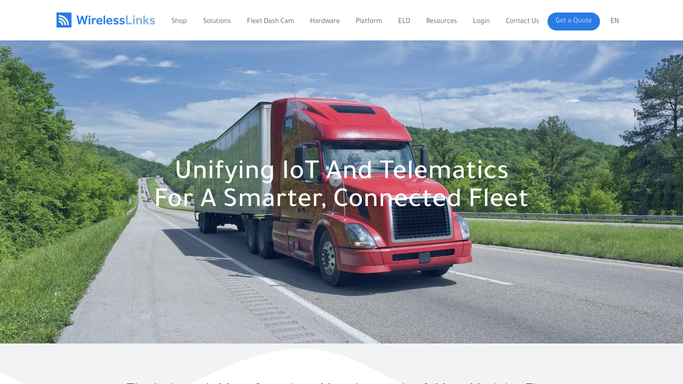
Piccolo sensors report six cold zones without anyone asking
The equipment side is thorough, and a carrier hauling perishables without it is arguing from memory.
Wired or wireless sensors report temperature, with a Piccolo STX able to monitor up to six cold zones at once and humidity available alongside. Real-time and historical readings sit on the Fleet.Net platform, with alerts on temperature deviation and on connection loss, so a sensor that stops reporting is itself an event, and route deviation alerts run beside them. Reefers can be switched on and off remotely to hold a setpoint or pre-cool a trailer just in time for loading, which saves reefer hours and fuel. The DriverLink app puts the same readings in front of the driver, alerts on deviation, lets them comment on each alert, and gives them a graph to show the customer at delivery. Reports are shareable, and the platform is built for cold chain and FSMA record keeping.
Every one of those readings comes off your own hardware on your own equipment.
The broker's claim page is not your equipment. Neither is the shipper's compliance portal, the receiver's scheduling system, or the service dealer's case queue for a reefer unit still under warranty.
The proof has to reach whoever is arguing about it
Once one thing can carry the record out of Fleet.Net and into the systems where it gets disputed, the proof starts being worth what it cost to collect.
The temperature chart for a delivered load pulled and attached to the proof of delivery in the broker's or shipper's portal the same day, while the receiver's signature is still fresh. Refused and short-paid loads gathered into a worklist, each with what the sensors showed at the time, so a claim opens with evidence rather than recollection.
Each customer's compliance portal filled with the cold chain log it asks for, in the format it asks for, on its own retention schedule. Door-open events set beside the appointment and detention times from the receiver's scheduling site, since a door held open at a dock is a temperature excursion and a demurrage argument at the same moment.
Trailers whose pre-cool never happened before loading raised while they are still in the yard. The dealer's service portal checked for open cases on a unit that keeps alarming, before anyone sends it out again.
Gathering, matching and drafting run unattended. Anything that files a compliance record, submits a claim or answers a customer waits for a qualified person.
Eleven at night is a bad time to go looking for evidence
Nobody wants to be the person assembling a temperature chart at eleven at night to save a load that was refused at four. That is the moment the record either exists in a usable form or it does not, and putting it together is entirely clerical.
WebRun is an AI agent that works a real Chrome browser, signed in as you. It opens Fleet.Net alongside the broker's portal, the shipper's compliance site or the receiver's scheduling page, reads what each one shows, and puts the chart, the claim pack or the log where it belongs.
It runs on your schedule in your own private environment, and it never touches the reefer controls. Anything that files, claims or answers a customer is drafted and held for approval.
The workflows below are already built, and each one names the sites it opens.
Questions people ask
Fleet.Net already alerts us on temperature. What is missing?
The paperwork afterwards. Fleet.Net raises the alert and keeps the history. This puts the chart into the broker's or shipper's portal against the right load, builds a claim worklist from refused deliveries, and fills the compliance record each customer asks for.
Does it file the claim once it has the evidence?
No. Claims and customer replies stay with a person who can be held to them. It assembles the load, the chart, the timestamps and the delivery record into a draft and waits. Food safety records work the same way: prepared, then filed by somebody qualified.
Can it turn a reefer on or change a setpoint?
No. Anything acting on the equipment stays with your operations team and the controls Fleet.Net already gives them. It reads what the sensors reported, notices a pre-cool that never happened before loading, and raises it while the trailer is still in the yard.
10 ready-made Wireless Links Fleet.Net workflows
Each one names the apps it touches and the exact steps it takes. Open one to read what it will do, then turn it on.




Want one of these running on your own Wireless Links Fleet.Net?
Show WebRun the process once and it will run it on schedule, in your own private browser environment.