How to Automate Simple Escheat
Simple Escheat automates the reporting end. It tracks state guidance, identifies where a holder must file, supplies current forms, produces NAUPA output files, generates and tracks due diligence letters, and runs a compliance calendar with alerts. Finding the dormant items across bank, payroll and receivables records is what an agent like WebRun covers.
 Written by
Yara Haddad
Data operations
Written by
Yara Haddad
Data operations
 Reviewed by
Hannah Vogel
Finance operations
Reviewed by
Hannah Vogel
Finance operations
Unclaimed property is somebody else's money sitting in your accounts
Every business ends up holding money it does not own. A payroll check nobody cashed. A refund posted to an address that stopped being real. A customer credit balance, a rebate, a deposit on returned equipment. Hold it long enough and it stops being yours to sit on: it belongs to the owner, and if the owner cannot be found it goes to a state. That handover is escheatment, and Simple Escheat is software for the companies on the hook for it.
It comes from Escheat Solutions, formed when JMS Advisory Group, now part of Aprio, came together with DTS, so the people who designed it work in unclaimed property and state tax. The same company offers Total Escheat Management for holders who would rather outsource the whole job.
The people actually using it are rarely specialists. It is a controller, or one person in accounting who inherited the job with the bank reconciliation and does it once a year with a knot in their stomach.
The hard part is finding the items, not filing them
The report is the end of the process. Everything ahead of it is a hunt through systems that were never built to answer this question.
Outstanding checks sit on the bank's own report and on the payables aging, and the two views rarely agree. Payroll has its own uncashed items, in another system, usually run by another person. Customer credit balances hide inside the receivables aging, where they read as noise. Gift card and store credit balances live in the till system. Each has to be pulled, aged, and matched against whatever the last owner contact was, which is frequently a date nobody wrote down.
Then the owner details. An address that bounced two years ago, a name spelled three ways across two systems, a missing identification number. Letters go out, replies come back into a shared inbox, and someone reads each one and matches it to a line item by hand.
Compliance calendars only know the property already imported
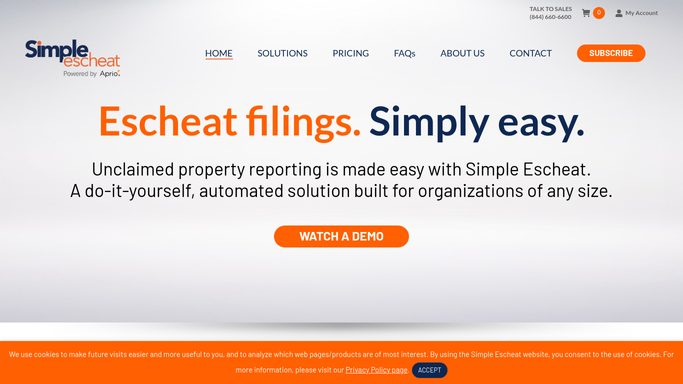
The reporting end is where this software earns its keep, and a holder should use all of it before looking further.
It keeps state guidelines current, identifies the states where a holder has to file, supplies up to date forms, and produces the NAUPA output files states require. Its compliance calendar runs on state guidance, deadlines and exemptions, with automated alerts by email and text. Due diligence letters are generated and customized for the owners on the report, with responses and documents tracked against them. Records come in through drag and drop import templates with validation on the way, a dashboard shows where the cycle stands, activity logging keeps the audit history, and balances go back out as general ledger entries.
All of that starts after the property is inside the system. It reports on what you imported and reminds you about the states you set up. The finding is still yours: the bank, the payroll system, the till and the returned mail are where the items sit, and what a state shows after a file goes up lives on its own site.
Stale items can surface from every system that holds them
Give the search a set of eyes in each system and the hunt stops being an annual event.
The bank's outstanding check report read monthly and set against the payables and payroll ledgers, so items going stale are a short list rather than a spring project. Customer credit balances aged out of the receivables system on the same rhythm, with the ones sitting past their last contact separated from the ones still moving. Gift card and store credit balances pulled from the till system and grouped by the date they last saw a transaction.
Owner details cleaned before a letter is drafted: addresses tested against the postal lookup, a name that appears three ways collapsed into one owner, missing identification numbers listed to chase. Replies read out of the shared inbox and matched back to the line they answer, so the ones that reconnected an owner are separated from the ones that bounced again.
And after a file goes up, each state's holder site opened to see what it shows, so an upload that failed validation is caught that week rather than next cycle.
A holder's obligation stays with a person who can sign it
Finding stale items is patient, repetitive work across systems that will never speak to each other. Deciding a balance is genuinely abandoned is not.
WebRun is an AI agent that drives a real Chrome browser, signed in as you. It opens the bank, the payroll system, the till, the shared inbox, the state sites and Simple Escheat itself, reads what is on the screen, and hands back the aged list, the exception report or the draft.
It runs on your schedule inside your own private environment, and you can watch a run and stop it. The boundary is firm: it gathers, reconciles and drafts. It does not send a due diligence letter to an owner, upload a report to a state or remit a balance. Those wait for the person whose name goes on the filing.
Each workflow below names the systems it opens.
Questions people ask
Nothing gets sent to an owner or uploaded to a state on its own?
Correct. It finds the items, cleans the owner details, matches the replies and prepares the drafts, then stops. Contacting an owner and filing with a state are acts a holder is answerable for, so both wait for the person who signs the report.
The bank report is a screen with no download. Does that stop it?
Yes, and that is the common case. An outstanding check report that only exists as a screen behind a login is read the way a clerk reads it, in a real browser, and written out as a list you can age and compare against the ledger.
Will it change balances or write anything into our accounting system?
Not unless you allow it to. Most teams run it read-only at first, letting it report the differences between the bank, the ledger and the escheat records, then decide later whether it may write anything back. The policy naming what it can touch is yours to set.
10 ready-made Simple Escheat workflows
Each one names the apps it touches and the exact steps it takes. Open one to read what it will do, then turn it on.






Want one of these running on your own Simple Escheat?
Show WebRun the process once and it will run it on schedule, in your own private browser environment.