How to Automate Sapaad
Sapaad automates the restaurant itself: orders move from the POS to the Kitchen Display System, delivery app orders land in the same queue, Home Delivery Manager tracks the rider, and Vantage reports the day. Aggregator payouts, supplier prices and bank settlement need an agent like WebRun, working the logins a manager already has.
 Written by
Ben Kirkwood
Solutions engineer
Written by
Ben Kirkwood
Solutions engineer
 Reviewed by
Tom Kessler
Field operations analyst
Reviewed by
Tom Kessler
Field operations analyst
The order, the kitchen and the rider all live in Sapaad
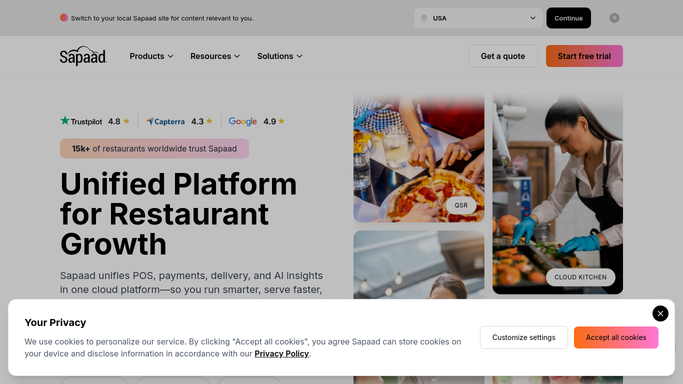
Sapaad is a cloud point of sale and restaurant management system, and the spread of places running it is the point: quick service counters, dining rooms, cafes, food trucks, cloud kitchens and groups running a whole chain off one account.
What it holds is the service itself. Every ticket and what was on it, the table it belongs to and how long it has been sat, the Kitchen Display System the line cooks read, the Waiter App it was taken on, stock counted down as dishes leave, staff on shift and the promotions running this week.
Delivery sits inside it rather than bolted on. Orders from the food apps arrive in the same queue as the ones taken at the counter, and Home Delivery Manager follows each one out to a rider.
For a manager, Sapaad is the shift. For an owner with six branches, it is the only place all six are visible at once.
Close of day is when the second shift of work starts
The service is over at eleven. The counting is not.
Somebody runs the Z report and then goes looking for the rest of the day, because what the restaurant earned is the till figure plus whatever two or three delivery apps say they owe, and those numbers live elsewhere.
Somebody works out why an aggregator payout is light. A commission rate, an order cancelled after the kitchen cooked it, a promotion the platform funded half of, a chargeback: each one is a line on somebody else's statement.
Somebody checks the bank to see whether Friday's card takings actually settled, and for how much once the fee came off.
Somebody prices tomorrow's order against what the supplier charges this week. Somebody reads last night's reviews. Somebody compares six branches and finds the drifting one a fortnight late.
None of it is skilled work, and all of it happens after midnight.
The kitchen, the counter and the aggregator feed are already joined up
Sapaad handles more of the restaurant than most operators have switched on, and it is worth exhausting first.
Orders taken on the POS, on the Waiter App, at a Self Ordering Kiosk, through QR Code Ordering or on the restaurant's own Online Ordering page all land in one queue and appear on the Kitchen Display System, with Cloud Printing pushing tickets to whichever printer needs them. Delivery Apps Integration brings the food platforms into that same queue, and Home Delivery Manager runs the dispatch side. Inventory Management counts stock down in real time, and the Promotion Engine and Loyalty Management run offers and rewards off the profiles in the CRM. On top of it sits Vantage, the advanced BI dashboard, with Ask Vantage answering questions about the numbers and Mall GTO Reporting handling the sales figures a landlord asks for.
That is a lot of restaurant inside one system.
All of it works from what Sapaad recorded. What an aggregator deducted before paying, what the bank settled, what a supplier is charging this week and what a customer wrote on a review site are other companies' screens, behind logins that belong to the restaurant.
The platform's payout and the branch's takings are never the same figure
The hour after midnight is reading, comparing and writing down. Something holding the same passwords can do it while the restaurant sleeps.
Each delivery platform's payout statement read line by line against the orders Sapaad recorded for the same day, so a commission change, an order cancelled after it was cooked, or one never paid for at all becomes a query while the platform still holds the record.
Card and wallet takings checked at the bank against the Z report, net of fees, so a shortfall is named at breakfast rather than in a reconciliation next quarter.
Tomorrow's order costed at this week's prices and set against the rates the same lines carried a fortnight ago, with availability beside it, because ordering a case nobody can deliver costs a service.
Then the ones nobody gets to. Reviews from the map listing and the delivery apps pulled into one place, since a bad week shows there before it shows in the takings. Six branches compared on covers, average ticket and void rates, so the one drifting is visible in week two. Loyalty members who have not been back in two months, with an offer written and waiting to be sent.
None of that counting is cooking
Each check is a site the restaurant already has a password for, and an hour nobody has after a double shift. All that is missing is somebody to do the opening.
WebRun is an AI agent that works a real Chrome browser, signed in as you. It opens Sapaad, reads yesterday's sales, voids, stock and branch totals, then opens a delivery platform's back end, the bank, a supplier's ordering page or the review listings, and hands back one short list: what did not match and which branch moved.
It runs on your schedule in your own private environment, and any run can be watched and stopped. Ordering stock, replying to a review in public, messaging a customer or raising a dispute is drafted and waits for a person.
The workflows below are already built, and each one names what it opens.
Questions people ask
How does it know an order was cancelled after we cooked it?
By comparing two records nobody normally puts side by side. The ticket Sapaad sent to the kitchen says the food was made. The platform's statement says the order was cancelled and not paid for. The mismatch is the finding, and it reaches you with both lines attached.
Does anything get sent to a supplier without a manager seeing it?
Nothing. A priced order sheet is prepared and left for a manager, because a wrong quantity on a perishable line costs far more than the minutes saved. The same rule covers replies to reviews and messages to loyalty customers: drafted, never sent on their own.
Where do the numbers go once a run finishes?
Wherever you send them: a message, a sheet, an email to the owner. They go nowhere else. Each workflow runs in your own private environment with its own browser session, nothing is pooled with another restaurant, and a run can be watched live and stopped.
12 ready-made Sapaad workflows
Each one names the apps it touches and the exact steps it takes. Open one to read what it will do, then turn it on.






Want one of these running on your own Sapaad?
Show WebRun the process once and it will run it on schedule, in your own private browser environment.