Compare sales across every Sapaad branch every week
Every Monday, WebRun opens Sapaad's head office dashboard, pulls last week's net sales, covers, and average check for every outlet, ranks branches by revenue and by week-over-week growth, and posts the comparison to your ops Slack channel and a WhatsApp digest for leadership.
- No credit card
- Under $0.01 per run
- Cancel anytime
What does WebRun do on every run?
The exact actions WebRun takes, in order - in plain language, so you can adjust anything.
-
WebRun signs in and gets to work
Opens
www.sapaad.comin a real browser with your saved login - no setup, no API keys. -
1
Sapaad - pull sales by branch
sapaad.com How to Automate Sapaad

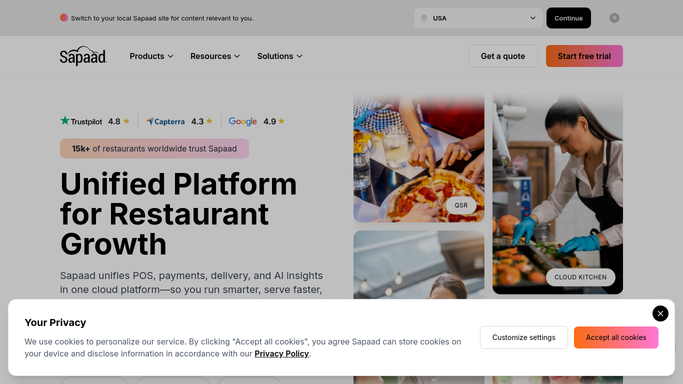
WebRun opens Sapaad to pull sales by branch. - Open the Sapaad head office dashboard and pull last week's net sales, covers, and average check for every outlet
- Calculate each branch's week-over-week growth against the prior week
- Rank branches from highest to lowest growth and separately by total revenue
Done when Every branch's sales, covers, and growth are captured and ranked for last week.
-
2
Slack - post the branch comparison
slack.com How to Automate Slack
WebRun opens Slack to post the branch comparison. - Post the full branch ranking to your operations channel
- Highlight the branch with the steepest decline and the branch with the strongest growth
- Include average check so revenue changes can be read against traffic changes
Done when This week's branch comparison is posted to Slack with the top and bottom performer called out.
-
3
WhatsApp - send leadership the digest
whatsapp.com How to Automate WhatsApp
WebRun opens WhatsApp to send leadership the digest. - Format a short leadership digest summarizing the ranking
- Send it to the leadership WhatsApp group
- Leave any follow-up with an underperforming branch for leadership to decide
Done when Leadership has this week's branch comparison digest on WhatsApp.


How do I compare sales across multiple Sapaad branches automatically?
WebRun pulls last week's sales, covers, and average check for every Sapaad outlet every Monday, ranks branches by revenue and by week-over-week growth, and posts the comparison to Slack with a WhatsApp digest for leadership, so underperforming locations get flagged weekly instead of surfacing at the next quarterly review.
- Underperforming branches get flagged weekly instead of at the next quarterly review
- Leadership sees revenue, covers, and average check side by side for every location
- The same ranking reaches both Slack and WhatsApp so nobody misses it
Built for multi-outlet restaurant operators · franchise owners · restaurant regional managers · restaurant leadership teams
How is each run configured?
Secure by default
Connect once, stays signed in
WebRun signs in once and keeps each session in a persistent environment, so every run picks up right where it left off.
Every action is checked against this policy before it runs.
Questions, answered
How many branches can it compare?
As many outlets as you run through Sapaad's head office dashboard. Add or remove branches during setup and the ranking adjusts automatically.
Does it explain why a branch is down, or just report the number?
It reports net sales, covers, and average check side by side, so you can see whether a decline in revenue tracks with fewer covers or a lower average check. Deeper investigation stays with your team.
Can leadership see this without checking Slack?
Yes. The same ranking goes out as a short WhatsApp digest to your leadership group, so it reaches people who are not in the operations Slack channel.
Related templates
Put this on autopilot.
Turn it on in minutes - or have our team set it up for you.