How to Automate Leapfin
Leapfin automates the accounting itself. It unifies transaction data from processors and billing systems, transforms it into accounting records and journal entries, and keeps the subledger tied to the general ledger. The statements, contracts and portals that never feed into it are what an agent like WebRun goes and fetches.
 Written by
Grace Okafor
Healthcare operations
Written by
Grace Okafor
Healthcare operations
 Reviewed by
Aiko Tanabe
Product researcher
Reviewed by
Aiko Tanabe
Product researcher
Revenue reaches the ledger one transaction at a time
Leapfin sits between the systems that take the money and the books that report it. A subscription or marketplace business produces transactions in volumes nobody reads one by one: charges, refunds, prorations, failed retries, app store payouts. Leapfin turns each of those events into an accounting record, a journal entry and a line in the subledger. Airwallex acquired the company in 2026, and the product carries on under its own name.
That is what makes it the thing a controller leans on at close. Deferred revenue by contract. Recognised revenue by period. A subledger tied back to the general ledger, with each activity locked to the period it belongs in, so a late arrival cannot quietly rewrite a month that has already been reported.
Revenue accountants live in it for the first ten days of every month. Auditors read the same records a year later, and the number that comes out of it ends up in a board deck with somebody's name against it.
Every variance turns into an afternoon of downloading statements
The platform is only as good as what has been handed to it, and the handing over is where the month goes.
The app store consoles issue a payout statement that feeds into nothing: somebody signs in, downloads it and works out which sales it covers. The processor's dashboard shows a deposit that is already net of fees, chargebacks and a rolling reserve, and none of those three arrive labelled. A reseller sends its own statement as a PDF attached to an email. The bank shows one lump sum that has to be split back into six things. The signed order form that moved a customer from annual to monthly is in a shared drive, filed under a name only the account executive remembers.
Each of those is a login, a download and a paste. Then a variance shows up in the reconciliation, and the accountant does the whole round again to find out why.
The accounting record stops at the last integration
Leapfin is genuinely good at the part it owns, and a team still fighting a spreadsheet at close should look there before looking here.
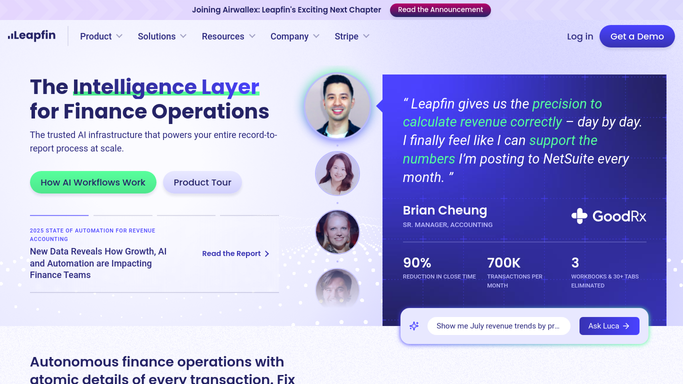
Unify pulls transaction data out of the payment processors, billing systems and data warehouses it is connected to and normalises it into one shape. Transform makes that data accounting-ready: a journal entry per event, the subledger built off those entries, revenue schedules under the rules you set. Control applies your standards to the data and locks each activity into the correct accounting period, which is why the subledger and the general ledger keep agreeing after the fact. Deliver posts and shares the result into the accounting stack, NetSuite included. Luca, the native AI agent, answers questions about the data in plain language and drafts the reports somebody used to build by hand.
The ceiling is the connection. All of that acts on transactions that reached Leapfin through an integration. The marketplace console offering a download and nothing else, the reseller emailing a PDF, the bank portal, the drive holding the signed contract and the customer who has not paid are all outside that boundary. They are also, reliably, where the unexplained difference turns out to be.
Close week can begin with the statements already downloaded
The month starts inside Leapfin and immediately points outward. Something that can work both sides changes what the first morning of the month looks like.
Every processor and marketplace statement for the period downloaded from its own console and set against what the subledger says the period was, with differences listed by source rather than as one total. The bank deposit split back into gross sales, fees, refunds and reserve. Contracts pulled out of the drive for each schedule whose rate changed this period, so the number and the paper agree before an auditor asks which one is right.
Then the work that never reaches the top of anyone's list. Accounts past due, ranked by how much and how long, with a reminder drafted to the person who actually pays it. Customers who still owe a signed order form or a tax certificate, chased with a note naming what is missing. Revenue that moved between periods by more than it should have, flagged the week it happens instead of during the audit. Rate change notices prepared for the customers they affect, ready for somebody to approve.
The controller signs the close, not an agent
Downloading somebody else's statement is not accounting. Deciding what it means is, and that is the only sensible place to draw the line.
WebRun is an AI agent that works a real Chrome browser, signed in as you. It opens the consoles, the bank and the drive the way your team does, brings back the statements and the contracts, and sets them beside what Leapfin already says the month was.
Nothing is posted. No journal, no schedule and no closed period is changed, and no customer hears from it until a person with the authority has read the draft and sent it. Runs happen on your schedule in your own environment, and you can watch one and stop it.
The workflows below are already built, and each one names what it opens.
Questions people ask
Is anything written back into the accounting record?
No. It brings documents and figures to the close and leaves them beside the record for a person to act on. Journals, schedules and period locks are how the books stay defensible, so nothing inside Leapfin is altered by the agent.
The app store console has no export we can automate. Can it still get the statement?
Yes, because it reads the console in a browser the way your accountant does. A page that shows the payout on screen, or hands over a PDF once you are signed in, is exactly the case it exists for. No API and no data feed are required.
Leapfin is now part of Airwallex. Does this still apply?
No. Leapfin continues under its own name after the acquisition, and the agent works whatever screens your team signs into. If a workflow moves to a different address, it follows the address rather than an integration that has to be rebuilt.
12 ready-made Leapfin workflows
Each one names the apps it touches and the exact steps it takes. Open one to read what it will do, then turn it on.






Want one of these running on your own Leapfin?
Show WebRun the process once and it will run it on schedule, in your own private browser environment.