How to Automate eClinicalWorks
eClinicalWorks automates the practice's own side of the day: Sunoh.ai drafts the note, PRISMA pulls in outside records, healow handles check-in, payments and calls. The questions patients actually ring about sit on payer, lab and pharmacy sites instead, and reading those screens into a status list is the job worth handing to an agent like WebRun.
 Written by
Devon Ruiz
Workflow engineer
Written by
Devon Ruiz
Workflow engineer
 Reviewed by
Rosa Lindqvist
Operations editor
Reviewed by
Rosa Lindqvist
Operations editor
eClinicalWorks grew up with practices that kept adding providers
Everybody in the building ends up calling it eCW. eClinicalWorks is an ambulatory EHR and practice management system, and it is one of the ones a practice standardizes on once it stops being small. A gastroenterology group with four sites, a shared endoscopy schedule and its own billing office runs all of it inside there: the appointment book, the chart, the order, the claim and the balance the patient still owes.
Around it sits healow, the patient-facing half that plenty of patients know by name without knowing the EHR behind it. They book, check in, message and pay through the healow apps rather than by calling.
The scale is the point. A single-provider clinic can hold its week in somebody's head. A group with thirty providers, a phone room and two billing staff cannot, so the software holds it instead.
Most of the phone calls are somebody asking for a status
Sit near the front desk for an hour and listen to what people actually want.
Has my prior authorization come through yet. Did my biopsy result come back. Did the specialty pharmacy ship it. Is my insurance still active, because I changed jobs in June. What do I owe, and did the payment I made on Tuesday land. Did the hospital send over my mother's discharge summary.
Almost none of those can be answered from the chart alone. The answer is on a payer's website, a lab's result portal, a specialty pharmacy's status page or a hospital's records system. So the call becomes a callback: somebody writes the name on a list, goes and looks it up between other work, and rings back later.
Multiply that by the number of patients a large group sees in a day and the callback list is a full-time role nobody was hired for.
healow Genie answers what the practice already knows
eClinicalWorks has built out heavily on both sides of the visit, and a practice paying for the suite should be using all of it first.
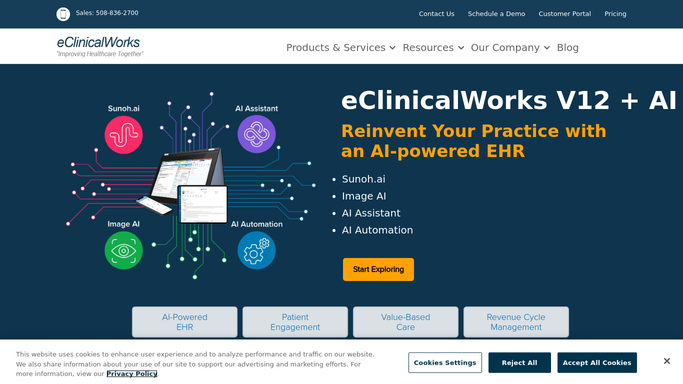
Sunoh.ai drafts the clinical note from the conversation in the room, so documentation becomes editing rather than typing. PRISMA, the health information search, gathers a patient's records from other systems and puts the relevant history in front of the provider. healow CHECK-IN and the patient portal move registration, forms and payments onto the patient's own phone before they arrive. healow Genie is a contact center layer for the calls that do not need a person, so a patient can move an appointment or request a referral at nine at night.
That last one is where the interesting limit sits. Genie is good at everything the practice's own systems can answer: your schedule, your balance, your records.
It cannot answer the questions where the fact belongs to somebody else. Whether an authorization was approved is a decision on a payer's website. Whether the pathology came back is on an outside lab's portal. Nothing on the practice's side reaches a screen that only opens for a person with a login.
A status list makes the callback a thirty second job
The callback list changes shape when the answers are already gathered before anyone picks up the phone. It stops being a list of things to find out and becomes a list of answers waiting to be given.
Every open prior authorization checked on the payer's own site each morning, with the approvals marked and the ones still sitting ordered by how long they have waited. Pathology and imaging pulled from portals that never interfaced, matched to the patient expecting the call. Specialty pharmacy status collected for the biologics where the patient is the one ringing to ask. Coverage rechecked against tomorrow's schedule, so a plan that ended in June is found before somebody is standing at the desk.
Surveillance recalls are the one worth picturing. A colonoscopy generates a follow-up date years out, and the interval depends on what the pathology said. Getting that read out of an outside lab's report and put against the recall list is exactly the work that gets postponed forever.
Everything above stops at one boundary, and no configuration puts it anywhere else. Gathering runs unattended. Anything that changes a clinical or billing record, or that goes to a patient, is prepared and left for a qualified person to review and send.
The waiting on hold gets done by something else
The person who calls the patient back is the right person to make that call. They are the wrong person to spend twenty minutes finding the fact first.
WebRun is an AI agent that works a real Chrome browser, signed in the way your staff are. It opens the payer site, the lab portal or the pharmacy's status page, reads what is on the screen, and hands back a list with the answers attached to the names.
It runs on your schedule in your own private environment, sessions are not shared between tools, and a workflow can be locked to an explicit list of domains. It does not write to a chart, and nothing reaches a patient without a person sending it.
The workflows below are already built, and each one names the sites it opens.
Questions people ask
Will it message patients from the portal on its own?
No. Anything that reaches a patient is drafted and left for a person to send. The unattended part is the looking up: opening the payer, lab or pharmacy site and reading what the screen says.
Our results already come in electronically. Is this still useful?
It is useful for the ones that do not. Most practices have interfaced labs and a handful of outside pathology, imaging and specialty pharmacy sites that never connected, and those are the results that go missing.
Can it touch anything in the chart by accident?
It gathers and presents, and a qualified person acts. A workflow can also be restricted to a named list of domains, so it only reaches the sites you listed and cannot wander with a live session.
13 ready-made eClinicalWorks workflows
Each one names the apps it touches and the exact steps it takes. Open one to read what it will do, then turn it on.



Want one of these running on your own eClinicalWorks?
Show WebRun the process once and it will run it on schedule, in your own private browser environment.