Call the prospects who just opened your email
Every morning, WebRun opens Yesware, reads the opens and clicks recorded since yesterday, ranks prospects by how often and how recently they engaged, writes the call list to Google Sheets, and sends the top few names to the rep on WhatsApp before the day starts.
- No credit card
- Under $0.01 per run
- Cancel anytime
How do I build a daily call list from email opens and clicks?
Every morning WebRun opens Yesware and reads yesterday's email opens and clicks, ranking prospects by how often and how recently they engaged. It writes the call list to Google Sheets and sends the top few names to WhatsApp, so a rep phones warm prospects within hours instead of days.
- Interest is followed up in hours instead of at the weekly review
- The rep opens the day to a ranked list rather than a raw activity feed
- Prospects who already replied are filtered out automatically
Built for sales reps · SDR teams · founders selling directly · inside sales managers
What does WebRun do on every run?
The exact actions WebRun takes, in order - in plain language, so you can adjust anything.
-
WebRun signs in and gets to work
Opens
app.yesware.comin a real browser with your saved login - no setup, no API keys. -
1
Yesware - read yesterday's opens and clicks
yesware.com
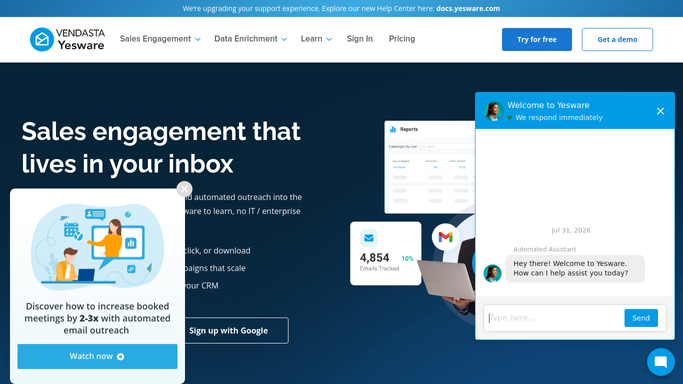
WebRun opens Yesware to read yesterday's opens and clicks. - Open Yesware and read the tracking activity from the previous day
- Capture each prospect who opened or clicked, with the count of opens, whether a link was clicked, and the time of the most recent one
- Note which template or campaign the email came from, so the call has a subject
- Drop prospects who have already replied, since they need an answer rather than a cold call
Done when Every prospect who engaged yesterday is listed with their open count and last activity time.
-
2
Google Sheets - build the ranked call list
google.com How to Automate Google Sheets

WebRun opens Google Sheets to build the ranked call list. - Write one row per prospect with name, company, opens, clicks, last activity time, and the template they engaged with
- Rank the sheet so repeat opens and link clicks sit at the top
- Add a column the rep ticks once the call is made, and carry uncalled names into tomorrow
Done when Today's ranked call list is in the sheet with a column to mark calls made.
-
3
WhatsApp - send the rep the top names
whatsapp.com How to Automate WhatsApp

WebRun opens WhatsApp to send the rep the top names. - Message the rep the top names from the list with the reason each one is worth a call
- Include the template or campaign so the opening line writes itself
- Leave the calling and any reply to the rep. WebRun never emails or messages a prospect
Done when The rep starts the day with a short list of names worth calling.
How is each run configured?
Secure by default
Connect once, stays signed in
WebRun signs in once and keeps each session in a persistent environment, so every run picks up right where it left off.
Every action is checked against this policy before it runs.
Questions, answered
Will it email or message prospects itself?
No. WebRun builds an internal call list and sends it to your rep. Every email, call, and message to a prospect is made by a person, in their own words.
How does it rank who to call first?
By repeat opens and link clicks, weighted toward the most recent activity. A prospect who opened three times and clicked yesterday afternoon sits above a single passive open.
What about prospects who already replied?
They are dropped from the call list. A reply needs a considered answer rather than a cold call, so WebRun leaves those threads to the rep's inbox.
Related templates
Put this on autopilot.
Turn it on in minutes - or have our team set it up for you.