Catch the chats your team left hanging
Every hour during opening times, WebRun signs in to Tidio, finds the conversations waiting longer than your reply target, opens a Trello card holding the visitor question and a drafted response for an agent to send, and messages the agent on duty in WhatsApp.
- No credit card
- Under $0.01 per run
- Cancel anytime
How do I stop live chat conversations going unanswered?
WebRun checks Tidio every hour for conversations where the visitor spoke last and has waited past your reply target. It opens a Trello card holding the question, the page they were browsing, and a drafted reply marked unsent, then messages the agent on duty in WhatsApp.
- Waiting visitors get picked up within the hour, not the next day
- Agents open a card with the reply already written
- No message reaches a visitor without an agent sending it
Built for ecommerce support teams · small business owners · customer service managers · agencies running client chat
What does WebRun do on every run?
The exact actions WebRun takes, in order - in plain language, so you can adjust anything.
-
WebRun signs in and gets to work
Opens
www.tidio.comin a real browser with your saved login - no setup, no API keys. -
1
Tidio - find chats past the reply target
tidio.com
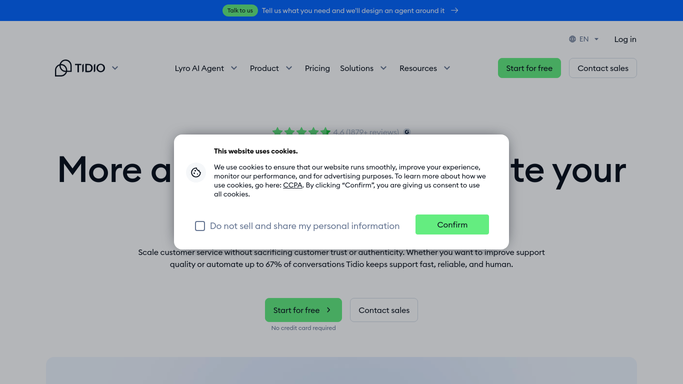
WebRun opens Tidio to find chats past the reply target. - Sign in to Tidio and open the conversations list
- Find every open conversation where the visitor spoke last and has waited longer than your reply target
- Record the visitor name or email, the page they were on, the question, and the wait time
- Note whether the chat started with the bot or reached a human
- Read only. Never send a message to the visitor
Done when Every conversation past the reply target is listed with its wait time and question.
-
2
Trello - open a card with a drafted reply
trello.com How to Automate Trello

WebRun opens Trello to open a card with a drafted reply. - Open your support board in Trello
- Create one card per waiting conversation, titled with the visitor and the wait time
- Put the full question and the page they were browsing in the description
- Draft a suggested reply in the card and mark it clearly as unsent
- Skip conversations that already have a card so the board stays clean
Done when Every waiting chat has a card with the question and a drafted reply.
-
3
WhatsApp - message the agent on duty
whatsapp.com How to Automate WhatsApp

WebRun opens WhatsApp to message the agent on duty. - Message the agent on duty with the count of waiting chats
- Name the longest waiting visitor and their question in one line
- Link the Trello board so the drafted reply is one tap away
- Send nothing on the hours where every chat is inside the reply target
Done when The agent on duty knows what is waiting and where the drafts are.
How is each run configured?
Secure by default
Connect once, stays signed in
WebRun signs in once and keeps each session in a persistent environment, so every run picks up right where it left off.
Every action is checked against this policy before it runs.
Questions, answered
Will it reply to visitors in the chat?
No. WebRun never sends a message to a visitor in Tidio. It writes a suggested reply into the Trello card and marks it unsent, so an agent reads it, edits it, and sends it in their own words.
What counts as a chat left hanging?
Any open conversation where the visitor spoke last and has waited longer than the reply target you set. Five minutes suits a live sales chat, and thirty minutes suits a slower support queue.
Does it run overnight and flood the board?
No. It runs on the hours you choose, usually your opening times, so chats that land at midnight are picked up by the first run of the morning rather than paging anyone at 3am.
Related templates
Put this on autopilot.
Turn it on in minutes - or have our team set it up for you.