Route every detractor score to the account owner
When a new AskNicely NPS response scores as a detractor, WebRun logs it to an Airtable follow-up tracker with the score and comment, attaches the customer's account notes from Notion, and assigns the record to the account owner so they can reach out personally.
- No credit card
- Under $0.01 per run
- Cancel anytime
How do I route AskNicely detractor responses to the account owner automatically?
WebRun watches AskNicely for new detractor NPS responses, logs each one to an Airtable follow-up tracker with the score and comment, and attaches the customer's account notes from Notion before assigning it to the account owner. This routes unhappy feedback to a real person with full context immediately, instead of a low score sitting unseen in a dashboard.
- Detractor responses get routed to an owner with full context immediately
- Account notes are attached automatically instead of the owner searching for them
- Every low score gets a tracked, assigned follow-up instead of sitting in a dashboard
Built for customer success teams · account management · SaaS customer experience · B2B account teams
What does WebRun do on every run?
The exact actions WebRun takes, in order - in plain language, so you can adjust anything.
-
WebRun signs in and gets to work
Opens
asknicely.comin a real browser with your saved login - no setup, no API keys. -
1
AskNicely - find new detractor responses
asknicely.com
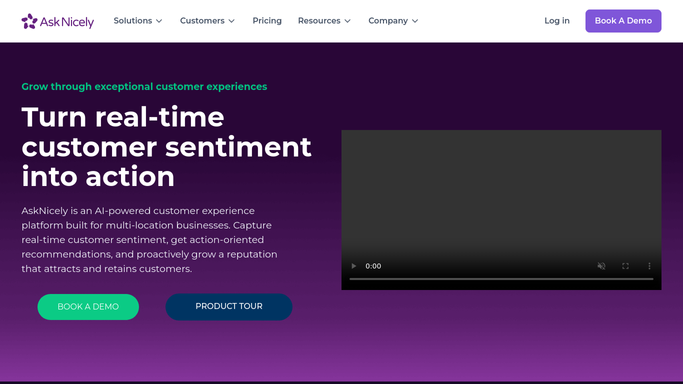
WebRun opens AskNicely to find new detractor responses. - Open AskNicely and check for new responses since the last run
- Capture every response that scores in the detractor range
- Note the customer's account and their comment
Done when Every new detractor response is listed with its score and comment.
-
2
Airtable - log the follow-up
airtable.com How to Automate Airtable

WebRun opens Airtable to log the follow-up. - Open the NPS follow-up tracker in Airtable
- Add a record for each detractor with the score, comment, and account
- Assign it to the account owner on file
Done when Every new detractor response has a tracked, assigned record in Airtable.
-
3
Notion - attach account notes
notion.so How to Automate Notion

WebRun opens Notion to attach account notes. - Look up the customer's account notes and history in Notion
- Attach the notes link to the Airtable follow-up record
- Leave the outreach itself to the account owner. WebRun never contacts the customer
Done when Every logged detractor record has account context attached.
How is each run configured?
Secure by default
Connect once, stays signed in
WebRun signs in once and keeps each session in a persistent environment, so every run picks up right where it left off.
Every action is checked against this policy before it runs.
Questions, answered
Does WebRun respond to the detractor's survey comment?
No. WebRun never contacts the customer. It only routes the response to the account owner so a real person can follow up.
How is a detractor response identified?
It reads the score band directly from each new AskNicely response, so only responses that actually fall into the detractor range get routed.
What context does the account owner get?
The Airtable record includes the survey score, the customer's comment, and a link to their account notes and history in Notion.
Related templates
Put this on autopilot.
Turn it on in minutes - or have our team set it up for you.