Catch staffing gaps before the shift starts
Every morning, WebRun opens Assembled, compares today's staffing forecast against the actual scheduled headcount by interval, saves the variance report to Google Drive, and posts a Slack alert to the workforce-management channel whenever a coverage gap shows up.
- No credit card
- Under $0.01 per run
- Cancel anytime
How do I catch staffing coverage gaps before the shift starts?
WebRun compares today's Assembled staffing forecast against the actual scheduled headcount every morning, saves the variance report to Google Drive, and posts a Slack alert for any interval with a coverage gap. This surfaces understaffed windows before the shift starts, giving workforce managers time to react instead of discovering the gap mid-day.
- Coverage gaps get flagged before the shift starts instead of mid-day
- Workforce managers get a saved daily record for every interval, gap or not
- No one has to manually compare forecast to schedule every morning
Built for workforce management teams · contact center operations · support team leads · scheduling managers
What does WebRun do on every run?
The exact actions WebRun takes, in order - in plain language, so you can adjust anything.
-
WebRun signs in and gets to work
Opens
www.assembled.comin a real browser with your saved login - no setup, no API keys. -
1
Assembled - compare forecast to scheduled headcount
assembled.com
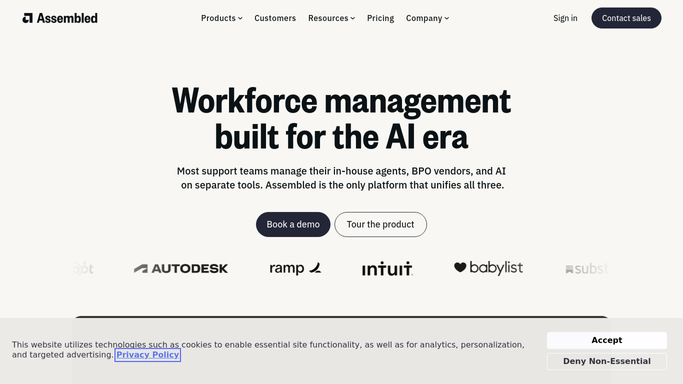
WebRun opens Assembled to compare forecast to scheduled headcount. - Open Assembled and pull today's staffing forecast by interval
- Compare it against the actual scheduled headcount for each interval
- Flag any interval where scheduled staff falls short of the forecast
Done when Every interval today is checked and any shortfall is flagged.
-
2
Google Drive - save the variance report
drive.google.com How to Automate Google Drive

WebRun opens Google Drive to save the variance report. - Open the staffing reports folder in Google Drive
- Save today's forecast-versus-scheduled comparison as a dated report
- Include every flagged interval in the report
Done when Today's variance report is saved in Drive.
-
3
Slack - alert on coverage gaps
slack.com How to Automate Slack

WebRun opens Slack to alert on coverage gaps. - Post an alert to the workforce-management Slack channel for each flagged interval
- Include the shortfall size and the time window
- Skip posting entirely on days with no coverage gap
Done when The team has been alerted in Slack whenever a coverage gap exists.
How is each run configured?
Secure by default
Connect once, stays signed in
WebRun signs in once and keeps each session in a persistent environment, so every run picks up right where it left off.
Every action is checked against this policy before it runs.
Questions, answered
Does WebRun reassign shifts to fix the gap?
No. It only compares the forecast to what's scheduled and flags the shortfall. Adjusting shifts or calling in coverage is still a decision your team makes.
How is a coverage gap defined?
Any interval where the actual scheduled headcount in Assembled falls short of that interval's own staffing forecast. WebRun reads both numbers straight from Assembled.
What happens on a day with no gaps?
The variance report is still saved to Drive for the record, but WebRun does not post a Slack alert on days where every interval is fully covered.
Related templates
Put this on autopilot.
Turn it on in minutes - or have our team set it up for you.