Catch Steam wishlist price drops before a sale ends
Every morning, WebRun opens Steam, checks your studio's wishlist for price drops, logs each newly discounted title to a Trello board with the sale end date, and sends a WhatsApp alert so nobody misses a sale that's about to close.
- 7-day free trial
- Under $0.01 per run
- Cancel anytime

What does WebRun do on every run?
The exact actions WebRun takes, in order - in plain language, so you can adjust anything.
-
WebRun signs in and gets to work
Opens
store.steampowered.comin a real browser with your saved login - no setup, no API keys. -
1
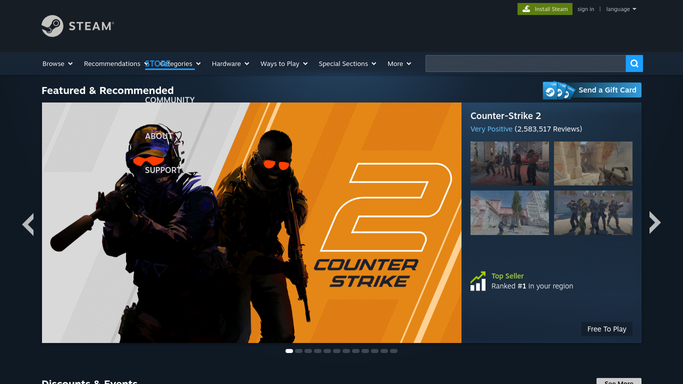
Steam - check wishlist for price drops
steampowered.com

WebRun opens Steam to check wishlist for price drops. - Open Steam and review the studio wishlist
- Compare each title's current price to its last known price
- Note the discount percentage and how long the sale runs
Done when Every wishlist title has been checked against its last known price.
-
2
Trello - log each discounted title
trello.com How to Automate Trello
WebRun opens Trello to log each discounted title. - Add a card for each newly discounted title
- Include the price, discount, and sale end date
- Move any title whose promo window closed to a Reviewed list
Done when The wishlist board reflects every current discount.
-
3
WhatsApp - alert you before the sale ends
whatsapp.com How to Automate WhatsApp
WebRun opens WhatsApp to alert you before the sale ends. - Send a short list of today's new discounts
- Flag any sale ending within 48 hours
- Skip the message on days with no new drops
Done when You've seen today's wishlist price drops before the sale closes.


How do I get alerted when a game on my Steam wishlist goes on sale?
WebRun checks your studio's Steam wishlist every morning, compares each title's price against its last known price, and logs any new discount to a Trello board with the percentage off and the sale end date. It then sends a WhatsApp alert so nobody misses a sale that's about to close.
- No wishlist sale gets missed before it closes
- Every discount is logged with price and percentage for later reference
- The team sees today's drops in one WhatsApp message instead of checking Steam manually
Built for Indie game stores · Gaming content creators · Esports team managers · Game reviewers and curators
How is each run configured?
Secure by default
Connect once, stays signed in
WebRun signs in once and keeps each session in a persistent environment, so every run picks up right where it left off.
Every action is checked against this policy before it runs.
Questions, answered
Will it buy anything on the wishlist for us?
No. WebRun only checks prices and logs them. Any purchase is made by a person, on Steam, using their own payment method.
How does it know a price actually dropped?
It compares each title's current listed price against the price it recorded on the last run, so only genuine changes get logged.
What happens to a card once the sale ends?
It's moved to a Reviewed list on the Trello board instead of being deleted, so you keep a record of past sales.
Related templates
Put this on autopilot.
Turn it on in minutes - or have our team set it up for you.