Score your weekly Renderforest output for you
Every Friday, WebRun opens Renderforest, lists every video, logo, or website project completed this week, checks Google Calendar for launches coming up in the next two weeks, and messages the team lead a WhatsApp scorecard showing what shipped and what is due soon, so brand project output stays visible without opening every finished file.
- No credit card
- Under $0.01 per run
- Cancel anytime
What does WebRun do on every run?
The exact actions WebRun takes, in order - in plain language, so you can adjust anything.
-
WebRun signs in and gets to work
Opens
www.renderforest.comin a real browser with your saved login - no setup, no API keys. -
1
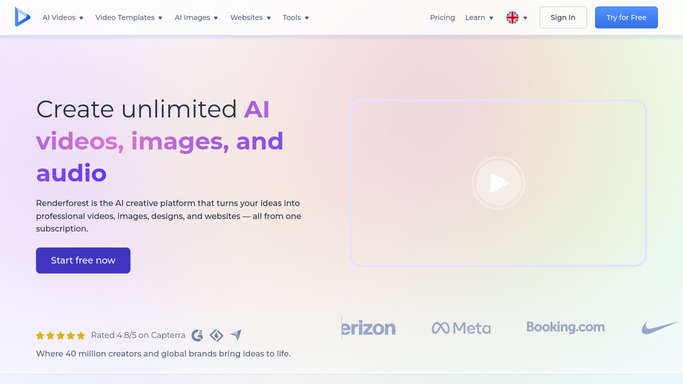
Renderforest - list projects completed this week
renderforest.com

WebRun opens Renderforest to list projects completed this week. - Open Renderforest and list every video, logo, or site project completed this week
- Note the project type and client or campaign it belongs to
- Record the completion date
Done when Every project completed this week has been listed.
-
2
Google Calendar - check upcoming launches
calendar.google.com How to Automate Google Calendar
WebRun opens Google Calendar to check upcoming launches. - Check Google Calendar for launches scheduled in the next two weeks
- Match each upcoming launch to its Renderforest project status
- Flag any launch whose project is not yet complete
Done when Upcoming launches have been checked against project status.
-
3
WhatsApp - send the weekly scorecard
whatsapp.com How to Automate WhatsApp
WebRun opens WhatsApp to send the weekly scorecard. - Message the team lead a WhatsApp scorecard of what completed this week and what launch is coming up
- List anything at risk first
- Keep the message internal, summarizing only
Done when The team lead has this week scorecard by WhatsApp.


How do I track weekly Renderforest output against upcoming launch dates?
WebRun tallies every Renderforest video, logo, and site project completed each week, checks Google Calendar for launches coming up in the next two weeks, and messages the team lead a WhatsApp scorecard of what shipped and what is still at risk. Brand project output stays visible without opening every finished file.
- At risk launches get flagged two weeks out, not the day before
- The team lead sees weekly output without opening every project
- Brand project work stays visible even during busy weeks
Built for small business owners · marketing agencies · startup founders · freelance brand designers
How is each run configured?
Secure by default
Connect once, stays signed in
WebRun signs in once and keeps each session in a persistent environment, so every run picks up right where it left off.
Every action is checked against this policy before it runs.
Questions, answered
Does it create the videos, logos, or sites itself?
No. WebRun only counts and reports on projects your team has already completed in Renderforest. Creating them stays a manual task.
How does it decide a launch is at risk?
It flags any launch on the calendar within two weeks whose matching Renderforest project is not yet marked complete.
What if a project does not match a calendar launch?
It still counts in the weekly completed total. Only projects tied to an upcoming date get checked for launch risk.
Related templates
Put this on autopilot.
Turn it on in minutes - or have our team set it up for you.