On Wednesday Google shipped two things that, on a first read, sound like the end of a lot of admin. Chrome's autofill will now reach into your Gmail and offer up the order number or the flight confirmation you were about to go and hunt for. And Google opened Gemini and Search to outside apps, so a service can put itself inside the place people now ask their questions.
Both are real. Neither of them does the job you keep meaning to get to.
The difference matters more than it sounds, because it changes which of the two is worth your money next year.
What Google shipped on 28 October
The first is enhanced autofill. When you are filling in an online form, Chrome can suggest values it found by reading your Gmail: a flight confirmation number, a membership ID, a tracking number, an order number, an address, a phone number, a card number. The suggestion turns up in the autofill dropdown marked "Suggested by Gemini". It is rolling out in the United States first, to people over 18 who have Gemini in Chrome with Personal Intelligence switched on, across desktop, Android and iOS. You can remove a single suggestion or turn the whole thing off in Chrome settings, and Google says sensitive data is encrypted.
The second is the Connected Apps Platform. A developer submits a service once and it can appear in both Gemini and Search. More than fifty apps are already live in Gemini, among them Adobe, Experian, Localiza and Peloton. Search has fewer so far: Instacart, Canva, YouTube Music, Yahoo Fantasy Football. The route in is a cloud hosted MCP server registered through a new Google Connected Console, and for now it is a preview open to developers in the United States only. TechCrunch described it as one of the first steps for businesses that want to be visible on the agentic web.
So your browser reads your mail to help you type, and your suppliers are being invited to stand inside the answer box.
The question is who starts it
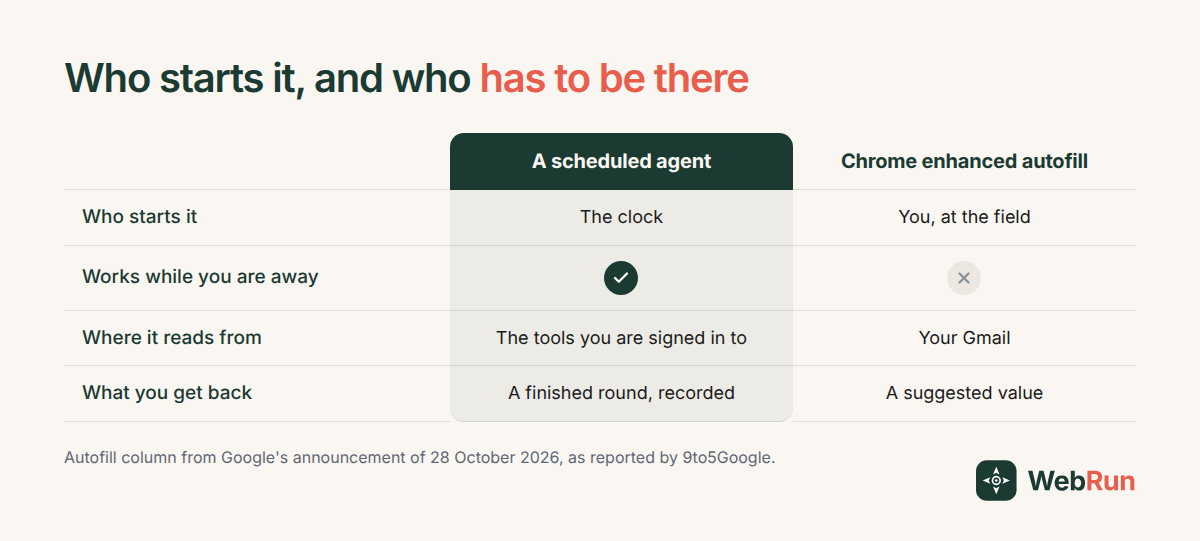
The autofill wording is precise. The suggestion appears as you fill out a form. You opened the tab. You found the form. You clicked into the field. Chrome saved you the trip back to your inbox to look the number up.
That is a real minute back. It also only arrives once you are already doing the work.
The chores that cost a small business are the ones nobody opened a tab for. The Monday review that slides to Wednesday. The supplier portal nobody checked. The report that gets pulled when somebody asks for it and not before. None of those are slow because the typing is slow. They are expensive because they need a person to remember, at a particular hour, to go and start.
Autofill does not start anything. By design it waits for you to be in the room.
What it looks like when something else starts it
Take a chore we have a template for: the weekly pass over mileage claims.
A finance manager at a company on Ramp has to work through last week's mileage submissions, check each one against the reimbursement rate and the per trip cap, keep a record of all of it, and put the clean ones in front of a manager to approve. Nobody finds this hard. Everybody finds it easy to put off, and the price of putting it off is people waiting on money they are owed and a month end that takes two days instead of one.
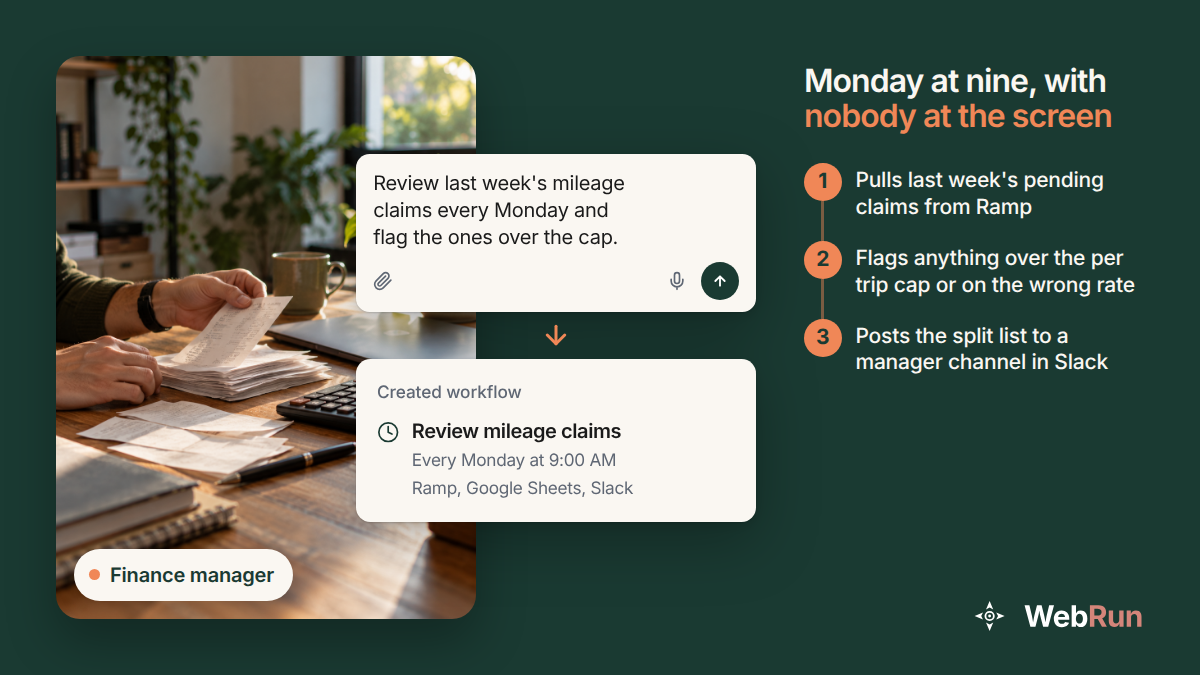
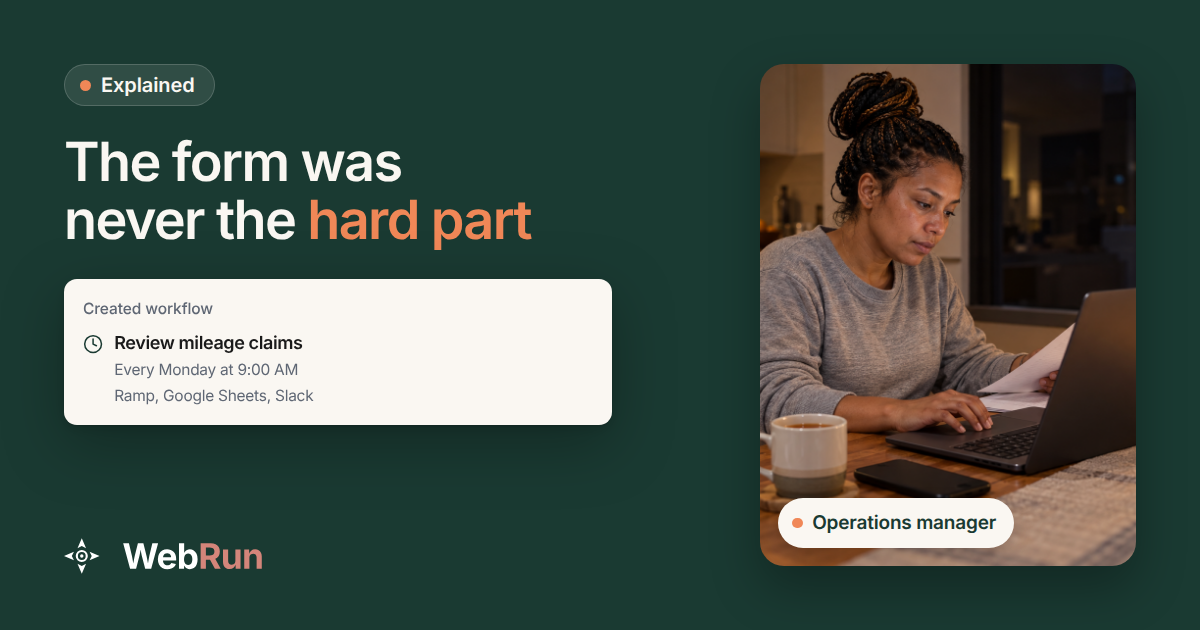
Here is the same work with the clock starting it. Every Monday at nine, before anyone is at a screen, an agent opens Ramp in a real browser, pulls every mileage request submitted in the past week, checks each against the configured IRS rate and the per trip mile threshold, appends the lot to a Google Sheet with the questionable ones marked, and posts a ranked approval list to a manager channel in Slack so the week can be approved in one sitting. That is the mileage review template as it stands on our site today.
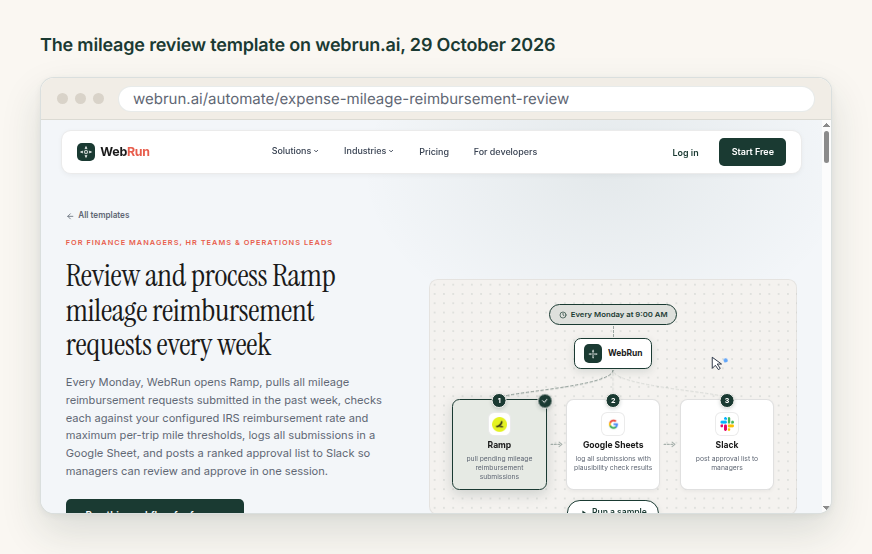
Nothing in that run is paid and nothing is approved. A person still decides every claim. What changed is that the gathering, the checking and the laying out happened without anyone remembering to do them, and there is a record afterwards of exactly what ran.
Being inside your tools is not the same as doing the work
The sentence I keep hearing a version of is "we have AI in our tools now". It is usually true, and it usually means something smaller than the person saying it believes.
Three questions separate the two, and you can ask them of anything that was pitched to you this month.
Who starts it? If the honest answer is "you, when you open it", you have an assistant. If the answer is a time or an event, you have something that runs.
What happens in a week when nobody opens it? An assistant produces nothing that week, quietly. Something that runs produces its output and tells you.
Where do you read what it did? An assistant leaves behind a browser session. Something that runs should leave a record you can open on Thursday, showing what it touched and what it cost.
None of this makes assistants a bad deal. Autofill reading your Gmail will save you real minutes, and if you sell to consumers, getting into the Connected Apps Platform is a distribution question worth looking at this quarter. They answer a different question from the one most backlogs are asking.
Pick the chore with a clock and no name on it
Do not wait for a browser to get clever enough to notice your backlog. Pick the one job in your week that happens at an hour nobody owns, and write down what a person does when they finally get to it, in order, including the moment where they decide something.
The deciding stays with you. The rest is the part that can run.
WebRun does that work in a real Chrome browser, inside the tools you are already signed in to, under rules you set, and it records every run. The template library is the quicker way in: find something close to your chore and change the details. Once you have one picked out, set it to run on a schedule.