Chase unanswered Re:amaze order conversations
Every hour, WebRun opens Re:amaze, finds conversations mentioning an order that have gone unanswered for more than an hour, drafts a WhatsApp reply with the current order status for an agent to review and send, and schedules a callback on Google Calendar for any VIP customer still waiting.
- No credit card
- Under $0.01 per run
- Cancel anytime
How do I follow up on unanswered Re:amaze order conversations?
WebRun checks Re:amaze every hour for order conversations that have gone unanswered, looks up each order's current status, and drafts a WhatsApp reply for an agent to review and send. VIP customers still waiting also get a callback scheduled on Google Calendar, so no order question sits unanswered and no message reaches a customer unreviewed.
- Unanswered order questions get a ready draft within the hour
- VIP customers get a scheduled callback instead of a generic reply
- Agents send from an accurate order status, not a guess
Built for ecommerce support teams · Shopify merchants · DTC brands · customer service managers
What does WebRun do on every run?
The exact actions WebRun takes, in order - in plain language, so you can adjust anything.
-
WebRun signs in and gets to work
Opens
app.reamaze.comin a real browser with your saved login - no setup, no API keys. -
1
Re:amaze - find unanswered order conversations
reamaze.com
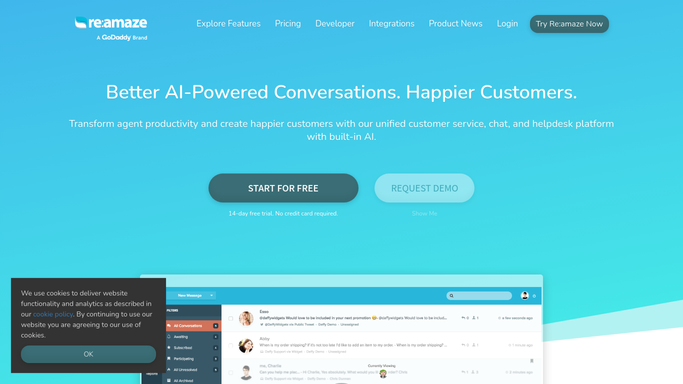
WebRun opens Re:amaze to find unanswered order conversations. - Open Re:amaze and filter conversations mentioning an order with no agent reply
- Check how long each has been waiting
- Look up the current order status for each flagged conversation
- Flag which customers are tagged VIP
Done when Every unanswered order conversation is identified with its current order status.
-
2
WhatsApp - draft a reply with order status for review
whatsapp.com How to Automate WhatsApp

WebRun opens WhatsApp to draft a reply with order status for review. - Draft a reply with the current order status for each flagged conversation
- Keep the tone polite and specific to that order
- Save every draft for an agent to review and send. Never send to the customer directly
Done when A ready to review draft exists for every unanswered order conversation.
-
3
Google Calendar - schedule a callback for VIP customers
calendar.google.com How to Automate Google Calendar

WebRun opens Google Calendar to schedule a callback for VIP customers. - Schedule a callback slot for any VIP customer still waiting
- Add the order number and wait time to the event notes
- Invite the assigned agent to the callback slot
Done when A callback slot exists for every VIP customer still waiting.
How is each run configured?
Secure by default
Connect once, stays signed in
WebRun signs in once and keeps each session in a persistent environment, so every run picks up right where it left off.
Every action is checked against this policy before it runs.
Questions, answered
Will WebRun send the WhatsApp reply to the customer?
No. Every reply is saved as a draft. An agent reads it, checks the order details, and sends it. WebRun never messages a customer on its own.
How does it know the order status?
It looks up the order tied to the conversation directly in Re:amaze, so the draft always reflects the current status, not a guess.
Why do VIP customers get a calendar callback instead of just a draft?
Because a scheduled callback is a better fit for a customer worth a personal touch. Every other customer still gets a fast drafted reply.
Related templates
Put this on autopilot.
Turn it on in minutes - or have our team set it up for you.