Hand every signed proposal to the delivery team
Every morning, WebRun opens Proposify, finds the proposals signed since yesterday, pulls the client, the signed date, the price and the line items from each one, drafts a handoff email in Gmail for you to approve, and posts the same summary to your delivery group on WhatsApp.
- No credit card
- Under $0.01 per run
- Cancel anytime
How do I hand a signed proposal to the delivery team the day it closes?
WebRun opens Proposify every morning, finds the proposals signed since yesterday, and pulls the client, the price and the line items from each one. It drafts a Gmail handoff to your delivery lead for approval and posts the same summary to your WhatsApp group, so kickoff starts the day a deal closes.
- Delivery gets scope and price the day a proposal is signed
- Kickoff stops waiting on a rep remembering to forward the details
- Every handoff email is drafted for approval, never sent on its own
Built for agencies · consultancies · professional services · sales operations
What does WebRun do on every run?
The exact actions WebRun takes, in order - in plain language, so you can adjust anything.
-
WebRun signs in and gets to work
Opens
app.proposify.comin a real browser with your saved login - no setup, no API keys. -
1
Proposify - find newly signed proposals
proposify.com
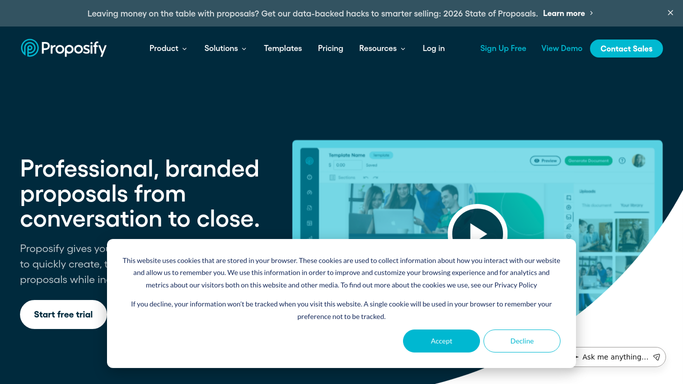
WebRun opens Proposify to find newly signed proposals. - Open Proposify and filter proposals by status to find anything signed since yesterday
- Capture the client name, the signed date, the total price, and the line items in scope
- Note the rep who owned the deal and any special terms written into the proposal
- Read only. Never edit, resend, or change the status of a proposal
Done when Every proposal signed since the last run is listed with its scope and price.
-
2
Gmail - draft the handoff email
gmail.com How to Automate Gmail

WebRun opens Gmail to draft the handoff email. - Draft one handoff email per signed proposal, addressed to your delivery lead
- Include the client, the price, the line items, the signed date, and the owning rep
- Leave every email sitting in drafts. A person reviews and sends it, and nothing goes to the client
Done when A handoff email is drafted for every proposal signed since the last run.
-
3
WhatsApp - tell the delivery group
whatsapp.com How to Automate WhatsApp

WebRun opens WhatsApp to tell the delivery group. - Post a short message to your delivery group naming each new client and what was sold
- Include the value and the headline scope so resourcing can start the same day
- Skip the message entirely on mornings when nothing was signed
Done when Delivery knows what closed before the first standup.
How is each run configured?
Secure by default
Connect once, stays signed in
WebRun signs in once and keeps each session in a persistent environment, so every run picks up right where it left off.
Every action is checked against this policy before it runs.
Questions, answered
Will it email the client after they sign?
No. WebRun drafts one internal handoff email to your delivery lead and leaves it in Gmail drafts. Nothing is sent until a person reviews it, and the client is never emailed.
Does it change anything in Proposify?
No. WebRun reads the signed proposals and their line items only. It never edits a proposal, resends one, or moves a status, so your sales record stays untouched.
What if a proposal is signed later in the day?
It appears in the next morning's run. WebRun reads the live proposal status on every run and picks up anything signed since the last one, so no deal is handed off twice.
Related templates
Put this on autopilot.
Turn it on in minutes - or have our team set it up for you.