Fix the questions your AI agent could not answer
Every Monday, WebRun opens Netomi, reads the past week of conversations that escalated or went unresolved, groups them by intent and topic, ranks the gaps by volume in Google Sheets, and sends you a WhatsApp list of the knowledge articles that would remove the most escalations.
- No credit card
- Under $0.01 per run
- Cancel anytime
How do I find the questions my AI support agent cannot answer?
WebRun reviews Netomi every Monday for knowledge gaps. It reads the week's escalated and unresolved conversations, groups them by topic, ranks the topics by volume in Google Sheets, and sends you a WhatsApp list of the articles worth writing first, each with a sample question.
- One article removes a whole class of escalations
- Recurring topics stand out from one off questions
- Every gap arrives with a real customer question attached
Built for support ops leads · customer experience teams · knowledge managers · helpdesk managers
What does WebRun do on every run?
The exact actions WebRun takes, in order - in plain language, so you can adjust anything.
-
WebRun signs in and gets to work
Opens
netomi.comin a real browser with your saved login - no setup, no API keys. -
1
Netomi - group unresolved conversations by topic
netomi.com
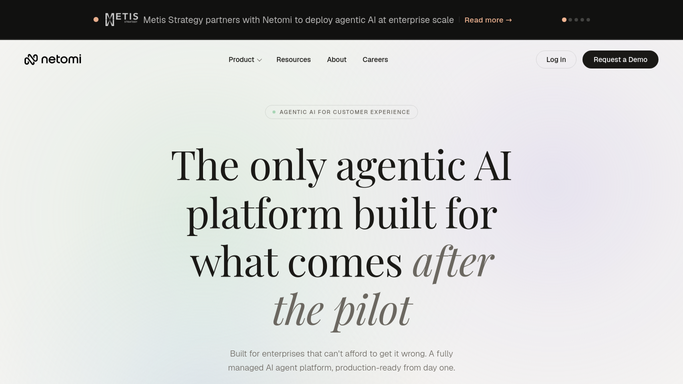
WebRun opens Netomi to group unresolved conversations by topic. - Sign in to Netomi and open the past week of conversations
- Capture the ones that escalated to a human or closed without a resolution, with the intent matched and the customer's question
- Group them by topic so repeated versions of the same question collapse into one line
- Note which existing knowledge base article, if any, was served for each topic
Done when The week's unresolved conversations are grouped into topics with counts.
-
2
Google Sheets - rank the gaps by volume
google.com How to Automate Google Sheets

WebRun opens Google Sheets to rank the gaps by volume. - Open the knowledge gap tracker in Google Sheets
- Add a row per topic with the count of escalations, a sample question, and the article currently serving it
- Keep previous weeks so a topic that keeps returning is obvious, and mark topics fixed once an article ships
Done when This week's topics are ranked by escalation volume in the sheet.
-
3
WhatsApp - send the articles worth writing
whatsapp.com How to Automate WhatsApp

WebRun opens WhatsApp to send the articles worth writing. - Send yourself the top topics by volume with a sample question for each
- Say plainly whether the topic has no article at all or an article that is not landing
- Leave writing and publishing to your team. WebRun never edits a knowledge base article or replies to a customer
Done when You know which article to write first this week.
How is each run configured?
Secure by default
Connect once, stays signed in
WebRun signs in once and keeps each session in a persistent environment, so every run picks up right where it left off.
Every action is checked against this policy before it runs.
Questions, answered
Will it write or publish knowledge base articles?
No. WebRun identifies the gap and ranks it by volume. Writing the article and publishing it stays with your support team, because published help content is customer facing and needs a human author.
Does it reply to any customers?
No. It reads finished conversations after the fact to find patterns. It never joins a live conversation, never replies, and never reopens a ticket.
How does it decide which gap matters most?
By volume across the week. A topic that escalated 40 times outranks one that escalated twice, so writing a single article removes a whole class of escalations rather than an edge case.
Related templates
Put this on autopilot.
Turn it on in minutes - or have our team set it up for you.