Walk into every meeting knowing the whole thread
Every morning, WebRun opens Mixmax, finds the meetings booked through your scheduling links for today, reads each attendee's email threads and sequence history, checks the calendar for times and agendas, and sends you a per meeting prep note on WhatsApp.
- No credit card
- Under $0.01 per run
- Cancel anytime
How do I prepare for sales meetings without rereading old email threads?
WebRun prepares you for every booked meeting each morning. It reads today's Google Calendar meetings, pulls each attendee's prior email thread and sequence history from Mixmax, and sends you a short WhatsApp note per call covering the last exchange and the open question, so no call starts cold.
- Every call starts with the last exchange fresh in mind
- Prep arrives on your phone before the first meeting
- Nobody opens a call cold on a thread last touched weeks ago
Built for account executives · SDRs · founders · customer success managers
What does WebRun do on every run?
The exact actions WebRun takes, in order - in plain language, so you can adjust anything.
-
WebRun signs in and gets to work
Opens
app.mixmax.comin a real browser with your saved login - no setup, no API keys. -
1
Mixmax - pull each attendee's thread history
mixmax.com
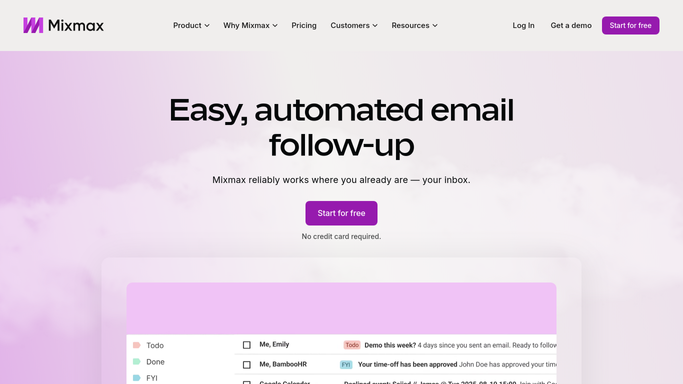
WebRun opens Mixmax to pull each attendee's thread history. - Open Mixmax and find the meetings booked through your scheduling links
- For each attendee, read the prior email thread: what was last asked and what was last promised
- Note which sequence the contact is in and where they stopped
- Capture the last contact date so you know how cold the thread has gone
Done when Every attendee on today's calendar has their thread history summarized.
-
2
Google Calendar - read today's booked meetings
calendar.google.com How to Automate Google Calendar

WebRun opens Google Calendar to read today's booked meetings. - Open Google Calendar and list today's meetings with external attendees
- Capture the start time, the duration, and any agenda already in the invite
- Match each attendee's email address back to their Mixmax thread
Done when Today's meetings are listed in order with their attendees matched.
-
3
WhatsApp - send you the prep notes
whatsapp.com How to Automate WhatsApp

WebRun opens WhatsApp to send you the prep notes. - Send yourself one WhatsApp message per meeting, in calendar order
- Lead each note with the name, the time, and the last thing that was discussed
- Add the open question you left unanswered so you can open the call with it
- Send only to your own chat or internal team thread. WebRun never messages the attendee
Done when You have a prep note on your phone before the first call starts.
How is each run configured?
Secure by default
Connect once, stays signed in
WebRun signs in once and keeps each session in a persistent environment, so every run picks up right where it left off.
Every action is checked against this policy before it runs.
Questions, answered
Will it message the person I am meeting?
No. The WhatsApp notes go only to you or an internal team chat. WebRun never contacts the attendee, never replies on a thread, and never sends anything from your Mixmax account.
What is actually in a prep note?
The attendee's name, the meeting time, a two-line recap of the last email exchange, the sequence they sit in, and the open question you left unanswered, so you can open the call on the right note.
What if a meeting is booked later the same day?
The morning run covers meetings already on the calendar. Set it to run twice a day and anything booked after the first pass is picked up on the second, before the call starts.
Related templates
Put this on autopilot.
Turn it on in minutes - or have our team set it up for you.