Track your show's Mixcloud uploads and listener stats
Every Monday, WebRun opens Mixcloud, checks the show's latest upload and its listener and favorite counts, adds a Trello card to plan next week's episode, and sends your co-host a WhatsApp update on how the last episode performed.
- No credit card
- Under $0.01 per run
- Cancel anytime
How do I track my show's weekly Mixcloud listener stats?
WebRun checks Mixcloud every Monday for your show's latest upload and its listener and favorite counts, adds a Trello card to plan next week's episode, and sends your co-host a WhatsApp update on how the last one performed. It never uploads content itself, so a host duo tracks momentum without checking Mixcloud stats manually.
- Listener trends are tracked weekly without checking Mixcloud manually
- Next week's episode always starts with a planning card ready
- Co-hosts stay aligned with one WhatsApp update instead of separate checks
Built for DJs · radio show hosts · podcast co-hosts · independent broadcasters
What does WebRun do on every run?
The exact actions WebRun takes, in order - in plain language, so you can adjust anything.
-
WebRun signs in and gets to work
Opens
www.mixcloud.com/loginin a real browser with your saved login - no setup, no API keys. -
1
Mixcloud - check uploads and listener stats
mixcloud.com
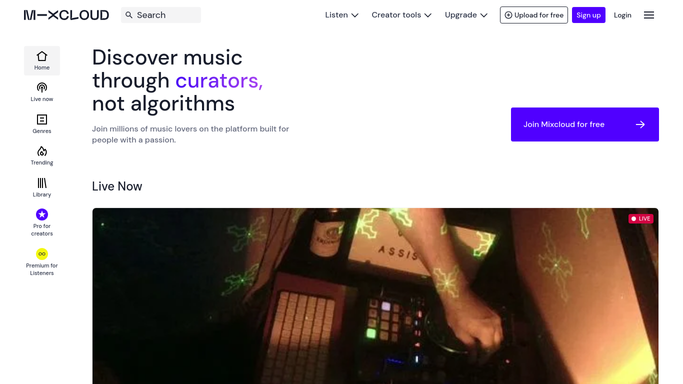
WebRun opens Mixcloud to check uploads and listener stats. - Open the show's Mixcloud page
- Note the latest episode's listen count and favorites since it went up
- Check whether an episode was uploaded on schedule
Done when This week's upload status and listener stats have been captured.
-
2
Trello - add the next episode card
trello.com How to Automate Trello

WebRun opens Trello to add the next episode card. - Open the show production board
- Add a card for planning next week's episode
- Note last week's listener count on the card for reference
Done when Next week's episode has a planning card on the board.
-
3
WhatsApp - update the co host
whatsapp.com How to Automate WhatsApp

WebRun opens WhatsApp to update the co host. - Send the co-host an update on the last episode's listens and favorites
- Note whether it beat the previous episode
- Link to the new Trello planning card
Done when The co-host has this week's performance update on WhatsApp.
How is each run configured?
Secure by default
Connect once, stays signed in
WebRun signs in once and keeps each session in a persistent environment, so every run picks up right where it left off.
Every action is checked against this policy before it runs.
Questions, answered
Does WebRun upload episodes to Mixcloud?
No. It only reads listen counts and upload status. Recording and uploading an episode is always done by the host.
Who sees the WhatsApp update?
Only your co-host, on the number connected to WhatsApp. It never messages listeners directly.
What if an episode does not go up on schedule?
The Mixcloud check will show no new upload, and the weekly update to your co-host will note that so the gap does not go unnoticed.
Related templates
Put this on autopilot.
Turn it on in minutes - or have our team set it up for you.