Nudge the owner of an edit that has sat untouched too long
Every Monday, WebRun opens your Kapwing workspace, reads the last edited date on every project, works out who owns each one from its collaborators, drafts a short nudge to those owners in Gmail and leaves it unsent, then sends you a WhatsApp list of which edits have stalled and for how long.
- No credit card
- Under $0.01 per run
- Cancel anytime
How do I find creative projects that have stalled and nudge their owners?
WebRun opens your Kapwing workspace every Monday and reads the last edited date on every unfinished project. It drafts a nudge in Gmail to the owner of anything untouched past your limit, leaves it unsent for you, and sends the stalled list to WhatsApp, so work in progress does not quietly die.
- Stalled edits get an owner and a question, not silence
- The nudge is already written when you sit down on Monday
- Work in progress does not quietly become abandoned
Built for creative leads · video teams · marketing agencies · content producers
What does WebRun do on every run?
The exact actions WebRun takes, in order - in plain language, so you can adjust anything.
-
WebRun signs in and gets to work
Opens
www.kapwing.comin a real browser with your saved login - no setup, no API keys. -
1
Kapwing - find projects nobody has opened
kapwing.com
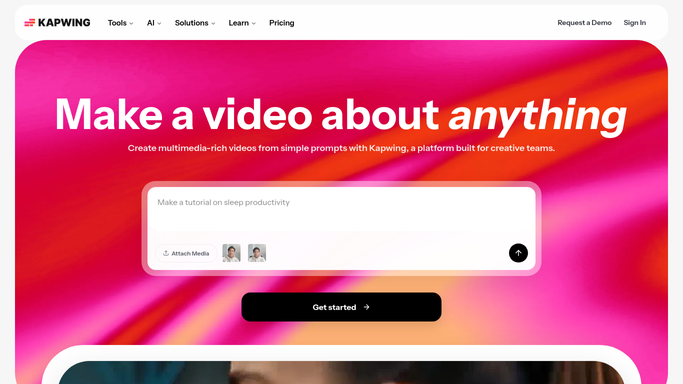
WebRun opens Kapwing to find projects nobody has opened. - Open your Kapwing workspace and go through the project folders
- Read the last edited date on every project that is not finished
- Flag anything untouched for longer than the number of days you set
- Note the collaborators on each flagged project and treat the most recent editor as the owner
- Read only. WebRun never edits, exports, or deletes a project
Done when Every stalled project is listed with its age and an owner.
-
2
Gmail - draft a nudge to each owner
gmail.com How to Automate Gmail

WebRun opens Gmail to draft a nudge to each owner. - Draft one short, friendly email per owner listing the projects of theirs that have stalled
- Include the project name, how long it has sat, and a link to open it
- Ask a plain question: is it still going ahead, or can it be archived
- Leave every email unsent in drafts. You read them and press send
Done when A draft nudge is waiting for each owner with a stalled project.
-
3
WhatsApp - send the stalled list
whatsapp.com How to Automate WhatsApp

WebRun opens WhatsApp to send the stalled list. - Send yourself the stalled list, longest untouched first
- Show the project name, the owner, and the days since it was last edited
- Note how many draft nudges are waiting in Gmail
- Say plainly when nothing has stalled, so a clean week is confirmed
Done when You have this week's stalled project list in WhatsApp.
How is each run configured?
Secure by default
Connect once, stays signed in
WebRun signs in once and keeps each session in a persistent environment, so every run picks up right where it left off.
Every action is checked against this policy before it runs.
Questions, answered
Will it email my team without me?
No. Every nudge is written and left unsent in Gmail drafts. You read them, edit the tone, and press send yourself, so nobody is chased about a project you already knew was paused.
Does it touch the projects themselves?
No. WebRun reads the project list and last edited dates only. It never opens an editor, changes a file, exports a video, or deletes anything from the workspace.
How long is too long?
You set the limit, for example fourteen days without an edit. WebRun measures each unfinished project against it and reports the age so you can tell a pause from an abandonment.
Related templates
Put this on autopilot.
Turn it on in minutes - or have our team set it up for you.