File yesterday's calls where the team can find them
Every morning, WebRun opens JustCall, reads yesterday's inbound and outbound call activity with duration, disposition, and the agent who handled it, files a dated log with recording links into a Google Drive folder, and sends you the headline call numbers on WhatsApp.
- No credit card
- Under $0.01 per run
- Cancel anytime
How do I keep a daily log of my team's phone calls?
WebRun opens JustCall every morning and reads yesterday's inbound and outbound calls with the agent, duration, disposition, and recording link for each. It files a dated log into your Google Drive folder with per-agent totals, then sends the headline call numbers and the log link to you on WhatsApp.
- Yesterday's calls are searchable in Drive before the team logs in
- Per-agent talk time and missed calls are counted without anyone building a report
- Coaching conversations start from the actual call, one link away
Built for sales managers · support teams · call centres · small business owners
What does WebRun do on every run?
The exact actions WebRun takes, in order - in plain language, so you can adjust anything.
-
WebRun signs in and gets to work
Opens
app.justcall.ioin a real browser with your saved login - no setup, no API keys. -
1
JustCall - read yesterday's call activity
justcall.io
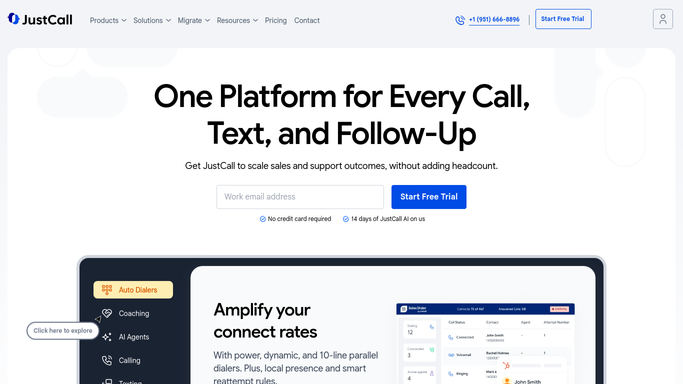
WebRun opens JustCall to read yesterday's call activity. - Open JustCall and filter the call log to yesterday
- Capture each call with its direction, contact, agent, duration, and disposition
- Note which calls have a recording or a transcript available and copy the link
- Total up calls answered, calls missed, and talk time per agent
Done when Every call from yesterday is captured with its agent, outcome, and duration.
-
2
Google Drive - file the dated call log
drive.google.com How to Automate Google Drive

WebRun opens Google Drive to file the dated call log. - Open your call logs folder in Google Drive
- Create a dated document with one table row per call
- Include contact, agent, direction, duration, disposition, and the recording link
- Add a per-agent summary block at the top: calls, talk time, and missed count
- Name the file by date so the folder stays in order
Done when Yesterday's call log is filed in Drive next to the previous days.
-
3
WhatsApp - send the headline numbers
whatsapp.com How to Automate WhatsApp

WebRun opens WhatsApp to send the headline numbers. - Send yesterday's totals: calls made, calls answered, calls missed, total talk time
- Name the busiest agent and the longest call
- Include the link to the filed log in Drive
Done when You have yesterday's call numbers and the log link on your phone.
How is each run configured?
Secure by default
Connect once, stays signed in
WebRun signs in once and keeps each session in a persistent environment, so every run picks up right where it left off.
Every action is checked against this policy before it runs.
Questions, answered
Will it call or text anyone in JustCall?
No. WebRun reads the call log only. It never dials a number, never sends an SMS, and never leaves a voicemail. All outbound contact stays with your agents.
Does it copy the recordings themselves?
No. The log stores the JustCall recording link, so playback still happens inside JustCall under your existing permissions. Nothing is duplicated out of the platform.
Can it delete or edit call records?
No. WebRun has read access to the call log and write access only to the Google Drive folder you point it at. JustCall records are never changed.
Related templates
Put this on autopilot.
Turn it on in minutes - or have our team set it up for you.