Hear it the day a competitor comes up on a call
Every morning, WebRun opens Gong, reads yesterday's call transcripts, finds every mention of a competitor or a pricing objection, captures the quoted line with the account and the call owner, files each one as a Trello card, and sends sales leadership the day's roundup on WhatsApp.
- No credit card
- Under $0.01 per run
- Cancel anytime
How do I find out when competitors are mentioned on sales calls?
Every morning WebRun opens Gong, reads yesterday's call transcripts, and pulls out every mention of a competitor or a pricing objection with the quoted line, the account, and the call owner. It files each mention as a Trello card and sends sales leadership the day's roundup on WhatsApp.
- Battlecards stay current with what buyers actually said yesterday
- Pricing objections reach product marketing the same day
- Every mention arrives with the quoted line and the account
Built for sales leaders · product marketing · revenue operations · B2B sales teams
What does WebRun do on every run?
The exact actions WebRun takes, in order - in plain language, so you can adjust anything.
-
WebRun signs in and gets to work
Opens
app.gong.ioin a real browser with your saved login - no setup, no API keys. -
1
Gong - find competitor mentions in calls
gong.io
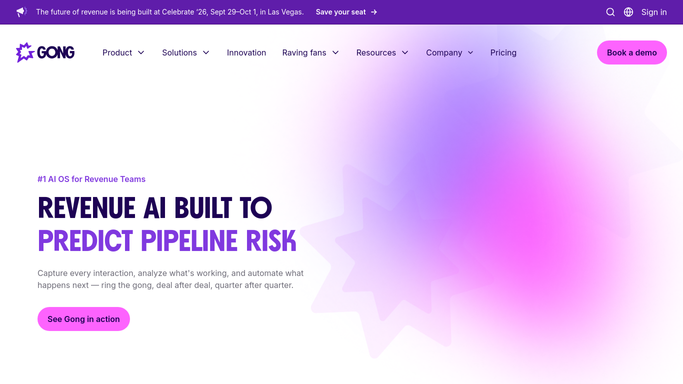
WebRun opens Gong to find competitor mentions in calls. - Open Gong and filter calls to yesterday
- Read each transcript for your tracked competitor names and for pricing objections
- Capture the quoted line, who said it, the account, the deal, and the call owner
Done when Every competitor and pricing mention from yesterday is captured with its quote.
-
2
Trello - file each mention with its quote
trello.com How to Automate Trello

WebRun opens Trello to file each mention with its quote. - Add a card per mention to the competitive intelligence board
- Put the competitor, the account, the call owner, and the exact quoted line on the card
- Label each card by competitor so the board groups itself over time
Done when Yesterday's mentions are all on the board, labelled by competitor.
-
3
WhatsApp - send leadership the roundup
whatsapp.com How to Automate WhatsApp

WebRun opens WhatsApp to send leadership the roundup. - Send the internal sales leadership group the day's roundup grouped by competitor
- Lead with any mention on a deal above your value threshold and quote the line said
- Message your own team only. WebRun never contacts a customer or a prospect
Done when Leadership has today's competitor roundup on WhatsApp.
How is each run configured?
Secure by default
Connect once, stays signed in
WebRun signs in once and keeps each session in a persistent environment, so every run picks up right where it left off.
Every action is checked against this policy before it runs.
Questions, answered
Will it contact the customer or the rep's prospect?
No. Everything stays internal: a Trello card and a message to your own leadership group. WebRun never emails, calls, or messages anyone outside the company from this run.
Which competitors does it watch for?
The names you give it, plus pricing objections phrased in your own words. Add or remove a name and the next morning's run picks it up without any other change.
Does it change anything in Gong?
No. It reads calls and transcripts only. Your trackers, call records, and deal fields in Gong are left exactly as they are.
Related templates
Put this on autopilot.
Turn it on in minutes - or have our team set it up for you.