Close out the day with a takings report
Every evening after closing, WebRun opens Fresha, reads the day's completed appointments, sales totals, tips and no-shows, writes a dated end-of-day report into your Google Drive folder, and sends the owner the headline numbers and tomorrow's booked count on WhatsApp.
- No credit card
- Under $0.01 per run
- Cancel anytime
How do I get a daily takings report from my salon booking system?
WebRun opens Fresha every evening after closing, reads the day's completed appointments, sales, tips, and no-shows, and files a dated report in your Google Drive folder with the split by service and staff member. It then sends the owner the headline numbers and tomorrow's booked count on WhatsApp.
- The owner sees the day's numbers without opening Fresha
- A dated report is filed for the bookkeeper every night
- Tomorrow's gaps are visible in time to fill them
Built for salon owners · spa managers · barbershops · wellness clinics
What does WebRun do on every run?
The exact actions WebRun takes, in order - in plain language, so you can adjust anything.
-
WebRun signs in and gets to work
Opens
fresha.comin a real browser with your saved login - no setup, no API keys. -
1
Fresha - read today's appointments and sales
fresha.com
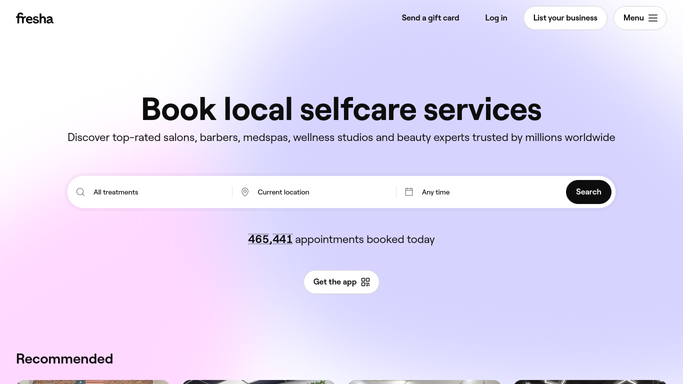
WebRun opens Fresha to read today's appointments and sales. - Open Fresha and load today's calendar and sales views
- Capture completed appointments, total sales, tips, and the split by service and by team member
- Note cancellations and no-shows, and read tomorrow's booked appointment count
Done when Today's appointments, sales, tips, and no-shows are captured with tomorrow's booked count.
-
2
Google Drive - file the dated report
drive.google.com How to Automate Google Drive

WebRun opens Google Drive to file the dated report. - Open your end-of-day folder for the current month
- Save a dated report with sales, tips, appointments completed, and the split by service and team member
- Append the same day's totals to the running month sheet so the month to date stays current
Done when Today's report is filed in Drive and the month to date is updated.
-
3
WhatsApp - send the owner the numbers
whatsapp.com How to Automate WhatsApp

WebRun opens WhatsApp to send the owner the numbers. - Send the owner today's sales total, appointment count, and tips in three short lines
- Compare against the same weekday last week so the number has context
- Add tomorrow's booked count and flag any gap worth filling
Done when The owner has today's numbers and tomorrow's booked count on WhatsApp.
How is each run configured?
Secure by default
Connect once, stays signed in
WebRun signs in once and keeps each session in a persistent environment, so every run picks up right where it left off.
Every action is checked against this policy before it runs.
Questions, answered
Does it change anything in Fresha?
No. The run is read-only. WebRun reads the calendar and sales views and writes the report elsewhere. It never edits an appointment, refunds a sale, or messages a client.
Where is the report saved?
In your own Google Drive folder, one dated file per trading day, plus a running month sheet. Your bookkeeper can open the folder without ever logging into Fresha.
Can it break the numbers down by staff member?
Yes. The filed report splits sales and appointments by team member and by service, so commission and utilisation are already worked out at the end of each day.
Related templates
Put this on autopilot.
Turn it on in minutes - or have our team set it up for you.