Automated Folk Stalled Deal Follow-Ups
Every Monday, WebRun opens Folk, finds open deals with no logged activity for two weeks or more, drafts a short follow-up email to each contact in Gmail and leaves it unsent, then sends you a WhatsApp list of which deals went quiet and how much is at stake.
How do I follow up on CRM deals that have gone quiet?
WebRun opens Folk every Monday, finds open deals with no logged activity for 14 days, and reads the last email thread with each contact. It drafts a personal follow-up in Gmail for you to approve and sends a WhatsApp list of the quiet deals ranked by value.
- No open deal sits untouched for more than two weeks
- Follow-ups arrive as drafts, so you send in one click
- The highest value stalled deals sit at the top of the list
Built for founders · small sales teams · agencies · consultants
What does WebRun do on every run?
The exact actions WebRun takes, in order - in plain language, so you can adjust anything.
-
WebRun signs in and gets to work
Opens
folk.appin a real browser with your saved login - no setup, no API keys. -
1
Folk - find deals with no recent activity
folk.app
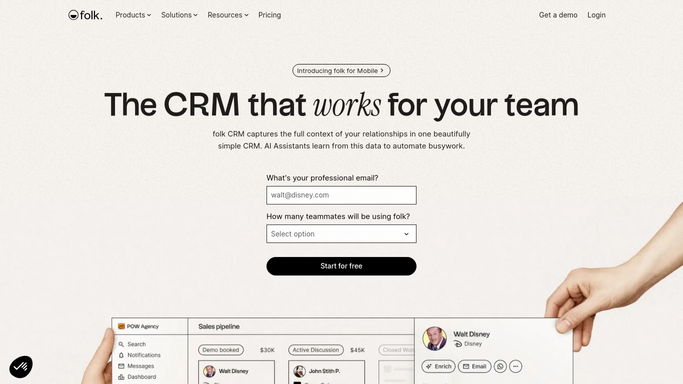
WebRun opens Folk to find deals with no recent activity. - Open Folk and filter your pipeline to open deals
- Capture every deal with no note, email, or meeting logged in the last 14 days
- Record the contact, the deal value, the stage, and the days since last touch
Done when Every stalled open deal is listed with its owner, value, and days quiet.
-
2
Gmail - draft a follow-up per contact
gmail.com

WebRun opens Gmail to draft a follow-up per contact. - Read the last message thread with each contact so the follow-up picks up where it stopped
- Draft a short, friendly nudge referencing the deal and the last thing discussed
- Save every message as a Gmail draft. Never send it. You review and hit send yourself
Done when A ready-to-review draft sits in Gmail for every stalled deal.
-
3
WhatsApp - send you the chase list
whatsapp.com

WebRun opens WhatsApp to send you the chase list. - Send a short list of the quiet deals, highest value first
- Show days since last touch and the stage each deal is stuck in
- Note how many drafts are waiting for review in Gmail
Done when You have this week's chase list on WhatsApp.
How is each run configured?
Secure by default
Connect once, stays signed in
WebRun signs in once and keeps each session in a persistent environment, so every run picks up right where it left off.
Every action is checked against this policy before it runs.
Questions, answered
Will it email my contacts on its own?
No. Every follow-up is saved as a Gmail draft and left unsent. You read it, edit the wording, and send it yourself, so nothing goes to a prospect without a human deciding.
How does it decide a deal has gone quiet?
It reads the activity history on each open Folk deal and flags anything with no note, email, or meeting logged for 14 days or more. You can set a different window.
What if I already followed up outside Folk?
Log it in Folk and the deal drops off the list on the next run, because WebRun reads the live activity history rather than a stored snapshot.
Related templates
Put this on autopilot.
Turn it on in minutes - or have our team set it up for you.