Turn meeting commitments into a tracked board
Every morning, WebRun opens Fireflies.ai, reads the action items and summaries from yesterday's recorded calls, creates a Trello card for each commitment with the owner and the due date, and sends you a short WhatsApp list of what your team promised customers.
- No credit card
- Under $0.01 per run
- Cancel anytime
How do I turn meeting action items into tracked tasks?
WebRun reads your Fireflies.ai meeting summaries every morning and pulls out every commitment your team made on yesterday's calls. It creates a Trello card per promise with the owner and due date attached, then sends you a short WhatsApp list, so nothing said on a call quietly disappears.
- Every promise made on a call becomes a card with an owner
- Follow-ups get a due date the same morning the call is transcribed
- Nothing agreed verbally is lost between the call and the CRM
Built for sales teams · account managers · customer success · consultancies
What does WebRun do on every run?
The exact actions WebRun takes, in order - in plain language, so you can adjust anything.
-
WebRun signs in and gets to work
Opens
app.fireflies.aiin a real browser with your saved login - no setup, no API keys. -
1
Fireflies.ai - read yesterday's call commitments
fireflies.ai
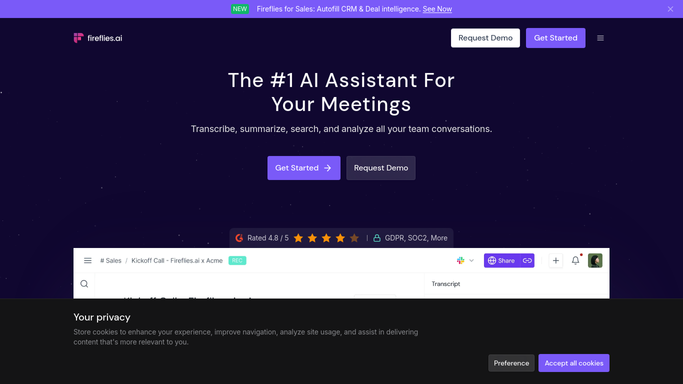
WebRun opens Fireflies.ai to read yesterday's call commitments. - Open Fireflies.ai and list the meetings recorded since yesterday morning
- Open each meeting and read its summary and action items
- Capture who committed to what, the customer or account named, and any date said out loud
- Skip meetings already processed on an earlier run
Done when Every commitment spoken in yesterday's calls is captured with an owner.
-
2
Trello - create a card per commitment
trello.com How to Automate Trello

WebRun opens Trello to create a card per commitment. - Open your follow-up board in Trello
- Create one card per commitment, titled with the promise and the account
- Set the member to the person who made the commitment and the due date to the date they said
- Paste the quoted line and the Fireflies.ai meeting link into the card description
- Skip any commitment that already has a card from a previous run
Done when Each new commitment has a Trello card with an owner and a due date.
-
3
WhatsApp - send you the day's list
whatsapp.com How to Automate WhatsApp

WebRun opens WhatsApp to send you the day's list. - Send yourself a short WhatsApp message listing today's new commitments
- Group them by owner and put anything due today at the top
- Keep it internal. Never message a customer or a meeting attendee
Done when You have this morning's commitment list in WhatsApp.
How is each run configured?
Secure by default
Connect once, stays signed in
WebRun signs in once and keeps each session in a persistent environment, so every run picks up right where it left off.
Every action is checked against this policy before it runs.
Questions, answered
Will it message customers about what we promised?
No. WebRun only creates internal Trello cards and sends you a private WhatsApp list. Any reply to a customer stays a human decision, and nothing is sent to a meeting attendee.
What counts as a commitment?
Anything a person on your side promised to do: send a quote, share a deck, book a follow-up, check a price. WebRun reads the action items and summary Fireflies.ai produces and keeps only the promises with a clear owner.
Will it create duplicate cards for the same promise?
No. WebRun checks the board for an existing card from the same meeting before creating a new one, so a call revisited on a later run does not get carded twice.
Related templates
Put this on autopilot.
Turn it on in minutes - or have our team set it up for you.