Check who can still reach the files you shared
Every Monday, WebRun opens Dropbox, lists every shared link and shared folder, records who still has access and at what permission level, sends you the revoke list on WhatsApp, and drafts a Gmail note to the folder owners so old client files stop being reachable.
- No credit card
- Under $0.01 per run
- Cancel anytime
How do I find out who can still open my shared Dropbox files?
Every Monday, WebRun opens Dropbox and audits how your files are shared: every public link, every shared folder, and every outside member still holding access. It sends you the revoke list on WhatsApp and drafts a Gmail note to the folder owners, so old client files stop being reachable by anyone with the URL.
- Old client links are found before anyone else finds them
- Every outside member with access is named each week
- Links with no expiry date are flagged the first Monday they appear
Built for IT and ops leads · agencies · professional services firms · small business owners
What does WebRun do on every run?
The exact actions WebRun takes, in order - in plain language, so you can adjust anything.
-
WebRun signs in and gets to work
Opens
www.dropbox.com/loginin a real browser with your saved login - no setup, no API keys. -
1
Dropbox - list every shared link and member
dropbox.com How to Automate Dropbox
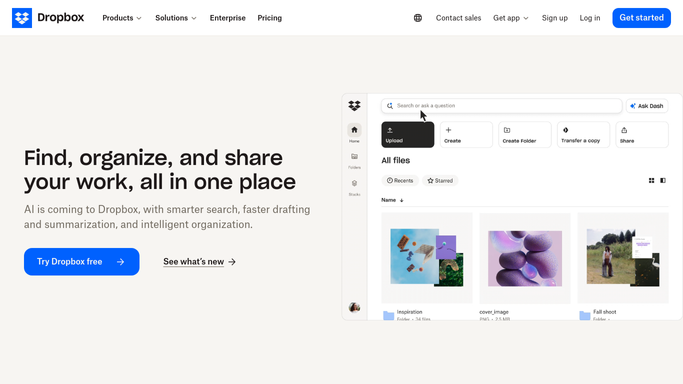
WebRun opens Dropbox to list every shared link and member. - Open Dropbox and go to the Shared view
- List every shared link with the file or folder it points to and whether it is open to anyone with the link
- Open each shared folder and record its members, their permission level, and whether they are outside your team
- Check which links carry an expiry date and which never expire
- Flag anything shared from a client or project folder whose work finished more than 90 days ago
- Flag links to folders holding contracts, exports, or anything named as confidential
Done when Every shared link and folder member is listed with its permission level and age.
-
2
WhatsApp - send you the revoke list
whatsapp.com How to Automate WhatsApp

WebRun opens WhatsApp to send you the revoke list. - Send yourself the revoke list in a few lines: how many links are open to anyone and how many outside members remain
- Name the oldest and the riskiest first
- Keep it short enough to read on a phone
Done when You have this week's revoke list on WhatsApp.
-
3
Gmail - draft a note to folder owners
gmail.com How to Automate Gmail

WebRun opens Gmail to draft a note to folder owners. - Draft an email to each folder owner listing the links and members still open on their folders
- Ask them to confirm which access should stay and which should go
- Leave every email in Drafts. WebRun never revokes a link, removes a member, or deletes a file in Dropbox
Done when A note to each folder owner sits in Drafts, unsent.
How is each run configured?
Secure by default
Connect once, stays signed in
WebRun signs in once and keeps each session in a persistent environment, so every run picks up right where it left off.
Every action is checked against this policy before it runs.
Questions, answered
Will it revoke access on its own?
No. WebRun only reads your sharing settings and reports. Revoking a link, removing a member, or deleting a file is always done by a person, and the emails it writes stay in Drafts.
How does it decide which shares are risky?
It flags links open to anyone with the URL, links with no expiry date, members outside your team, and anything shared from a project folder whose work finished more than 90 days ago.
Does it open or read the files themselves?
No. It reads sharing settings, folder membership, and file names only. The contents of your documents are never opened or copied anywhere.
Related templates
Put this on autopilot.
Turn it on in minutes - or have our team set it up for you.