Catch 4shared links that are shared too publicly
Every morning, WebRun opens 4shared, checks folders and files shared as public links, saves a private backup copy of anything flagged to Google Drive, and posts the full over-shared list to Slack sorted by how long the link has been open.
- No credit card
- Under $0.01 per run
- Cancel anytime
What does WebRun do on every run?
The exact actions WebRun takes, in order - in plain language, so you can adjust anything.
-
WebRun signs in and gets to work
Opens
www.4shared.comin a real browser with your saved login - no setup, no API keys. -
1
4shared - scan shared links for public access
4shared.com

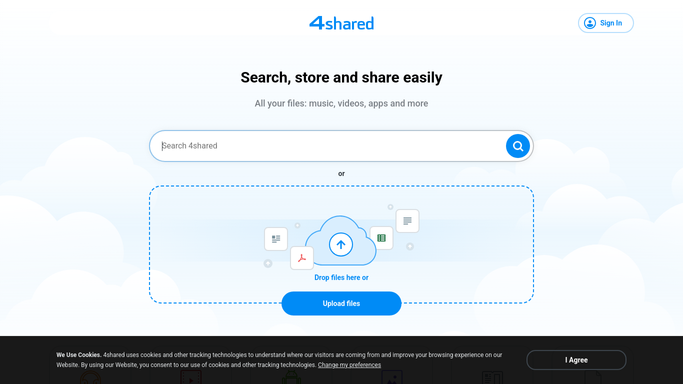
WebRun opens 4shared to scan shared links for public access. - Open 4shared and check folders shared as public links
- Flag any link open to anyone, not just specific people
- Note the owner and how long the link has been active
Done when Every public link this run is listed with owner and age.
-
2
Google Drive - archive a safety copy
drive.google.com How to Automate Google Drive
WebRun opens Google Drive to archive a safety copy. - Save a safety copy of anything flagged as over-shared
- File it in a private, access-controlled folder
- Keep 4shared as the original. This is a backup only
Done when A safety copy exists for every over-shared file.
-
3
Slack - alert for review
slack.com How to Automate Slack
WebRun opens Slack to alert for review. - Post the over-shared link list to the review channel
- Sort it by how long the link has been open
- Leave revoking access to a person. WebRun never changes sharing settings
Done when The review channel has today's over-shared link list.


How do I find public 4shared links that are over-shared?
WebRun scans 4shared every morning for folders and files shared as open public links, and saves a private backup copy of each in Google Drive. It posts the full list to Slack sorted by how long the link has been open, but never changes a sharing setting itself. A person always reviews and decides.
- Public links get reviewed instead of forgotten
- Every flagged file has a private backup while under review
- Sharing settings only ever change with a human decision
Built for Small businesses using 4shared · IT admins auditing public links · teams handling client files
How is each run configured?
Secure by default
Connect once, stays signed in
WebRun signs in once and keeps each session in a persistent environment, so every run picks up right where it left off.
Every action is checked against this policy before it runs.
Questions, answered
Will WebRun make a link private again?
No. It only flags public links and backs up a private copy. Changing the sharing setting is always a person's decision.
Why back up a private copy in Google Drive?
So the file stays safe and accessible while the original over-shared link is being reviewed, without needing to touch 4shared's sharing settings.
What counts as over-shared?
Any folder or file set to a public link open to anyone, rather than shared with specific people.
Related templates
Put this on autopilot.
Turn it on in minutes - or have our team set it up for you.