Automated Dovetail Research Backlog Reports
Every Monday, WebRun opens Dovetail, walks your active projects, finds the interviews, transcripts, and notes that were uploaded more than a week ago but still carry no tags or highlights, groups the backlog by the person who uploaded each one, posts it to your Microsoft Teams research channel, and nudges you on WhatsApp when the pile is growing.
How do I make sure user research actually gets analysed?
WebRun walks your Dovetail projects every Monday and finds interviews, transcripts, and notes uploaded over a week ago that still have no tags or highlights. It posts the backlog to Microsoft Teams grouped by uploader and oldest first, and nudges you on WhatsApp only when the pile grew since last week.
- Interviews stop sitting unanalysed for months
- Each researcher sees only their own backlog
- You find out the week the pile starts growing, not the quarter
Built for research teams · product designers · research ops · product managers
What does WebRun do on every run?
The exact actions WebRun takes, in order - in plain language, so you can adjust anything.
-
WebRun signs in and gets to work
Opens
app.dovetail.aiin a real browser with your saved login - no setup, no API keys. -
1
Dovetail - find unanalysed research
dovetail.com
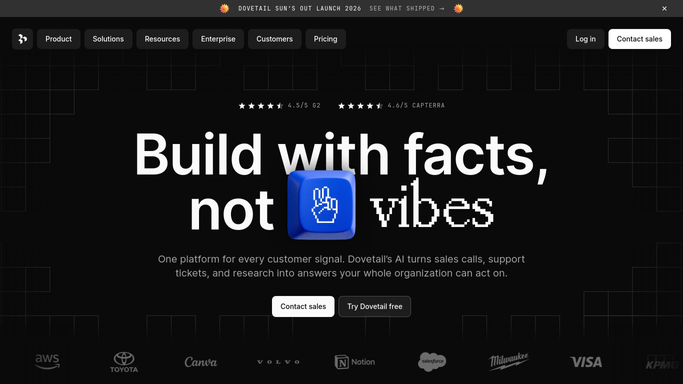
WebRun opens Dovetail to find unanalysed research. - Open Dovetail and go through the projects you nominate
- Find every piece of data uploaded more than 7 days ago that has no highlights and no tags applied
- Record the project, the file name, the upload date, the uploader, and the days it has been waiting
Done when Every unanalysed piece of research is listed with its owner and age.
-
2
Microsoft Teams - post the backlog by owner
microsoft.com

WebRun opens Microsoft Teams to post the backlog by owner. - Post the backlog to your research channel grouped by the person who uploaded it
- Show project, file, and days waiting for each item, oldest first
- Add the total count and how it compares with last Monday
Done when The research channel has this week's analysis backlog by owner.
-
3
WhatsApp - nudge you when it grows
whatsapp.com

WebRun opens WhatsApp to nudge you when it grows. - Send you a one-line nudge only when the backlog is bigger than last week
- Name the project with the most unanalysed items
- Stay quiet on weeks where the backlog shrank
Done when You know on WhatsApp whether the research backlog is growing.
How is each run configured?
Secure by default
Connect once, stays signed in
WebRun signs in once and keeps each session in a persistent environment, so every run picks up right where it left off.
Every action is checked against this policy before it runs.
Questions, answered
Will it tag or edit my research?
No. WebRun reads your Dovetail projects and reports what has not been analysed. It never applies a tag, creates a highlight, writes an insight, or deletes anything.
Does it read the interview content itself?
It reads only what it needs to tell analysed from unanalysed: the file, its date, its uploader, and whether tags or highlights exist. The backlog post lists file names, not transcript content.
Can I set how long is too long?
Yes. The default is 7 days since upload, and you can set any window you prefer so the backlog matches how fast your team actually turns interviews around.
Related templates
Put this on autopilot.
Turn it on in minutes - or have our team set it up for you.