Automated Deskpro Shift Handover Notes
At the end of every day, WebRun opens Deskpro, reads the tickets still open across your queues, groups them by status, urgency, and waiting time, saves a dated handover note to a Google Drive folder, and sends the incoming shift a short WhatsApp list of the tickets they must pick up first.
How do I hand over an open support queue between shifts?
WebRun reads your open Deskpro tickets at the end of every day, grouping them by queue, status, and waiting time. It saves a dated handover note to Google Drive with owners and last actions, then sends the incoming shift a WhatsApp list of the tickets waiting longest, so nothing is lost between shifts.
- The next shift starts knowing exactly what is waiting
- Every day has a written record of the queue in Drive
- Tickets waiting longest get picked up first, not last
Built for support managers · helpdesk teams · follow the sun support · MSPs
What does WebRun do on every run?
The exact actions WebRun takes, in order - in plain language, so you can adjust anything.
-
WebRun signs in and gets to work
Opens
www.deskpro.comin a real browser with your saved login - no setup, no API keys. -
1
Deskpro - read the open ticket queue
deskpro.com
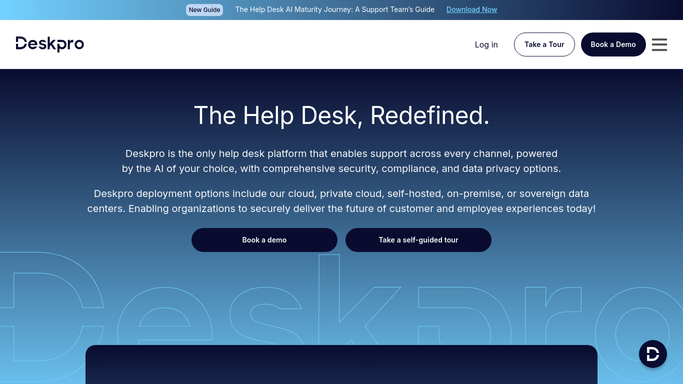
WebRun opens Deskpro to read the open ticket queue. - Open Deskpro and list every ticket that is not resolved across the queues you nominate
- Capture the subject, customer, agent, status, urgency, and hours since the last agent reply
- Flag tickets awaiting a customer reply separately from tickets waiting on your team
Done when Every open ticket is captured with its owner and waiting time.
-
2
Google Drive - save the handover note
drive.google.com

WebRun opens Google Drive to save the handover note. - Create a dated handover document in your support handover folder
- Write one section per queue listing open tickets, owners, and the last action taken
- Add a short summary line with today's total opened, resolved, and still waiting
Done when Today's handover note is saved in the Google Drive folder.
-
3
WhatsApp - brief the incoming shift
whatsapp.com

WebRun opens WhatsApp to brief the incoming shift. - Send the support group the tickets waiting longest on your team, oldest first
- Name the customer, the queue, and the hours waiting for each one
- Add the link to today's Google Drive handover note
Done when The incoming shift has the must-watch list on WhatsApp.
How is each run configured?
Secure by default
Connect once, stays signed in
WebRun signs in once and keeps each session in a persistent environment, so every run picks up right where it left off.
Every action is checked against this policy before it runs.
Questions, answered
Will it reply to customers or change ticket status?
No. WebRun only reads Deskpro. It never replies to a ticket, reassigns it, or marks it resolved, so the queue is exactly as your agents left it.
Can it cover only certain queues?
Yes. Name the Deskpro queues, brands, or teams you want covered and the handover note includes only those, which keeps the WhatsApp message short enough to act on.
What if the queue is empty at end of day?
It still saves a dated note recording a clear queue and sends a one-line WhatsApp confirmation, so the shift log stays continuous and nobody wonders whether the run happened.
Related templates
Put this on autopilot.
Turn it on in minutes - or have our team set it up for you.