Hand finished Clay research straight to the rep who works it
Every morning, WebRun opens your Clay table, finds the rows that finished enriching since yesterday, keeps the ones that match your criteria on company size, role, and signal, drops the rows where enrichment came back empty, sends the shortlist to your rep in WhatsApp, and books a focused outreach block in Google Calendar sized to the number of accounts waiting.
- No credit card
- Under $0.01 per run
- Cancel anytime
How do I get newly enriched Clay leads in front of a rep each morning?
WebRun opens your Clay table every morning, reads the rows enriched overnight, and keeps only the accounts matching your criteria on size, role, and signal. It sends the shortlist to your rep in WhatsApp and books a Google Calendar outreach block sized to the list, so finished research gets worked the same day.
- Enriched accounts reach a rep the morning they are ready
- Empty enrichment results are counted, not quietly ignored
- No prospect is contacted by the run itself
Built for outbound sales teams · growth marketers · SDR managers · B2B agencies
What does WebRun do on every run?
The exact actions WebRun takes, in order - in plain language, so you can adjust anything.
-
WebRun signs in and gets to work
Opens
app.clay.comin a real browser with your saved login - no setup, no API keys. -
1
Clay - read newly enriched rows
clay.com
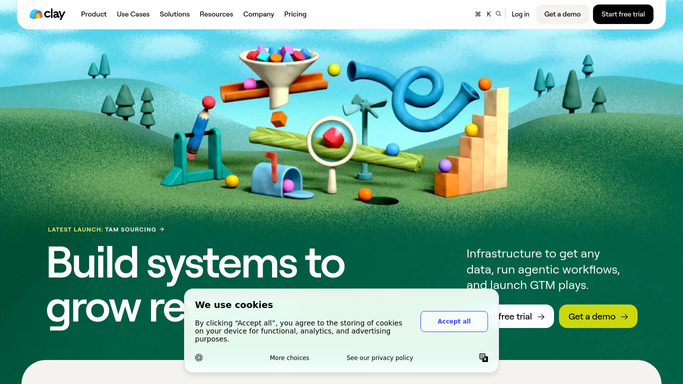
WebRun opens Clay to read newly enriched rows. - Open your Clay table and filter to rows enriched since the previous run
- Keep rows that match your criteria on company size, role, and the signal column you care about
- Set aside rows where enrichment returned nothing, and count them so a pattern of empty results is obvious
Done when Newly enriched rows are screened into a shortlist and a discard count.
-
2
WhatsApp - hand the shortlist to the rep
whatsapp.com How to Automate WhatsApp

WebRun opens WhatsApp to hand the shortlist to the rep. - Send the shortlist to your internal sales chat, strongest fit first
- Give each account its company, the contact and role, and the one signal that earned it a place
- Keep it internal. WebRun never messages a prospect from this run
Done when The rep has this morning's shortlist in WhatsApp.
-
3
Google Calendar - book the outreach block
calendar.google.com How to Automate Google Calendar

WebRun opens Google Calendar to book the outreach block. - Book an outreach block on the rep's calendar sized to how many accounts are waiting
- Put the account names and the Clay view link in the event description
- Skip the block entirely on mornings when the shortlist is empty
Done when Outreach time is held whenever there are accounts worth working.
How is each run configured?
Secure by default
Connect once, stays signed in
WebRun signs in once and keeps each session in a persistent environment, so every run picks up right where it left off.
Every action is checked against this policy before it runs.
Questions, answered
Will it email or message the prospects?
No. The only messages are internal, to your own team WhatsApp chat. Outreach to a prospect is written and sent by a rep, so nobody outside your company hears from this run.
Does it run enrichment and spend credits?
No. WebRun reads rows your table already enriched on its own schedule. It does not trigger new enrichment runs, so it never consumes Clay credits on your behalf.
What happens to rows that came back empty?
They stay out of the shortlist and are counted separately in the WhatsApp message. A rising empty count is the early sign that a column or a data source needs attention.
Related templates
Put this on autopilot.
Turn it on in minutes - or have our team set it up for you.