Find the gap between what is committed and what is real
Every Monday, WebRun opens Clari, compares each rep's forecast commit against the stage and value of their open pipeline, creates a Trello card for any commit that does not have enough coverage behind it, and texts the rep directly on WhatsApp about deals that slipped stage since last week, so forecast risk surfaces before it reaches the manager's roll up.
- No credit card
- Under $0.01 per run
- Cancel anytime
How do I find forecast commits with weak pipeline coverage in Clari?
Every Monday, WebRun compares each rep's Clari forecast commit against their actual pipeline coverage and creates a Trello card for any commit that looks unsupported. It also texts the rep on WhatsApp about deals that slipped stage since last week, so a shaky forecast number gets reviewed before it reaches the manager's roll up, not after.
- Weak forecast commits get flagged before the manager roll up
- Slipping deals reach the rep the same Monday, not at quarter end
- Coverage gaps are tracked on a board instead of a spreadsheet no one opens
Built for revenue operations · sales managers · enterprise sales · forecast owners
What does WebRun do on every run?
The exact actions WebRun takes, in order - in plain language, so you can adjust anything.
-
WebRun signs in and gets to work
Opens
app.clari.comin a real browser with your saved login - no setup, no API keys. -
1
Clari - compare commit against pipeline coverage
clari.com
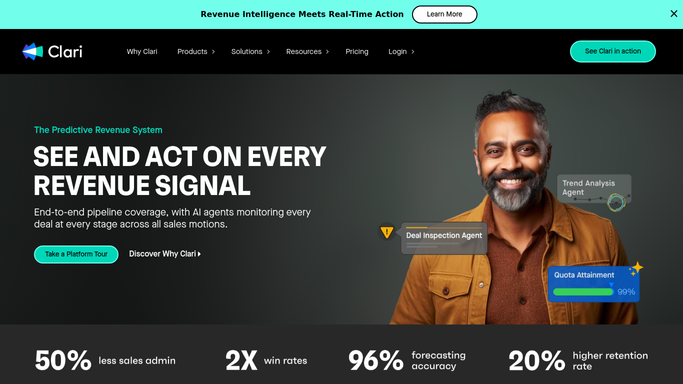
WebRun opens Clari to compare commit against pipeline coverage. - Open Clari and review each rep's forecast commit for the period
- Compare the committed value against the stage and value of open pipeline
- Flag commits where the pipeline coverage looks thin
Done when Every rep's commit has been checked against their pipeline coverage.
-
2
Trello - create a review card for weak commits
trello.com How to Automate Trello

WebRun opens Trello to create a review card for weak commits. - Create a card for each flagged commit on the forecast review board
- Note the committed value and the coverage gap on the card
- Leave it for the manager to review in the forecast call
Done when Every weak commit has a tracked card ready for the forecast review.
-
3
WhatsApp - text the rep about slipping deals
whatsapp.com How to Automate WhatsApp

WebRun opens WhatsApp to text the rep about slipping deals. - Text the rep for any deal that slipped stage since last week
- Name the deal and its new stage in the text
- Skip the text for deals that held their stage
Done when The rep has been texted about any deal that slipped this week.
How is each run configured?
Secure by default
Connect once, stays signed in
WebRun signs in once and keeps each session in a persistent environment, so every run picks up right where it left off.
Every action is checked against this policy before it runs.
Questions, answered
Does it change a rep's forecast commit?
No. WebRun only compares the commit against pipeline data and flags gaps for review. Any change to a forecast number is made by the rep or manager in Clari.
What counts as thin coverage?
A committed amount that is not backed by enough open pipeline value in a late enough stage. The exact threshold reflects how your team already defines coverage in Clari.
Why WhatsApp for slipped deals specifically?
A slipped deal is time sensitive heading into the forecast call, so it gets a direct text. Coverage gaps go to the Trello board instead since they need a longer look, not an instant reaction.
Related templates
Put this on autopilot.
Turn it on in minutes - or have our team set it up for you.