Turn repeat support complaints into product tickets
Every morning, WebRun opens Chatwoot, reads the conversations from the last 24 hours with their labels and inboxes, groups them into recurring themes, opens a Trello card for each new theme or bumps the count on an existing one, and sends the team a WhatsApp digest of what customers complained about most.
- No credit card
- Under $0.01 per run
- Cancel anytime
How do I turn repeated support tickets into product issues automatically?
WebRun opens Chatwoot every morning and reads the last 24 hours of conversations with their labels and inboxes. It groups them into recurring themes, opens or updates one Trello card per theme, then sends a ranked WhatsApp digest showing which complaints hit the most customers.
- Recurring complaints reach the product board the next morning
- One growing card per theme instead of ten duplicate tickets
- New breakages get named the first day they appear
Built for support teams · product managers · SaaS companies · ecommerce operators
What does WebRun do on every run?
The exact actions WebRun takes, in order - in plain language, so you can adjust anything.
-
WebRun signs in and gets to work
Opens
app.chatwoot.comin a real browser with your saved login - no setup, no API keys. -
1
Chatwoot - read yesterday's conversations
chatwoot.com
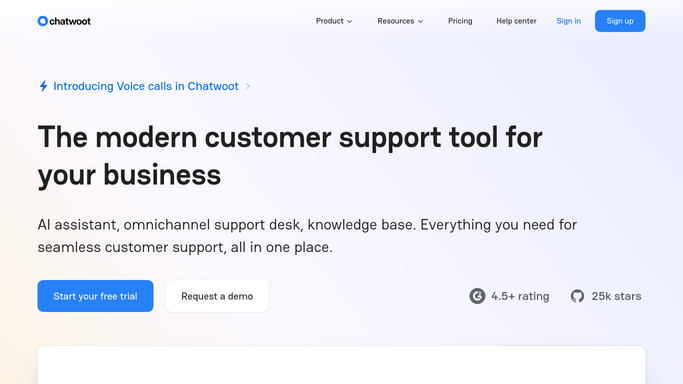
WebRun opens Chatwoot to read yesterday's conversations. - Open Chatwoot and filter conversations to the last 24 hours across every inbox
- Capture the subject, the labels applied, the inbox, and the resolution status for each
- Group conversations that describe the same underlying problem into one theme
- Count how many customers hit each theme and note the ones that were escalated
Done when Yesterday's conversations are grouped into named themes with a count for each.
-
2
Trello - open or bump a card per theme
trello.com How to Automate Trello

WebRun opens Trello to open or bump a card per theme. - Open your product triage board and search for an existing card per theme
- Create a card for any theme that has no card yet, titled with the problem in plain words
- For themes that already have a card, add a comment with yesterday's count and the newest example
- Keep every card in the triage list unassigned so the product owner decides what gets picked up
Done when Every theme from yesterday has exactly one Trello card, new or updated.
-
3
WhatsApp - digest the top complaints
whatsapp.com How to Automate WhatsApp

WebRun opens WhatsApp to digest the top complaints. - Send the support group the top themes from yesterday, ranked by how many customers hit each
- Show the count, whether the card is new or growing, and one representative conversation
- Call out any theme that appeared for the first time so nobody misses a new breakage
Done when The team has this morning's ranked complaint digest in WhatsApp.
How is each run configured?
Secure by default
Connect once, stays signed in
WebRun signs in once and keeps each session in a persistent environment, so every run picks up right where it left off.
Every action is checked against this policy before it runs.
Questions, answered
Will it reply to customers in Chatwoot?
No. WebRun reads conversations only. It never sends a reply, changes a conversation status, or reassigns an agent. The Trello cards and the WhatsApp digest are internal, so nothing reaches a customer.
How does it decide what counts as one theme?
It groups conversations that describe the same underlying problem, using the labels you already apply in Chatwoot plus the wording of the request. You can give it your own theme list and it will map into that instead.
What stops the triage board filling with duplicate cards?
It searches the board for an existing card before creating one. A theme that already has a card gets a comment with yesterday's count, so a recurring problem grows one card rather than spawning ten.
Related templates
Put this on autopilot.
Turn it on in minutes - or have our team set it up for you.