Watch the studios your team learns from
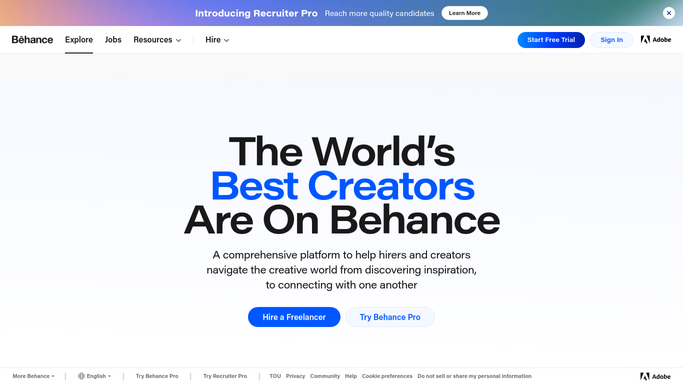
Every Monday, WebRun opens Behance, visits each creator and studio on your watch list, collects the projects they published in the last seven days with their fields and links, posts a roundup to your design channel in Microsoft Teams, and sends the three standouts to the team WhatsApp group.
- No credit card
- Under $0.01 per run
- Cancel anytime
What does WebRun do on every run?
The exact actions WebRun takes, in order - in plain language, so you can adjust anything.
-
WebRun signs in and gets to work
Opens
www.behance.netin a real browser with your saved login - no setup, no API keys. -
1
Behance - collect newly published projects
behance.net

WebRun opens Behance to collect newly published projects. - Open Behance and visit each creator and studio on your watch list
- Collect the projects published in the last seven days with the title, the creative field, and the link
- Note the visual approach in a line or two: layout, type treatment, motion, illustration style
- Skip projects already covered in a previous roundup
Done when Every watched creator's new projects from the past week are captured with links and a short read.
-
2
Microsoft Teams - post the weekly roundup
microsoft.com How to Automate Microsoft Teams
WebRun opens Microsoft Teams to post the weekly roundup. - Post the full roundup to your design channel in Microsoft Teams
- Group projects by creative field so illustration, branding, and motion sit together
- Give each project its title, creator, one-line read, and link
- Add a short note on any theme showing up across several studios this week
Done when The design channel holds this week's full Behance roundup.
-
3
WhatsApp - send the three standouts
whatsapp.com How to Automate WhatsApp
WebRun opens WhatsApp to send the three standouts. - Send the team WhatsApp group the three projects most worth opening
- Give each one a single line saying why it earned the pick
- Include the direct Behance link for each
- Finish with a link to the full roundup in Microsoft Teams
Done when The team group has this week's three standouts with links.


How do I keep up with new work from the design studios I follow?
WebRun visits every Behance creator and studio on your watch list each Monday and collects the projects they published in the last seven days. It posts a roundup grouped by creative field to your Microsoft Teams design channel, then sends the three standouts with links to the team WhatsApp group.
- A week of studio publishing arrives as one readable post
- Recurring visual themes across studios get named
- Links point back to the original creator, never copied artwork
Built for design teams · creative directors · brand studios · agency leads
How is each run configured?
Secure by default
Connect once, stays signed in
WebRun signs in once and keeps each session in a persistent environment, so every run picks up right where it left off.
Every action is checked against this policy before it runs.
Questions, answered
Will it appreciate, comment, or follow anyone on Behance?
No. WebRun only reads public project pages. It never appreciates, comments, follows, messages a creator, or publishes anything from your own Behance account.
Does it copy the artwork into our channels?
No. The roundup carries titles, creators, a short written read, and links back to the original Behance project, so credit and traffic stay with the creator.
Who decides which studios get watched?
You do. The watch list is set at setup and can be changed any time, whether that is competitor studios, agencies you admire, or freelancers you might hire.
Related templates
Put this on autopilot.
Turn it on in minutes - or have our team set it up for you.