How to Automate PracticeQ
PracticeQ automates the drip clinic's own routine. Engage sends reminders, recalls and review requests, Forms collects intake and consent before the client sits down, and Inventory Management tracks lot numbers and expiry dates. The supplier's ordering page, the card processor and the review sites are still opened by hand, which is where WebRun works.
 Written by
Marta Ellison
Automation strategist
Written by
Marta Ellison
Automation strategist
 Reviewed by
Nora Whitfield
Editorial lead
Reviewed by
Nora Whitfield
Editorial lead
An IV clinic is half exam room and half shop counter
A vitamin drip clinic is a strange hybrid, and its software has to be one too. Half the room is medical: a nurse, a cannula, a chart, a set of standing orders a physician signed. The other half is retail: a package of ten sold in January, a walk-in at four on a Tuesday, a birthday offer.
PracticeQ is where both halves live. It comes from the same company as IntakeQ, and plenty of clinics arrive by way of the forms first. What sits in it is the client record, the consent forms signed on a tablet at the door, the appointment, the invoice, the card on file, and the fridge behind the nurse: the bags, the additives and their lot numbers.
The people in it all day are a nurse, a front desk, and an owner who is usually also one of those two.
The fridge and the supplier page get checked by hand
Everything the clinic controls is in there. Almost everything it depends on is not.
The saline, the giving sets and the vitamin blends come from a supplier with its own ordering site and its own view of what is in stock this week. Somebody signs in on a Monday, weighs what the fridge holds against what next week's bookings will use, and places the order. Somebody else walks the shelf checking dates.
The card that failed on a package renewal failed at the processor, not in the chart. The review a client left on Saturday afternoon sat on a page nobody opened until Wednesday. The enquiry about a bridal party of twelve is in a shared inbox, three days old.
None of it is hard. It is work that only happens when a person is signed in, and in a clinic of four it lands on whoever looks least busy.
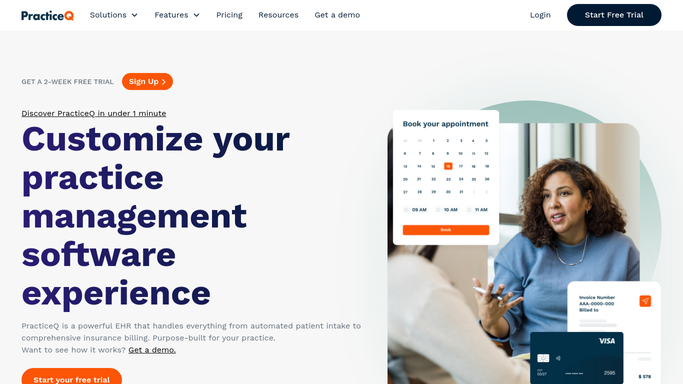
Engage already covers the client who is on the books
In fairness to the software, a clinic that has not switched this on is making its own week worse.
Engage is the part most drip bars notice first. It sends appointment reminders and confirmations, recall messages to clients who have not been in for months, and review requests after a visit, by text, email or voice, and its smart waitlist fills a slot that opens at short notice. Forms collects intake, consent and health history on a tablet before the client sits down, and tracks who has not finished one.
Inventory Management is stronger than most systems in this bracket: lot numbers, expiry dates, low stock warnings, and a link out to the vendor from the reorder notice. Lab Testing puts ordering and results inside the client record.
Every one of those acts on something already inside PracticeQ. The expiry warning knows the date because a nurse typed it. The low stock alert knows the count because the count was entered. What the supplier's site says this morning, whether a blend is on backorder, what the processor did with Tuesday's rebill, what the review actually said: none of it arrives on its own.
Next week's bags can be counted before Friday ends
Three things decide whether next week runs: what is in the fridge, what the supplier can actually ship, and what the card processor took. Only the first is inside PracticeQ.
Next week's booked drips read off the schedule and set against what the fridge actually holds, so a shortfall is a list on Friday instead of a discovery at nine on Monday. The supplier's ordering page read for the blends on backorder, sitting next to the appointments that need them, so a substitution is a phone call rather than a cancelled chair.
Additives inside sixty days of expiry pulled out and set against how fast that item usually moves, so a bottle gets used instead of binned. Package renewals due this month lined up against what the card processor actually took. New reviews collected from wherever they landed, each with a reply already drafted. The bridal party enquiry answered with a quote built from the clinic's own pricing, waiting to be sent.
The line in a room with a cannula in it does not move. Reading a supplier page, counting a fridge and spotting a failed rebill all run unattended. Anything that changes a client's chart, and anything at all that reaches a client, is prepared and left for a qualified person to send.
The buying and the getting paid happen somewhere else
None of that reading needs a nurse. It needs a login and ten minutes, and it is the ten minutes nobody has at four on a Friday.
WebRun is an AI agent that drives a real Chrome browser, signed in the way your staff are, in a private environment of your own. It opens the supplier's ordering page, the payment console or the review page, reads what is there, and leaves the answer where the front desk will see it. A workflow can be locked to an explicit list of sites, and you can watch a run and stop it partway.
Nothing is written into a chart, and nothing goes to a client unread. Each workflow below names what it opens and what it leaves behind.
Questions people ask
Could it put through a stock order with our vendor?
No. It reads the vendor's ordering page, works out what next week's bookings will use, and hands you a basket to approve. Placing the order and spending the money stay with whoever signs for stock at your clinic.
We already run Engage. Does this replace it?
No, it sits outside it. Engage handles reminders, recalls and review requests for clients PracticeQ can already see. This covers the sites PracticeQ never sees: the supplier, the card processor, the pages your reviews land on.
Can it touch a client chart or a consent form?
No. Nothing is written into a client record. Findings are collected and presented for a qualified person to act on, and any message to a client is drafted with the detail filled in and held for someone to read and send.
12 ready-made PracticeQ workflows
Each one names the apps it touches and the exact steps it takes. Open one to read what it will do, then turn it on.





Want one of these running on your own PracticeQ?
Show WebRun the process once and it will run it on schedule, in your own private browser environment.