How to Automate Planning Pod
Planning Pod automates what lives in your own account. Triggers and email sequences handle lead follow-ups, payment schedules and due date reminders, hold deadlines send warnings before they expire, and proposals, contracts and banquet event orders come from templates. The vendor, ticketing and marketplace answers around them still get gathered by hand.
 Written by
Clara Bennett
Revenue operations
Written by
Clara Bennett
Revenue operations
 Reviewed by
Tom Kessler
Field operations analyst
Reviewed by
Tom Kessler
Field operations analyst
A venue sells the same room fifty times a year
Planning Pod is event and venue management software, and the businesses running on it are the ones with a room to fill: event and wedding venues, hotels, restaurants and bars with function space, country clubs, wineries, museums, conference centres and performing arts facilities, along with the planners and caterers working inside them.
The economics are simple and unforgiving. A venue has a fixed number of dates and a fixed number of rooms, and each one is either sold or gone. So the software is built around the calendar: the booking calendar itself, holds and tours against a date, floor plans, the banquet event order, food and beverage, and the equipment that goes with the room.
Around that sit the commercial pieces, because the team that runs Saturday also has to win it. Lead capture forms and a pipeline, proposals, contracts and e-signatures, invoices and installments, and a branded portal where the client sees their own event.
One booking turns into forty small confirmations
A signed contract is the start of the work rather than the end of it.
The guaranteed count changes twice. The caterer needs it by Wednesday and the client answers on Thursday. The audio-visual company is arriving at two and the load-in door is being used by a delivery. A hold on the room next door expires Friday and nobody has asked the client whether they want it. The florist's certificate of insurance has not arrived. The band's rider has a power requirement in it that the building has to be checked against.
None of it is difficult. All of it is a message to somebody who does not work for the venue, followed by waiting, followed by a second message.
And it runs for every event on the books at once, which is why a coordinator's week is a queue of half-finished conversations rather than a list of tasks.
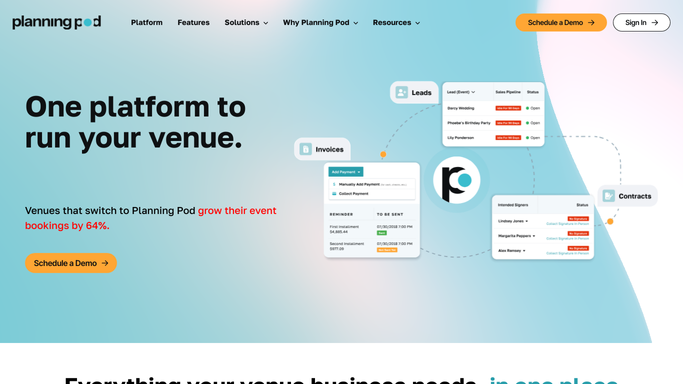
Reminders fire on the dates the calendar already holds
Planning Pod automates a real amount of this, and a venue ignoring the trigger side is working harder than it needs to.
Notifications and triggers can be set for lead follow-ups, document creation, payment schedules, due date reminders and email sequences, so an enquiry gets answered and an installment chases itself. Hold deadlines send reminders to staff and to the lead before a hold expires. Email and text reminders cover appointments, tasks and payments. Templated proposals, contracts and banquet event orders remove most of the retyping, and the client portal gives a client somewhere to answer that does not generate another email.
The shape of all of it is the same. A trigger fires on a date or a status already inside the account, and it reaches somebody who is either on the team or holding the portal link.
The caterer is not. The audio-visual company is not. Neither is the hotel holding the room block, the marketplace where half the enquiries arrive, or the ticketing platform selling the seats. Those systems hold the answers a coordinator spends the week asking for.
The week's events can assemble their own paperwork
Reach into those other systems each morning and the queue of half-finished conversations gets considerably shorter.
Counts reconciled before the caterer's deadline instead of after it: what the ticketing or registration platform actually shows sold, put beside the guaranteed number on the banquet event order, with the difference flagged while it can still be changed.
Vendor certificates checked against what the building requires, the expired and the missing ones named. Holds approaching expiry listed with the client who has not decided. Sponsor deliverables tracked against what was sold, so the logo promised on the signage is chased in the week it can still be printed.
Enquiries arriving on the marketplaces and the venue's own web forms picked up on the same schedule and answered while a client is still comparing rooms. The run of show for Saturday assembled from what the account already holds and readied for every vendor on the job. Then on Monday, the survey, the final invoice and the room's own utilisation, without three reports being built by hand.
The chasing runs itself, the tone stays yours
A count and a certificate can be gathered by anything. What gets said to a client three days before their event cannot.
WebRun is an AI agent that works a real Chrome browser, signed in as you. It opens Planning Pod beside the ticketing platform, a vendor's site, the marketplace inbox or the hotel portal, reads what each says now, and puts the difference in front of the coordinator with the event and the date attached.
It runs on your schedule in your own private environment, and you can watch a run and stop it. Every message to a client, a vendor or a sponsor is drafted and waits for someone to send it, because a venue's reputation travels through the same vendors it works with every week.
The workflows below are already built, and each one names what it opens.
Questions people ask
Will it email our clients or vendors without us seeing it first?
No. Every message is drafted and waits for a person to send it. A venue's bookings come from repeat clients and the vendors who recommend it, so nothing goes out to either without a coordinator reading it.
We already use triggers and email sequences. Does this replace them?
No, keep them. Triggers, hold reminders and templated documents are the right tools for anything already inside your account. This covers the caterer, the ticketing platform, the marketplace and the hotel, none of which have a login to it.
Can it read enquiries that arrive somewhere other than our web forms?
Yes. It opens the marketplace inboxes and listing sites where venue enquiries land, reads the new ones on a schedule, and brings them into the same morning list as the enquiries that came through your own forms.
12 ready-made Planning Pod workflows
Each one names the apps it touches and the exact steps it takes. Open one to read what it will do, then turn it on.


Want one of these running on your own Planning Pod?
Show WebRun the process once and it will run it on schedule, in your own private browser environment.