How to Automate Markate
Markate automates the messages a service business sends. Estimate follow-ups chase themselves, email and SMS drip campaigns run to a schedule, invoice follow-ups nudge unpaid balances, and review requests go out once a job is complete. Knowing when a follow-up is worth sending means reading systems Markate cannot open.
 Written by
Nikhil Bhatt
Automation strategist
Written by
Nikhil Bhatt
Automation strategist
 Reviewed by
Marta Ellison
Automation strategist
Reviewed by
Marta Ellison
Automation strategist
Markate is built for the operator who is also the crew
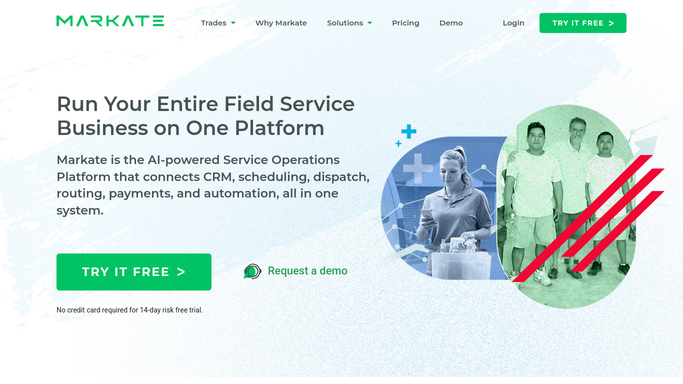
Markate is a service operations platform for home service trades: pressure washing, carpet and tile cleaning, window cleaning, handyman work, painting, electrical, landscaping, tree work, appliance repair, holiday lighting and snow clearing.
The businesses on it are small, and often very small. One person and a truck. Two crews and a spouse doing the books. At that size the software is not one department's tool, it is the entire back office: the customer list, the estimate, the calendar, the work order, the invoice and the marketing behind a single login.
That shapes what it has to be good at. Nobody is going to configure anything elaborate. Nobody is at a desk between eight and five. And the difference between a good month and a bad one is not capacity, because there is always another driveway to wash. It is whether the phone rings.
So Markate leans where its customers need it, at winning work and at not letting work slip.
Leads arrive in five inboxes and one of them is Markate
Ask a small contractor where the work comes from and the answer is a list of places, not a system.
A form on their own site. A Google Local Services enquiry. Angi and Thumbtack, each with an app of its own. A Facebook message. A text to the owner's mobile from a neighbour who was given the number.
Only some of those reach Markate, and only once somebody has retyped them. The rest wait until the evening, by which point the homeowner has three quotes.
The other half of the week is the supply side. On anything made to measure, blinds, doors, custom panels, the job is stuck behind a supplier's order, and the only way to know where it is is a portal or a phone call. The install date was promised to a customer who will ring on the day if nobody rings her first.
None of this is a scheduling problem. It is a knowing problem, and every answer sits in somebody else's software.
Drip campaigns fire on a date, not on a reason
Markate automates the customer conversation properly, and a business should switch all of it on before adding anything.
Automated follow-ups chase an estimate that has not been accepted. Automated email and SMS drip campaigns run a sequence to a list. Automated invoice follow-ups nudge an unpaid balance. Automated review requests go out once a job is marked complete. Job reminders and notifications reach the customer by text or email ahead of the appointment. There is a Kate AI receptionist for the calls nobody could pick up, and an estimate can flow through to a work order and an invoice without being keyed again.
It is a great deal for the money.
Every piece of it, though, is triggered by something already inside Markate and timed by a clock. Day three after the estimate. Seven days after the invoice. The morning of the job. None of it can be set off by the fact that the blinds shipped, that an enquiry landed in a marketplace app an hour ago, or that a deposit never cleared.
An estimate can be chased on the day it is worth chasing
Work in this trade starts as a lead somewhere else and becomes a job in Markate. The gap between the two is where most of it is lost, and it is a gap something can stand in.
Enquiries collected from the marketplace and directory inboxes each morning and dropped into the pipeline with a reply already drafted, so the first response is measured in minutes rather than in which app got opened. Supplier orders on made-to-measure work checked on the supplier's portal, so a slipped date reaches the customer as a call from you.
Then the follow-ups that only make sense with outside information. The estimate for a roof wash chased on the first dry week rather than on day three of rain. Last winter's snow customers listed before the forecast turns, not after. A review that appeared on Google overnight matched back to the job and the crew who earned it.
And the money. Deposits promised and never taken, checked against what the payment processor shows, so nobody drives to an install nobody paid for.
That is one person's whole morning, finished before the first job starts.
The smallest businesses have the most tabs open
There is no office to absorb any of this. A two-van operation has about as many portals to check as a twenty-van one and one fewer person to check them, so the checking happens at half past nine at night or not at all.
WebRun is an AI agent that works a real Chrome browser, signed in as you. It opens the marketplace inbox, the supplier's order portal or the payment dashboard, and brings what it finds back into Markate as a lead, a date or a note against the job.
You set the schedule, it runs in your own private environment, and you can watch a run and stop it. Anything addressed to a homeowner is written and then waits, because at this size you are the brand.
The workflows below are already built, and each one names what it opens.
Questions people ask
We already run the drip campaigns. Is this instead of them?
No, keep them. They handle timed sequences well and cost nothing extra. This adds the trigger they cannot have, which is something happening on a site outside Markate.
Can it pull leads out of Angi or Thumbtack?
Yes. It signs into the marketplace the way you do, reads the new enquiries and creates them in Markate with a reply drafted. There is nothing to integrate, because it works the same screens you work.
Will it text or email my customers by itself?
Not by default. Messages are prepared and held for you to send. At this size the owner is the brand, so what goes out under your name stays your decision.
13 ready-made Markate workflows
Each one names the apps it touches and the exact steps it takes. Open one to read what it will do, then turn it on.




Want one of these running on your own Markate?
Show WebRun the process once and it will run it on schedule, in your own private browser environment.