How to Automate Google Maps
A dispatcher can hand Google Maps route planning to software that reads the next day's jobs, enters each crew's stops in Maps, orders them and sends the run sheet. Maps caps a route at nine stops, leaves their order to you and times traffic only for one-destination trips, so an AI agent such as WebRun does the entering.
 Written by
Samuel Adeyemi
Integrations writer
Written by
Samuel Adeyemi
Integrations writer
 Reviewed by
Marta Ellison
Automation strategist
Reviewed by
Marta Ellison
Automation strategist
The day's route is worked out in Google Maps before anyone leaves the yard
For a business whose work happens at the customer's address, Google Maps is where the owner or the dispatcher plans the day. At six in the morning one of them opens directions at maps.google.com and enters the day's addresses to see how far apart the jobs are before promising anyone an arrival window. The crews then drive that route on their phones.
A hood-cleaning crew works through restaurant kitchens after closing time, so its route is drawn up for the night. An inflatable rental company drives the same streets twice on a Saturday, dropping bounce houses in the morning and collecting them at dusk. A mobile equine vet goes from farm to farm, and a beekeeper drives to whichever apiary sites are due an inspection.
The dispatcher pastes every stop in from the job list
The jobs live in a field-service system or a rental calendar, and Google Maps knows nothing about them. Each morning the dispatcher reads the list, copies an address, pastes it into the directions box and adds the next stop until the whole day is in.
Then the stops need an order. The dispatcher drags them around so the van does not cross town twice, while remembering that one kitchen only opens its back door after ten and that another job needs the long ladder. Each crew gets the result as a typed message, or hears it read out over the phone at the yard.
A job added at quarter past eight sends the dispatcher back to the start, and so does a cancellation. On a day with more stops than one route holds, the dispatcher builds it in pieces, one route per crew or one per half of the day, and sends each piece separately.
Google Maps holds nine stops and leaves the order to you
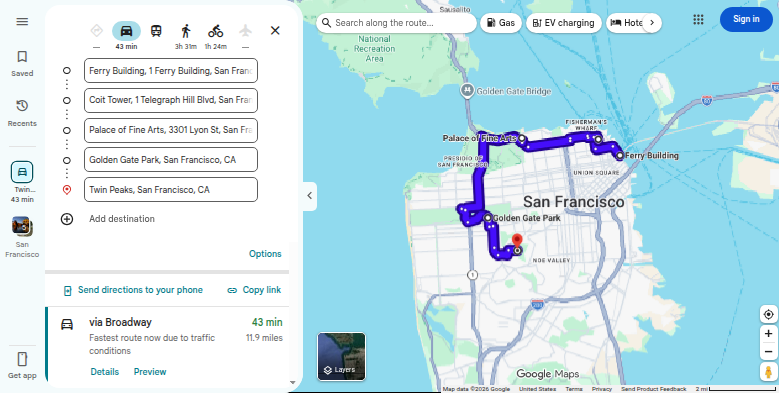
Directions on a computer take up to nine stops, and the final destination counts as one of them. The dispatcher reorders a route by dragging a stop up or down the list. For a single trip, Depart at and Arrive by, under Leave now, pick the best route for a chosen hour from estimated traffic, but Google limits both to routes with one destination.
A finished multi-stop route leaves the computer as a copied link or a printout. Send to phone, which puts directions on a phone or tablet, does not accept a route with more than one destination.
Google does sell automatic ordering, outside the app. The Route Optimization API in Google Maps Platform plans routes for one vehicle or a whole fleet, with time windows for each stop, driver shifts and required breaks. Using it means enabling billing on a Google Cloud project and sending an OAuth token with every request, which is work for a developer.
The app's own features all work on addresses somebody has already entered. The jobs sit on the schedule screen of the field-service system, which opens only for someone signed in to the office's account, and Google Maps cannot reach it.
The run sheet lists the gate code beside each address
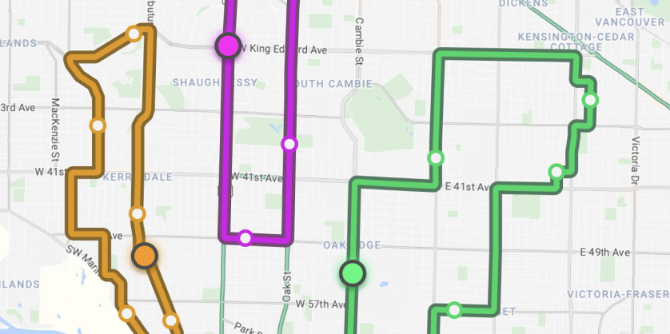
Saturday's eleven drops for an inflatable rental firm could be split into two run sheets, one per truck, each in an order that keeps the truck on its own side of town. Each driver could have theirs on the phone the night before, with the arrival window, the bounce house, the generator and the gate code from the booking notes beside every address.
An equine vet could read the day's farm calls in driving order, each with the horse's name and the reason for the visit. When a restaurant cancels its cleaning at eight in the evening, the hood-cleaning crew lead gets a fresh sheet for the night, with that kitchen struck off and the remaining stops put back in order.
Over a month, the owner could read the minutes each crew spent between stops, set out by area, and decide where a quote should carry a travel charge or which day to book a distant town.
Routes are built overnight and checked by the dispatcher in the morning
The dispatcher keeps the calls that need local knowledge, like which crew has the long ladder, and stops typing addresses into the directions box. WebRun is an AI agent that works a real Chrome browser, signed in as you. The night before, it opens the next day's jobs, enters each crew's stops in Maps, orders them and writes the run sheet with the route link.
It uses the Maps website, so nobody enables billing or requests an OAuth token for it. Each crew's sheet can go to the dispatch channel first, for the dispatcher to check and forward. Arrival windows go on the crews' sheets and nowhere else.
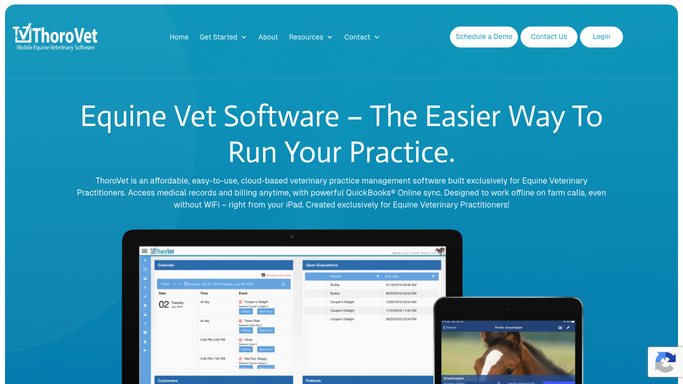
The same run works from QuoteIQ for a hood-cleaning crew or ThoroVet for an equine practice, and ends with each crew's run sheet in Telegram or Slack.
Questions people ask
Does Google Maps put multiple stops in the best order?
No. The app keeps stops in the order you add or drag them. Automatic ordering is sold separately as the Route Optimization API, which charges per shipment under two SKUs: Single Vehicle Routing for requests with one vehicle, and Fleet Routing for requests with two or more.
How many stops can one Google Maps route have?
Nine after the starting point, and the final destination is one of the nine. Stops are not available at all for public transit or flight searches. A crew with twelve jobs gets two routes, split by area or by half of the day.
Why can't I send a multi-stop route to my phone?
Google switches off Send to phone for any route with more than one destination, and it only works when the computer and the phone are signed in to the same Google account. For a multi-stop route, choose Send a link, then Copy link, and text it to the driver, or print the route with maps or as text only.
Does routing change anything in Housecall Pro or ServiceTitan?
No. Building routes means reading the jobs and nothing more, so the job system's schedule is left untouched.
Sources
- Get directions & show routes in Google Maps Google's help page stating that a route can have up to 9 stops including the final destination, that stops are reordered by dragging, that Depart at and Arrive by only work for routes with one destination, and that multiple stops are unavailable for transit and flights.
- Share, send, or print directions from Google Maps States that directions cannot be sent to a phone or tablet when a route has multiple destinations, and covers sharing a route by link or printing it.
- Route Optimization API overview Describes Google's API for optimized route plans across vehicles, stops and time windows, set up through a Google Cloud project with API calls and Google Maps Platform billing.
- Route Optimization API usage and billing States that billing must be enabled on each project and an OAuth token sent with every request, and that the API bills per shipment under a Single Vehicle Routing SKU and a Fleet Routing SKU.
- Share, send, or print directions from Google Maps Google's help page for computers, stating that to send directions to a phone or tablet the route cannot have multiple destinations, and that directions can instead be shared as a link or printed.
7 ready-made Google Maps workflows
Each one names the apps it touches and the exact steps it takes. Open one to read what it will do, then turn it on.





Want one of these running on your own Google Maps?
Show WebRun the process once and it will run it on schedule, in your own private browser environment.