How to Automate EverLogic
EverLogic automates the dealership's own ground. Eight modules cover units, parts, service, sales and documents, and the QuickBooks certification keeps the books in step without double entry. Listings, transport tracking and manufacturer warranty portals sit outside all of it, and an agent like WebRun opens those each night.
 Written by
Sofia Marchetti
Marketing operations
Written by
Sofia Marchetti
Marketing operations
 Reviewed by
Dimitri Vasilev
Logistics analyst
Reviewed by
Dimitri Vasilev
Logistics analyst
EverLogic keeps the lot and the ledger in step
EverLogic is a dealership management system that has been running since 2003, aimed at the dealers most software skips: trailers, RVs, golf carts, boats, powersports, heavy equipment and tiny homes.
The unit is what everything hangs from. A cargo trailer arrives with a VIN, gets a stock number, sits on the lot, and becomes a deal with a trade-in, a finance package and a folder of paperwork. Then it becomes a customer who comes back for a hitch, a wiring fault or an axle.
What makes it unusual is where the money ends up. EverLogic does not keep its own books. It is certified by QuickBooks and maps into it, so the deal written at the desk reaches the accountant without anybody typing it twice.
The people in it all day are not the salespeople but the office: whoever does titles, parts, service scheduling and the books, which at a small lot is one person.
The sold sign goes up before the listing comes down
A trailer dealership sells in two places at once, and the lot is only one of them.
Units are advertised on classified sites and marketplaces, each with its own login, listing form and photo upload. One sells on a Saturday and stays live on three of them until somebody remembers. Enquiries collect in a marketplace inbox nobody has opened since Thursday. A price gets cut on the lot and stays at the old number online for a fortnight.
Then there are the units that have not arrived. A trailer bought from the manufacturer is on a transport company's truck somewhere, and finding out when it lands means opening that company's tracking page.
Then the warranty registrations that have to reach the manufacturer before a customer's cover starts, the deposits taken on units in transit, and the reviews that came in over the weekend. None of that is selling. All of it has a clock on it.
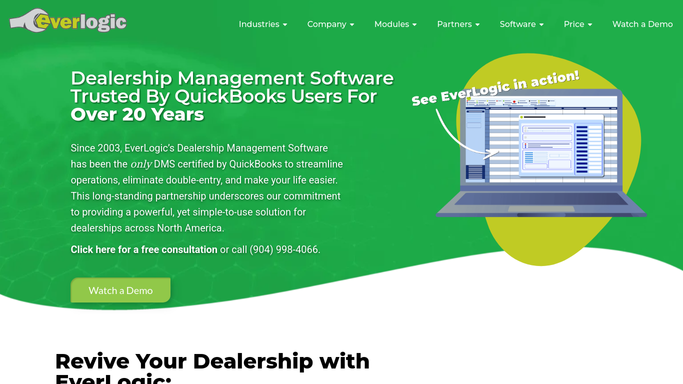
The service calendar and the reorder alert stop at the fence
Eight modules cover the dealership's own ground, and they cover it well.
Unit Inventory tracks by serial number, takes stock in bulk and pushes units out to the dealership website. Parts Inventory runs barcodes, multiple locations, vendor price files and reorder notifications, so a low bin says so. The Service module has its own calendar, a technician time clock, job assignment and parts reconciliation, which keeps a work order and the parts it consumed on one record. Customer Management holds history, notes, files, lead management and texting. Point of Sale takes the money at the counter, Document Management keeps the deal jacket, and QuickBooks Accounting stops the office keying everything twice.
Look at what starts each of those. A unit the dealership took in. A part it stocks. A customer already on the system. Every one is an event on your own property, which EverLogic handles well.
The manufacturer, the transport company, the marketplace and the review site are all on the other side of the fence. Each publishes to a login rather than a DMS, and none has an export button near the screen you need.
A lot that reads its own listings back
Give those logins a nightly slot and the lot starts telling you what the outside world thinks it is.
Every live listing checked back against Unit Inventory overnight, so the unit that sold on Saturday is flagged before Monday and the one whose price was cut is not still advertised at the old figure. The marketplace inboxes read for enquiries that arrived after hours, so a Saturday question gets an answer on Sunday instead of Thursday.
Units in transit chased on the transport company's tracking page, so a salesperson holding somebody's deposit can name a week and mean it. Warranty registrations checked on the manufacturer's site to confirm they took, because the one that quietly failed only shows itself when a customer needs the cover.
The books get the same treatment. Deals and invoices compared across EverLogic and QuickBooks, so a unit that did not map lands on a list this week rather than at year end. New reviews collected from the sites buyers read, with a reply drafted for whoever answers them.
Reading all of that is clerical. What you do about a mispriced unit, a failed registration or a bad review is not.
The evening round can happen without the dealer
The last job before locking up is a round of the same websites, in the same order, for the same answers. It is also the first to get skipped.
WebRun is an AI agent that works a real Chrome browser, signed in as you. It opens EverLogic, then the marketplace, the transporter's tracking page or the manufacturer's warranty site alongside it, reads the screen and puts the answer where the office looks: a stale listing flagged, an arrival date against a deposit, a deal that never crossed over.
Driving the browser rather than an API is what reaches sites that never heard of a DMS. It runs on your schedule, limited to the sites you allow, and anything that changes a listing or reaches a customer waits for a person.
The workflows below are already built, and each names the sites it opens.
Questions people ask
The QuickBooks sync is the whole reason we bought EverLogic. Does an agent interfere with it?
No. It reads both sides and reports where they disagree. The sync keeps doing what it does, and a unit or invoice that failed to map comes back as a list for the bookkeeper. Posting, correcting and re-mapping stay with the person who owns the books.
Can it take a sold unit off the listing sites on its own?
Finding the stale listing runs unattended. Pulling it down does not by default, because a listing is your advertising and an edit made at two in the morning is hard to undo. It flags what is still live and prepares the change for someone at the desk.
There are two of us in the office and no IT person. What has to be built?
Nothing. There is no API to request, no developer and no add-on for the marketplace or the transport company to publish. It signs into the same sites you sign into, with the accounts you already have, and reads the same screens you read.
12 ready-made EverLogic workflows
Each one names the apps it touches and the exact steps it takes. Open one to read what it will do, then turn it on.





Want one of these running on your own EverLogic?
Show WebRun the process once and it will run it on schedule, in your own private browser environment.