How to Automate Doxy.me
Doxy.me automates the visit itself. A personalised room link, a virtual waiting room with a patient queue, email and SMS invites, group calls, patient transfer and automated session summaries all run without setup. Scheduling, charting, billing and state licensure sit outside it, which is the layer an agent like WebRun covers.
 Written by
Samuel Adeyemi
Integrations writer
Written by
Samuel Adeyemi
Integrations writer
 Reviewed by
Rosa Lindqvist
Operations editor
Reviewed by
Rosa Lindqvist
Operations editor
Doxy.me is a link, and that is the whole design
Doxy.me is a telehealth platform whose defining decision is what it left out. A clinician gets one room with a personalised URL. The patient clicks it and is in. No download, no app, no account, and no password to reset while a seventy-year-old on the phone tries to describe the button they are looking at.
That constraint is why it spread the way it did, into solo practices, small clinics, rural services and health systems alike. A therapist, a psychiatrist, a dietitian or a specialist covering a county three hours away can be running video visits the same afternoon they sign up, on the free plan, without asking anyone's IT department for anything.
It is HIPAA compliant with a BAA included, and it sits alongside whatever else the practice already runs rather than trying to replace it. The room is the product. Everything before and after the room belongs to somebody else.
Everything except the visit lives somewhere else
That is a fair trade, and it moves the work rather than removing it.
A practice that sees patients only over video still has every part a practice has, just scattered. The schedule is in a calendar or a booking tool. The chart is in an EHR. Payment is in a processor or a billing system. Eligibility is on the payer's site, and so are the denials.
Then there is the part specific to practising by video, which is licensure. A clinician seeing patients in eight states holds eight licences, from eight boards, with eight renewal cycles and eight sets of continuing education rules, each of them tracked on that board's own lookup page. Add a DEA registration, a credentialing profile that goes stale if nobody re-attests it, malpractice cover and payer enrolments on their own calendars, and the administrative surface of a one-room practice is larger than the room.
Most of it is watched by a spreadsheet and a memory, and the spreadsheet is out of date.
The Waiting Room and patient queue already run the session
Inside the session Doxy.me is thorough, and the parts it does own are done properly.
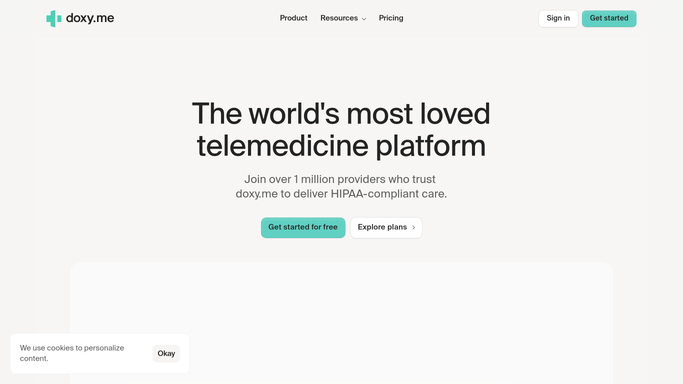
The virtual waiting room holds arriving patients in a queue with real-time notifications, so a clinician can see who checked in and when. Patients are invited by email or SMS. During the call there is screen sharing, chat, file transfer, photo capture, virtual backgrounds, picture-in-picture and a pause control. Group calls take up to twenty-five participants, which covers a family, an interpreter or a case conference. Automated notetaking produces session summaries and a transcript in SOAP or DAP form. Shared Rooms support team-based care, patient transfer routes somebody from one provider to another without issuing a new link, and intake and consent workflows run before the call. At clinic level there are roles and permissions, centralised settings, custom branding, session history and reporting.
All of that operates on the session Doxy.me hosted. It does not schedule, it does not chart and it does not bill, and that is deliberate.
It also has no view of the state board holding your licence, the payer portal holding the denial, or the processor holding the balance a patient never paid.
The rest of the practice can report in every morning
Eight logins with an answer sitting behind each one is a memory test, not a hard task. Worked through on a schedule, the surface around the room reports itself.
Every licence you hold checked on its own board's lookup, with expiry dates, continuing education requirements and any status change listed together, months out rather than in the week one lapses. DEA and credentialing attestation dates sitting alongside them. Enrolment applications followed on each payer's portal, so an application stuck for six weeks is visible instead of assumed to be moving.
Yesterday's no-shows pulled together with what each person was booked for, so the follow-up is a short list rather than a scroll through session history. Unpaid balances read from the payment processor and matched to the patient who owes them, with a reminder drafted for you. Eligibility and remaining covered visits checked on the payer's own site before the appointment rather than after the claim comes back. Referrals that arrived by email or fax turned into a list of people to contact this week.
The clinical line holds throughout. Reading and assembling happen unattended. Anything that reaches a patient, submits a claim or writes into a chart is drafted and waits for you to read it.
Video was the easy part
Doxy.me solved the connection. The eight boards, the processor and the payer portals are still eight browser tabs and an hour nobody bills for.
WebRun is an AI agent that works a real Chrome browser, signed in as you are. It opens the licensing board, the payer site or the payment dashboard, reads what is on the screen, and leaves one summary with the dates and the exceptions called out.
It runs on your schedule in your own private environment, sessions are not shared between tools, and a workflow can be limited to a named list of sites. You can watch a run and stop it whenever you like.
The workflows below name exactly what each one opens.
Questions people ask
Will it message a patient without me seeing it first?
No. Patient contact is drafted and held for you. The unattended half is the reading: licence lookups, payer portals and the payment dashboard. What arrives is a summary and a draft, never a sent message.
Doxy.me has no scheduling or billing. Does that break this?
No, and it is why this works the way it does. It signs into whatever you actually use for the calendar, the chart and the payments, in the browser, so the missing pieces never have to live inside one product.
Can it keep track of licences in several states at once?
Yes. A single run can check each board in turn and return one list of expiry dates, requirements and status changes. Most state board lookups publish no API at all, so reading the page is the only route in.
12 ready-made Doxy.me workflows
Each one names the apps it touches and the exact steps it takes. Open one to read what it will do, then turn it on.




Want one of these running on your own Doxy.me?
Show WebRun the process once and it will run it on schedule, in your own private browser environment.