Chase incomplete new patient intake forms before the first telehealth visit
Every morning, WebRun reviews upcoming Doxy.me appointments for new patients, checks whether intake forms are marked complete in your tracking sheet, drafts a reminder email in Gmail for any patient still missing forms, and updates Google Sheets with the current intake status.
- No credit card
- Under $0.01 per run
- Cancel anytime
What does WebRun do on every run?
The exact actions WebRun takes, in order - in plain language, so you can adjust anything.
-
WebRun signs in and gets to work
Opens
doxy.mein a real browser with your saved login - no setup, no API keys. -
1
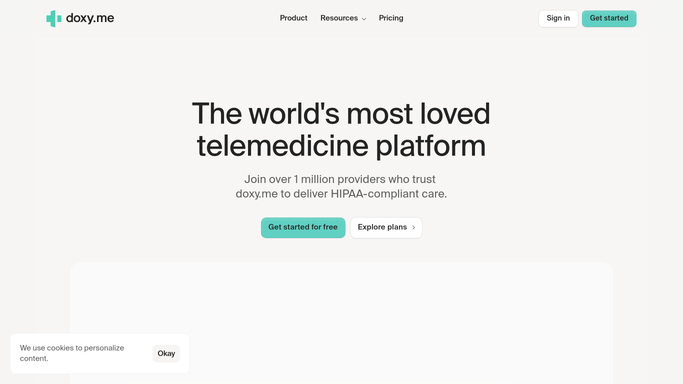
Doxy.me - find new patients with upcoming visits
doxy.me How to Automate Doxy.me

WebRun opens Doxy.me to find new patients with upcoming visits. - Open Doxy.me and pull the appointment list for the next 48 hours
- Filter for patients flagged as new or first-visit
- Capture patient name, appointment time, email address, and provider
Done when Every new patient with an upcoming visit is identified with contact details.
-
2
Google Sheets - check intake completion status
google.com How to Automate Google Sheets
WebRun opens Google Sheets to check intake completion status. - Open the New Patient Intake Tracker sheet
- Look up each new patient and check whether intake is marked as complete
- Flag any patient whose appointment is within 24 hours and forms are still incomplete
Done when Intake status is confirmed for every new patient with an upcoming visit.
-
3
Gmail - draft intake reminder for review
gmail.com How to Automate Gmail
WebRun opens Gmail to draft intake reminder for review. - Draft a friendly intake reminder email for each patient with incomplete forms
- Include the appointment date, a direct link to the intake form, and a contact number
- Save as Gmail draft for staff to review before sending - do not send automatically
Done when A Gmail draft reminder exists for every new patient missing completed intake.


How do I automatically follow up on incomplete new patient intake forms before telehealth visits?
Every morning, WebRun pulls upcoming new-patient appointments from Doxy.me, checks intake completion status in Google Sheets, and drafts a personalized reminder in Gmail for any patient with missing forms. Staff review and send each draft, ensuring every new patient arrives fully prepared for their first telehealth visit.
- No new patient shows up to a first visit with missing intake paperwork
- Urgent reminders flag patients whose visit is within 24 hours
- Staff review one list instead of manually tracking each incoming patient
Built for telehealth practices · virtual care coordinators · primary care clinics · mental health telehealth providers
How is each run configured?
Secure by default
Connect once, stays signed in
WebRun signs in once and keeps each session in a persistent environment, so every run picks up right where it left off.
Every action is checked against this policy before it runs.
Questions, answered
Will it email new patients automatically?
No. Every intake reminder is saved as a Gmail draft for a staff member to review and send. Patient-facing emails require human approval before they go out.
What if a patient completes their forms after the reminder is drafted?
It checks the Google Sheets intake tracker fresh each morning. If intake is marked complete before the draft is sent, staff will see the updated status and can discard the draft.
How far in advance does it chase incomplete intake forms?
It looks 48 hours ahead by default and flags patients missing forms as urgent if their visit is within 24 hours. You can widen the window to match your intake lead-time.
Related templates
Put this on autopilot.
Turn it on in minutes - or have our team set it up for you.