How to Automate AMFG
AMFG runs the shop's own flow: auto-quoting turns an incoming RFQ into a priced ticket, planning and scheduling drops jobs into machine slots, and shop floor control monitors what the machines are doing. Suppliers, couriers, customer portals and the accounting package all need a browser, which is the layer an agent like WebRun covers.
 Written by
Elliot Nakamura
Platform writer
Written by
Elliot Nakamura
Platform writer
 Reviewed by
Nora Whitfield
Editorial lead
Reviewed by
Nora Whitfield
Editorial lead
A part file arrives and the shop has an hour to price it
AMFG is workflow software for the shops that turn a customer's file into a finished part. It began in additive, and that line is still the substantial one: order intake, machine scheduling, shop floor control and traceability for a 3D printing operation running production rather than prototypes. Estimating and quoting for machine shops now sits alongside it, so a shop doing both printing and machining runs in one place. Longer-standing customers may still know it as RP Platform, the name it carried before the rebrand.
The shape of the day is set by other people. A file lands with a quantity, a material and a date attached. Somebody has to say what it costs and when it can be done, and be right, because on a printed part the machine hours are the cost.
So AMFG sits at the front: the quote is raised there, the order becomes jobs, the jobs are scheduled onto machines, and the floor reports back.
The order is tracked, the powder and the payment are not
What the system holds is the inside of the shop. The delays come from everywhere else.
A quote went out on Tuesday and nobody knows whether the customer opened it, so it gets chased when someone remembers. An order shipped a fortnight ago and whether it has been paid is a question for the accounting package, not the production board. The powder for Thursday's build is on order, and the supplier's page says one thing while the email said another. Parts are at the finisher for dyeing, and the only way to get a date is to ring somebody out on their floor. A customer is asking where their box is, and the answer is on a courier site.
None of that is manufacturing. It is a production manager going through five other companies' websites to find out what is holding up an order the machines finished on Monday.
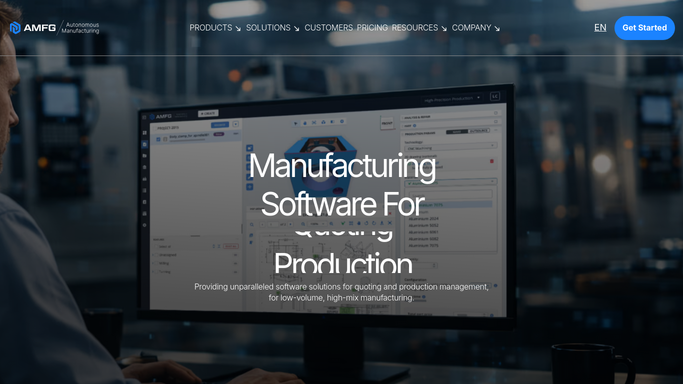
Auto-quoting reasons from the geometry it was handed
AMFG does the inside of the shop properly, and an operation that has not configured all of it should start there.
Auto-quoting turns an incoming RFQ into a ticket using pricing scripts written to your own specifications, and the geometric estimating engine works the cost out from the part rather than a hunch. AI 2D drawing analysis reads a technical drawing for the specifications a quote needs, and work plan generation routes the accepted order through the shop. Planning and scheduling puts jobs into machine slots, job tracking follows each one, and shop floor control gives live machine monitoring, so a stopped machine shows as stopped. Quality tracking carries a part through post-processing, which on a printed part is most of the lead time.
All of that describes the shop and the machines connected to it. None of it signs into your powder supplier's stock page, your customer's portal, the accounting package or the courier. The order says shipped. Whether it was paid, whether the customer ever replied, whether material for the next build is even in the country: the board cannot say.
A build scheduled against material that actually exists
Those sites can be read for you before the shift starts, and the production board stops ending at the loading bay.
Quotes stop going cold. Every one still awaiting approval is there each morning, oldest first, with a follow-up drafted for the person whose customer it is.
Shipped orders get held against the money. A weekly pass over what went out against what actually landed in the account turns an aged debtor list into something you have first.
Material stops being a surprise. Powder and resin stock, prices and lead times read off the supplier's own page and set beside the builds already scheduled, so a machine slot is not booked for a job that cannot be fed.
Then the outside steps. The finisher's job board read for a real date instead of a promise. The courier's tracking for the box a customer is chasing. A customer's supplier portal watched for a revised delivery schedule they published rather than emailed. A failed print picked up within minutes instead of at the stand-up, because the difference is a wasted build plate.
Collecting all of that can run unattended. Anything that reaches a customer, and anything that changes a price, gets prepared and waits.
The chasing moves off the production manager's morning
None of those sites will ever send you anything. They sit there holding the answer until a person goes and looks, which is why a quote goes quiet for a fortnight.
WebRun is an AI agent that works a real Chrome browser, signed in the way your production manager is. It opens the supplier's stock page, the finisher's job board or the courier's tracking, reads what is on screen, and lines it up against the orders AMFG already holds. There is no key to generate and no integration that has to exist first.
It runs on your schedule in your own private environment, held to an explicit list of sites, and you can watch a run and stop it. Quotes, invoices and customer messages are drafted for a person to send. Each workflow below names the sites it opens.
Questions people ask
Will it touch our machines or the production database?
No. It works at the browser, reading the screens your team already opens and writing only where you point it. The machine connections and the production data stay where they are, under the controls AMFG gives you.
We host on-premise for compliance reasons. Where would this run?
In your own private environment, on your schedule, and a workflow can be held to a named list of sites so it never opens anything else. Anyone working under export control should scope each workflow with whoever owns that position internally.
Can it price a job or send the quote by itself?
No, and it should not. What a job should cost depends on capacity and on the customer, which is a decision somebody owns. The agent gathers the inputs, drafts the follow-up or the invoice, and leaves the sending to a person.
10 ready-made AMFG workflows
Each one names the apps it touches and the exact steps it takes. Open one to read what it will do, then turn it on.





Want one of these running on your own AMFG?
Show WebRun the process once and it will run it on schedule, in your own private browser environment.