Send clients a weekly Aaptiv workout digest
Every Monday, WebRun opens Aaptiv, checks each client's completed workouts from the prior week, syncs their next planned session to Google Calendar, and sends you a WhatsApp digest summarizing who trained, how often, and who is falling behind.
- No credit card
- Under $0.01 per run
- Cancel anytime
How do I track my clients' weekly Aaptiv workout progress?
WebRun checks Aaptiv every Monday for each client's completed workouts, syncs their next planned session to Google Calendar, and sends you a WhatsApp digest of who trained and who is falling behind. It never messages a client directly, so a personal trainer gets one weekly summary instead of checking each client's activity by hand.
- Client workout activity is summarized every Monday without manual checking
- Clients falling behind are flagged early for a personal follow up
- Training calendars stay synced to each client's next planned session
Built for Personal trainers · fitness coaches · wellness consultants · corporate fitness programs
What does WebRun do on every run?
The exact actions WebRun takes, in order - in plain language, so you can adjust anything.
-
WebRun signs in and gets to work
Opens
aaptiv.com/loginin a real browser with your saved login - no setup, no API keys. -
1
Aaptiv - check completed workouts
aaptiv.com
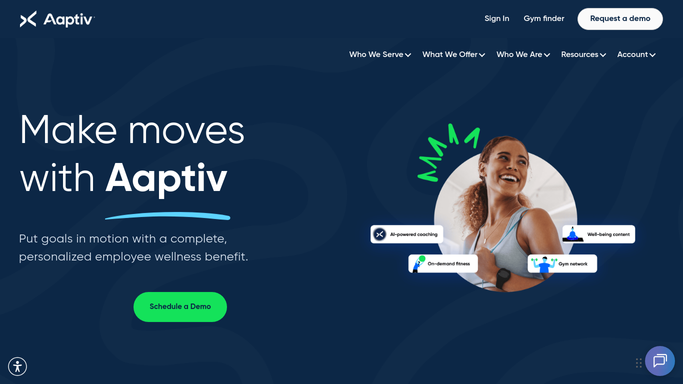
WebRun opens Aaptiv to check completed workouts. - Open Aaptiv and review each client's workout history for the prior week
- Note how many sessions were completed and which class types were used
- Flag any client with no completed workouts this week
Done when Every client's weekly workout activity has been captured.
-
2
Google Calendar - sync the next session
calendar.google.com How to Automate Google Calendar

WebRun opens Google Calendar to sync the next session. - Open the client training calendar
- Add or confirm each client's next planned session
- Note any client whose schedule needs a follow up call
Done when The calendar reflects each client's next planned session.
-
3
WhatsApp - send the weekly digest
whatsapp.com How to Automate WhatsApp

WebRun opens WhatsApp to send the weekly digest. - Send you a weekly digest summarizing every client's workout count
- Highlight clients who completed every planned session
- Flag clients with no completed workouts for a personal follow up
Done when You have this week's client workout digest on WhatsApp.
How is each run configured?
Secure by default
Connect once, stays signed in
WebRun signs in once and keeps each session in a persistent environment, so every run picks up right where it left off.
Every action is checked against this policy before it runs.
Questions, answered
Does WebRun message clients directly about missed workouts?
No. The WhatsApp digest goes only to you, the trainer. Reaching out to a client is always a message you send yourself.
Does it change a client's training plan?
No. It only reads completed workouts and syncs the already planned next session. Adjusting the plan is a coaching decision made by you.
What workout details does it read?
Only session counts and class types from Aaptiv's activity history, not any personal health information beyond what Aaptiv itself tracks for training.
Related templates
Put this on autopilot.
Turn it on in minutes - or have our team set it up for you.