Automated Zoho Recruit Openings Report
Every Monday, WebRun opens Zoho Recruit, reads each open job opening and the candidates against it, counts where everyone sits by stage, builds a Trello card per hiring manager showing what moved last week, and sends each manager their own summary on WhatsApp.
How do I give hiring managers a weekly update on their open roles?
Every Monday WebRun opens Zoho Recruit, reads each open job opening and the candidates against it, and counts where everyone sits by stage. It builds a card per hiring manager in Trello showing what moved last week, and sends each manager's summary to WhatsApp.
- Recruiter catch-ups start from a shared picture, not a rebuild
- Stalled roles are named every Monday instead of at month end
- Each manager sees only the openings they actually own
Built for recruiters · talent acquisition teams · HR managers · staffing agencies
What does WebRun do on every run?
The exact actions WebRun takes, in order - in plain language, so you can adjust anything.
-
WebRun signs in and gets to work
Opens
recruit.zoho.comin a real browser with your saved login - no setup, no API keys. -
1
Zoho Recruit - count candidates by stage
recruit.zoho.com
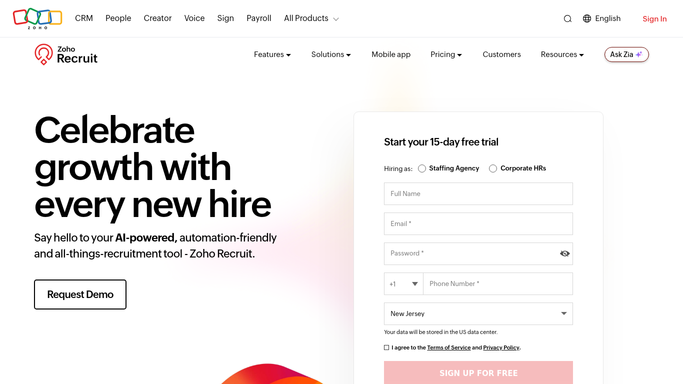
WebRun opens Zoho Recruit to count candidates by stage. - Open Zoho Recruit and list every job opening that is still active
- For each opening, count the candidates by status: new, screening, submitted, interviewing and offer
- Record what changed in the last seven days: new applications, submissions, interviews held and rejections
- Note the hiring manager on each opening and how many days it has been open
Done when Every open role has its stage counts and its seven day movement recorded.
-
2
Trello - build a card per manager
trello.com

WebRun opens Trello to build a card per manager. - Open or update one card per hiring manager on your recruiting board
- List their roles on the card with the stage counts and the days open for each
- Call out roles with no movement in the last week and roles with nobody in interview
- Attach the week's changes so the recruiter catch-up starts from a shared picture
Done when Every hiring manager has one card holding all of their open roles and the week's movement.
-
3
WhatsApp - send each manager their roles
whatsapp.com

WebRun opens WhatsApp to send each manager their roles. - Send each hiring manager their own roles in one short internal message
- Lead with anything waiting on them, such as candidates submitted but not yet reviewed
- Include the roles that went quiet so a stalled search is raised on Monday rather than at month end
Done when Each hiring manager has this week's summary of their own openings.
How is each run configured?
Secure by default
Connect once, stays signed in
WebRun signs in once and keeps each session in a persistent environment, so every run picks up right where it left off.
Every action is checked against this policy before it runs.
Questions, answered
Will it contact candidates?
No. WebRun reads the pipeline and reports it to your own hiring managers. It never messages, rejects or schedules a candidate, and it never changes a candidate status.
Can a manager see other people's roles?
No. Each manager gets a card and a message covering only the openings assigned to them in Zoho Recruit, so the summary stays scoped to what they own.
What happens to a role with no activity?
It is flagged. Roles with no movement in the last seven days are called out on the card and in the message, so a stalled search is raised early rather than at month end.
Related templates
Put this on autopilot.
Turn it on in minutes - or have our team set it up for you.