See what is slipping before it costs you the milestone
Every morning, WebRun opens Zoho Projects, lists tasks past their due date, tasks with no owner and tasks blocked by an unfinished dependency, works out which milestones those tasks put at risk, writes the milestone dates onto a shared Google Calendar, and posts a chase list to your team WhatsApp group grouped by owner.
- No credit card
- Under $0.01 per run
- Cancel anytime
How do I keep track of overdue tasks across my projects?
WebRun opens Zoho Projects every morning, finds tasks past their due date or with no owner, and checks which milestones are at risk. It puts the milestone dates on your Google Calendar and posts a WhatsApp chase list grouped by owner, so blocked work is visible before standup.
- Overdue work is grouped by owner instead of buried in a board
- Unowned tasks get assigned the same morning they surface
- At-risk milestones show up on the calendar everyone already reads
Built for project managers · agencies · engineering leads · operations teams
What does WebRun do on every run?
The exact actions WebRun takes, in order - in plain language, so you can adjust anything.
-
WebRun signs in and gets to work
Opens
projects.zoho.comin a real browser with your saved login - no setup, no API keys. -
1
Zoho Projects - find overdue and blocked work
projects.zoho.com
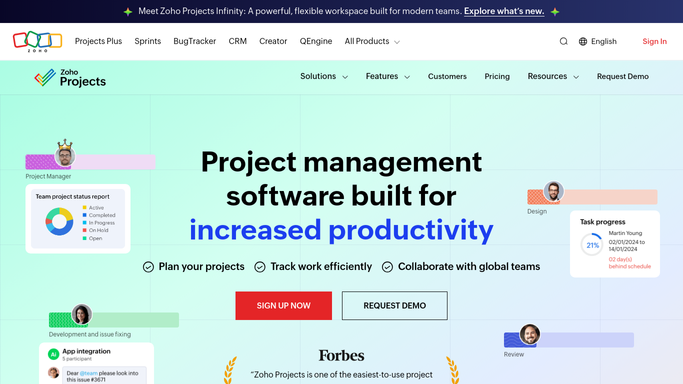
WebRun opens Zoho Projects to find overdue and blocked work. - Open Zoho Projects and go through the active projects on your list
- Capture every task past its due date with its owner, project and days overdue
- Capture open tasks with no assignee and tasks waiting on an unfinished dependency
- Read the milestone list and work out which milestones the overdue tasks put at risk
- Read only. Never reassign, close or change the due date on a task
Done when Every overdue, unowned and blocked task is listed with the milestone it affects.
-
2
Google Calendar - put milestone dates in view
calendar.google.com How to Automate Google Calendar

WebRun opens Google Calendar to put milestone dates in view. - Open the shared delivery calendar in Google Calendar
- Create or update an all day entry for each upcoming milestone with its date
- Mark milestones flagged at risk in the entry title so the calendar tells the story on its own
- Remove entries for milestones that have since been completed
Done when Every live milestone is on the shared calendar with its risk noted.
-
3
WhatsApp - post the chase list
whatsapp.com How to Automate WhatsApp

WebRun opens WhatsApp to post the chase list. - Post the chase list to your internal project group, grouped by owner
- Show each task, its project, days overdue and the milestone it holds up
- List unowned tasks in their own block so the project lead can assign them
- Keep it to your own team group. Never message a client about a slipped task
Done when The project group has today's chase list grouped by owner.
How is each run configured?
Secure by default
Connect once, stays signed in
WebRun signs in once and keeps each session in a persistent environment, so every run picks up right where it left off.
Every action is checked against this policy before it runs.
Questions, answered
Will it change task owners or push due dates?
No. WebRun reads Zoho Projects and reports. Reassigning, closing or rescheduling a task is a project decision and stays with your project lead.
Does it message clients about delays?
No. The chase list goes to your internal WhatsApp group only. Telling a client about a slipped milestone is always a conversation a person has.
How does it decide a milestone is at risk?
By tracing the overdue and blocked tasks that sit under each milestone. If work due before the milestone date is still open, the milestone is flagged on the calendar and in the chase list.
Related templates
Put this on autopilot.
Turn it on in minutes - or have our team set it up for you.